
PDFPad+
Abdulrhman Alhoshani
No ratings yetProductivityAges 4+
Screenshots






About this app
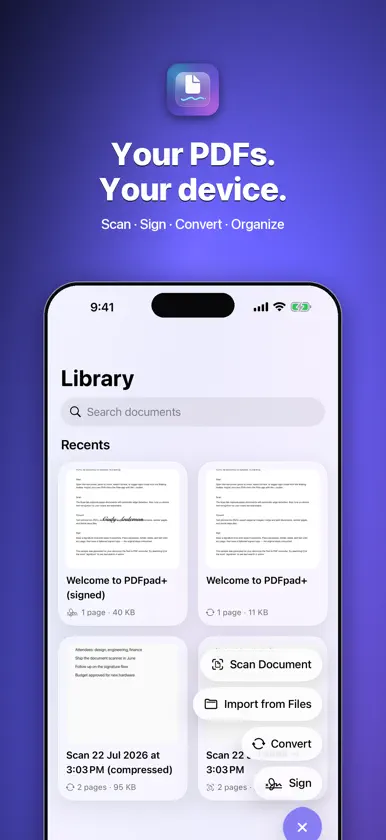
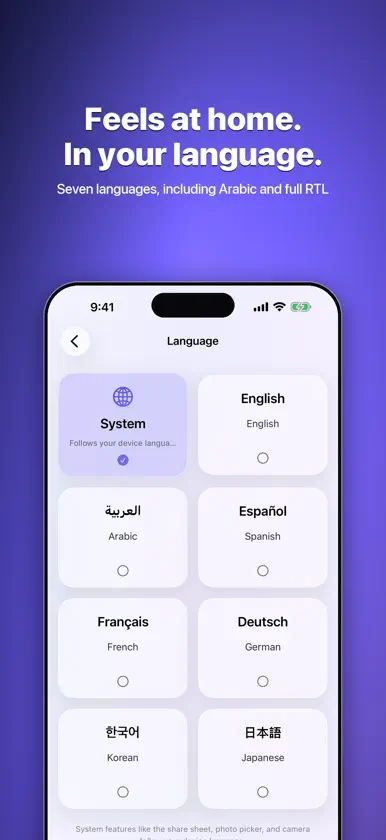
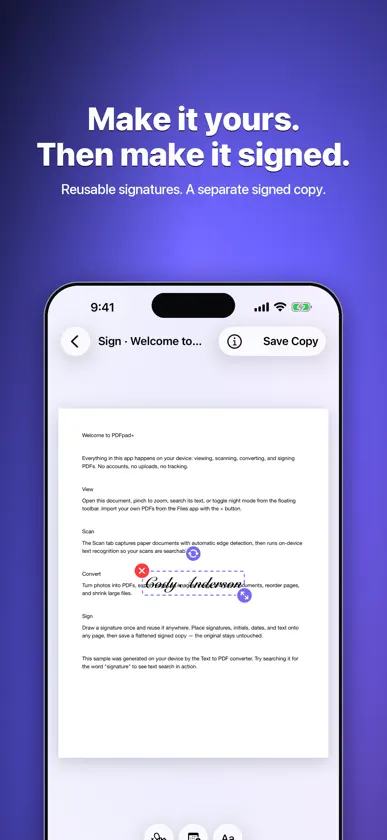
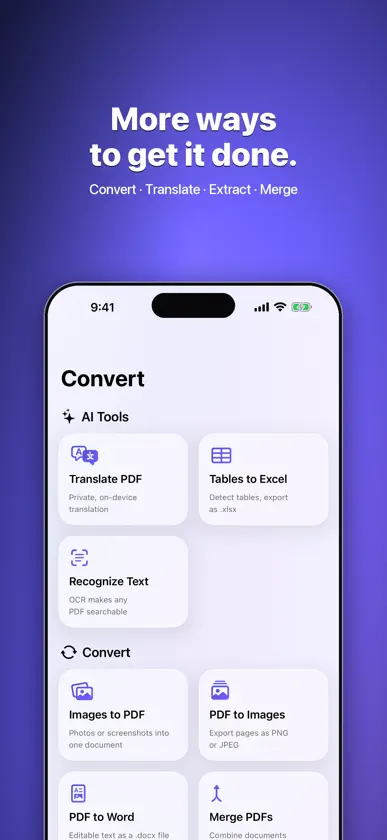
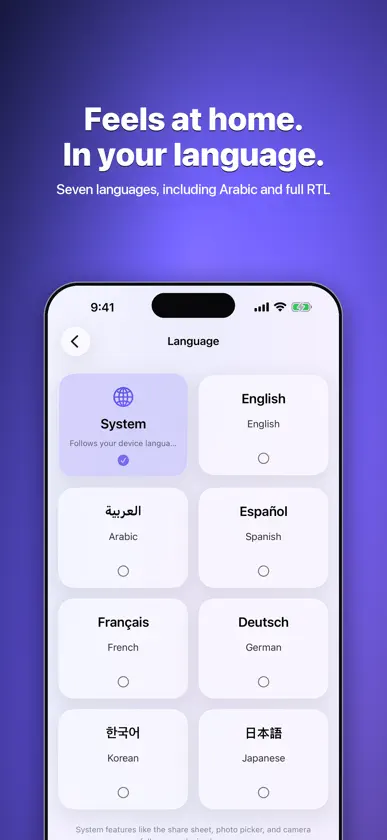
PDFPad+ brings scanning, reading, signing, and conversion together on iPhone and iPad. Work with your documents on your device, with no account, ads, or tracking. READ AND ORGANIZE • Search document text, browse thumbnails and outlines, and use night mode. • Read continuously or page by page, with optional two-page spreads on wide screens and right-to-left page order. • Open password-protected PDFs, merge documents, split page ranges, and reorder, rotate, duplicate, or delete pages. • On iPhone Duo, book and tabletop layouts keep documents and tools clear of the fold. SCAN AND RECOGNIZE • Capture multiple pages with automatic document edge detection. • Review, reorder, rotate, and retake pages before saving. • Recognize text on-device and create searchable scans. CONVERT AND COMPRESS • Turn selected photos or plain text into PDFs and export PDF pages as images. • Export recognized text to Word and detected tables to Excel. Conversion results depend on the source document. • Translate supported document text using Apple’s on-device translation. Language downloads may be required. • Compress PDFs while preserving selectable text by default, or choose page-image compression. Compare every page before saving a copy. Size targets are best-effort. SIGN AND FILL • Draw a signature with your finger or Apple Pencil, or create a typed signature. • Reuse saved signatures and place initials, dates, and text. • Fill standard PDF form fields and save a flattened signed copy while keeping the original. MADE TO FEEL AT HOME • A native Liquid Glass interface, adaptable layouts, and six app icons. • English, Arabic, Spanish, French, German, Korean, and Japanese, including right-to-left layouts for Arabic. PRIVACY PDFPad+ has no developer-operated document upload service, accounts, advertising, or analytics. Document processing happens on your device. Apple may download translation languages when requested. Files you share or export, and device backups, follow your choices and system settings. Signatures are visual marks. PDFPad+ does not verify signer identity or create certificate-based digital signatures.
What's new
Version 2.0.1 · Nov 9, 2026
General enhancement and bugs fixes
More from Abdulrhman Alhoshani


You might also like
All apps like PDFPad+ → Adraa ChatAdraa Labs
 Excel to PDF Converter : XLSXESPRESSO TECH (SMC-PRIVATE) LIMITED
 PDF nano: PDF Editor & ReaderThamer Mohammed
 SuperNote: AI Note & Study AppChatterhous Inc.
 Word DocumentNeon Infotech FZ-LLC
 Documents Pro, Download & EditSavy Soda Pty Ltd
 Image to PDF Converter +Jatin Maniya
 Supremo Remote DesktopNanosystems S.r.l.
 OpenClawOpenClaw Foundation
 محول الصور الى PDFDouglas (Hangzhou) Technology Co., LTD