
ControlZ
Tim Brien
No ratings yetLifestyleAges 4+
Screenshots



About this app
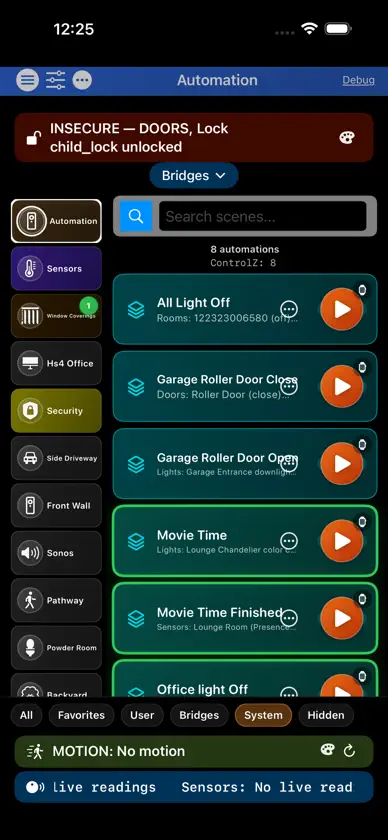
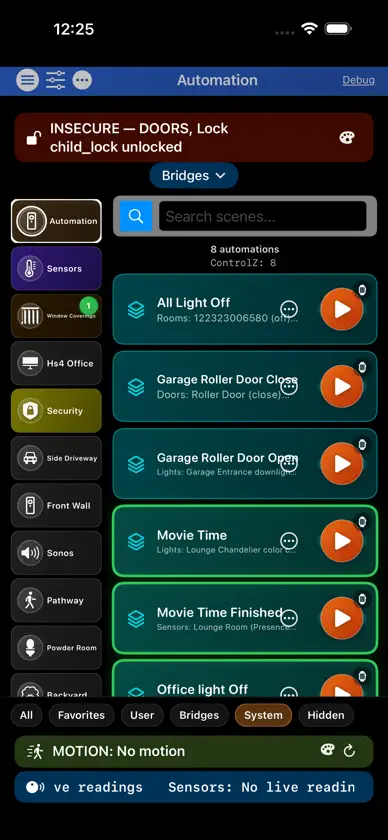
ControlZ is a smart home command center for iPhone, iPad, and Mac. Connect your bridges, organize rooms, and control lights, sensors, cameras, audio, and more from one place—with an Apple Watch companion for quick scene and device control. BRIDGES & PLATFORMS • Philips Hue • HomeKit • MQTT / Zigbee2MQTT • Conbee / deCONZ • Home Assistant • HomeSeer HS4 • Sonos • DoorBird video doorbell WHAT YOU CAN DO • Load and manage bridges with a consistent workflow • Browse rooms and devices with fast tiles—lights, sensors, switches, coverings, locks, and more • Build custom User Views with drag-and-resize tiles tailored to how you use your home • Run scenes and Automations (schedules, sensors, switches, weather, and geofence where supported) • Use Security zones and camera grids with HomeKit cameras and DoorBird • Create Web Dashboards on Mac for freeform, locally hosted control pages • Back up, restore, and transfer configuration between devices • Optional multi-user access control for shared households • Siri and Shortcuts support for scenes where enabled • Use built-in references and settings to tune behavior for your setup ACCESSIBILITY ControlZ is built with accessibility in mind so more users can navigate and control their home. • VoiceOver: many controls use spoken labels, hints, and values (for example room and device tiles) so you can hear names, on/off state, and brightness where exposed. • Larger text: supports Dynamic Type where the interface allows text to scale with system settings. • Reduce Motion: respects the system setting to limit nonessential animation on supported screens. • Touch targets: key controls aim for comfortable tap sizes consistent with Apple Human Interface Guidelines. Accessibility coverage continues to improve across the app; some secondary or newly added screens may vary. Use VoiceOver and Display & Text Size in Settings to confirm the flows that matter to you. PRIVACY & NETWORKING ControlZ talks to devices and bridges on your local network where your integrations require it. On Mac, an optional local hub can serve web dashboards and APIs for your home. Review in-app privacy and permission prompts for details that apply to your configuration. REQUIREMENTS & NOTES • Compatible iPhone, iPad, and Mac (Mac Catalyst) per App Store listing; Apple Watch companion where available • Some features depend on hardware and third-party services you configure (Hue, HomeKit, MQTT broker, Home Assistant, HS4, Sonos, DoorBird, etc.) • Live camera viewing in retail builds uses HomeKit and DoorBird
What's new
Version 2.0.35 · Nov 6, 2026
What's new in this version Licensing • No more Apple sign-in prompt when ControlZ opens. Sign-in is only used when you tap Restore purchases • Once unlocked, ControlZ stays unlocked — a slow or empty App Store response never locks you out • Checking license no longer spins; if it takes too long you go straight to License with Restore purchases Weather • New Earthquakes section: status, the most significant recent earthquake, a map, and the last 7 days near your weather location. Sources are chosen automatically by region (or pick your own), with radius and minimum magnitude settings in Weather Data. Nearby earthquakes also appear alongside warnings • iPhone: current conditions now appear first, with the location and refresh on one row Rooms and HomeKit • Fixed a crash when a room was deleted while HomeKit devices were being loaded into rooms • Fixed a crash when removing orphaned rooms • HomeSeer: locations whose only devices ControlZ hides no longer create empty rooms • HomeKit accessories without a room now show as Unassigned instead of being grouped into an automatic "Home" room • Beta: sensors and window coverings can also appear in the room their bridge puts them in (System Preferences → Enhanced Rooms) • A window covering assigned to a room now shows in that room again after relaunch Also • Tools → Automation Repair: fix or remove leftover scene, switch and event problems right where they are listed • iPhone: preference lists start higher, with filters in a sheet; tapping outside a text field hides the keyboard • Window Coverings: the Coverings Dashboard bar now sits at the top of the room • Same build on iPhone, iPad, Mac Catalyst, and Apple Watch
In-app purchases
The most popular purchases on the App Store.
- Full AccessConsumableUSD 9.99


