
FoldNotes
Foldsoft Pty Ltd
No ratings yetProductivityAges 4+
Screenshots




About this app
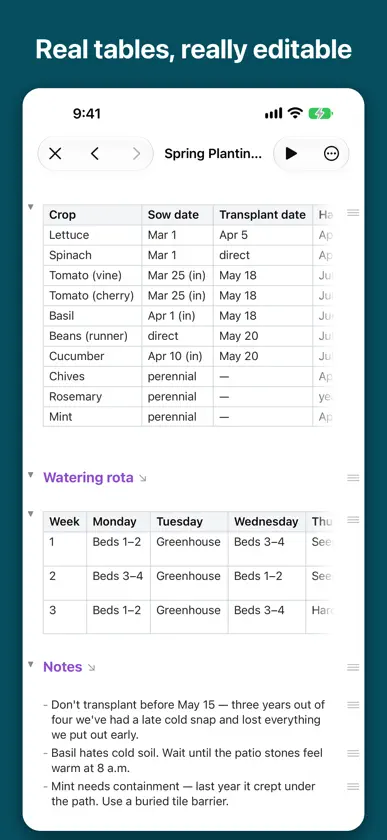
Some notes are short. Others grow into chapters, plans and running logs you scroll past a hundred times. FoldNotes lets you fold the finished parts away, so a long note stays as small as the part you are actually working on. Every note is a plain Markdown file. No database, no proprietary format, no export step. Your notes sit in iCloud Drive or on your device, and any other app can open them, today or in ten years. It is also a real iOS app, written in Swift. Not a web page in a wrapper. It opens instantly, works offline, handles a hardware keyboard properly, and does not sit in the background eating your battery. FOLD ANYTHING • Collapse any heading or list item and everything beneath it folds away • Hoist a section to work on it alone, with everything else out of sight • Task counts stay on the folded heading, so you can see what is left without unfolding WRITTEN FOR MARKDOWN • Live styling as you type — headings, lists, quotes, code, links • Six heading levels, and GFM tables with a real table editor • Code blocks with syntax highlighting • Wiki-links [[like this]], with previews and automatic backlinks • Nested tags TASKS WHERE YOU WROTE THEM • Four states: to do, in progress, done and cancelled • Due dates and priorities written inline, in plain text • Assign them to a project and add context and comments • Counts roll up to the section above them BUILT FOR IPAD • Library, notes and editor side by side • Hardware keyboard shortcuts throughout • An inspector with outline, tasks, references, properties and a note graph • Scan printed text straight into a note with the camera FIND ANYTHING • Search every note, including regular expressions • Saved queries and database views across your whole collection • Daily notes with a calendar COMING FROM ANOTHER APP • Import from Bear or Obsidian in a tap • Or simply point FoldNotes at the Markdown files you already have MAKE IT YOURS • Light and dark themes, including Nord, Dracula and Catppuccin • Choose your body, heading and code fonts • Paragraph focus, sentence focus and typewriter scrolling Folding is not a formatting trick. A long document asks you to hold every section in your head at once; folding lets you put the finished ones down. That is the whole idea, and everything else here is built around it. Your notes will outlive this app, and every app like it. That is rather the point.
What's new
Version 1.5.1 · Nov 11, 2026
Search by tag, without typing it • Pills under the search field add a qualifier for you: tag:, has:tasks, is:favourite and is:overdue. tag: opens the same tag list you get when you type # in a note: type to narrow it and choose a tag, and the notes narrow as the path fills in. A tag with tags under it fills in and stays open, so you can go deeper. Tap has:tasks, is:favourite or is:overdue again to take it out. • Save any search. Tap the bookmark button beside the search field and choose Save Current Search to keep a search of words and qualifiers under a name, then pick it from the same list to run it again. Saved searches sync across your devices with the collection. The bookmark button is now on iPhone too, and on iPad it keeps regex patterns as well. • A tag in a search includes the tags under it: tag:Projects finds notes tagged Projects or Projects/FoldNotes, but not ProjectsArchive. • See where a picture is used. In Images, touch and hold a picture and choose Used In to list the notes and whiteboards that use it, then tap one to open it. A note that shows the picture more than once says how many times, and a note in the Trash is listed, greyed. • iPhone Duo: on the front screen, nothing hides under the strip at the side any more. The query builder, Images, database views, a picture's details, the welcome pages, and the new search pills and tag list all keep clear of it, and the New Database View choices open beside their row instead of cut off at the foot of the screen. • Fixed: on iPad with a trackpad, a two-finger scroll didn't move the note. • Fixed: dragging a line by its handle dropped it by about half a line as the drag began. • Fixed: a tag: search found nothing when its capitals differed from the tag's, or when the tag was written in quotes. The search field also turned typed quotes into curly ones; it now leaves them straight. • Fixed: a drawing changed on another device kept its old look in a note left open, until you left FoldNotes and came back. • Fixed: in Images, Delete could be chosen before FoldNotes had finished checking your whiteboards, so a picture used only on a board could be deleted. • Fixed: while you scrolled, a slow thumbnail could land in the wrong row of the note list or Images. • Fixed: after an iOS update, FoldNotes could open with an empty note list until you restarted it. Your notes were never touched; FoldNotes now waits for iCloud Drive to be ready after the update. • Plus a number of smaller fixes.
You might also like
 visualOS: Infinite CanvasDorweiler & Reimertz GbR
 TaskNotesCallum Alpass
 NotesMDSeung-Un Ham
 HelloNotesHello Tham Pty Ltd
 ScrivenerBridge明罡 蒋
 Note - ConniePadHuy Le
 Raven: Markdown Notes & EditorThomas Sivilay
 Karavan - Project ManagementTobias Heckel
 Solus: Your Daily IntentionCalvin Ng
 Flexible Day PlannerAuriumcrest Pty Ltd