
Doc Fill
DGL Factor
No ratings yetProductivityAges 4+
Screenshots

About this app
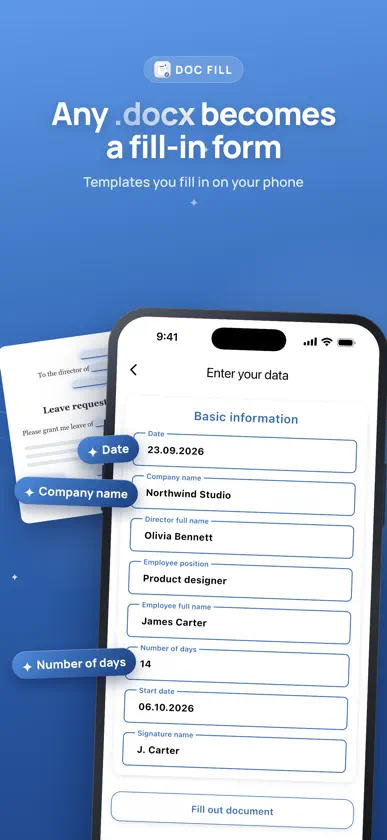
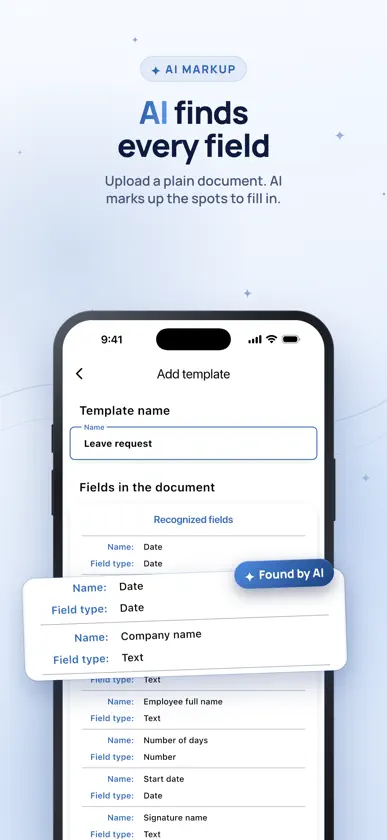
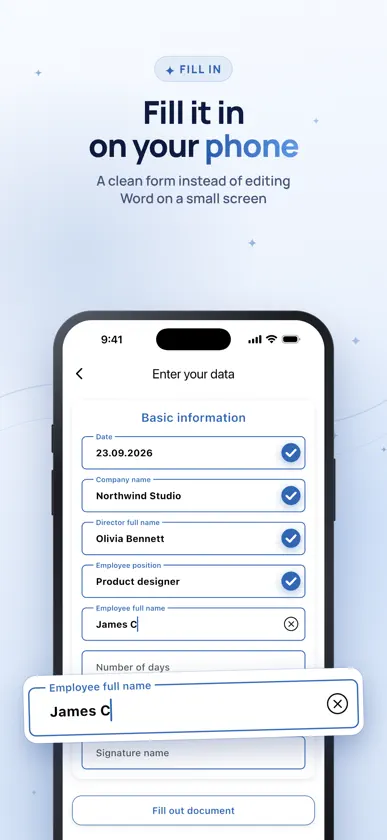
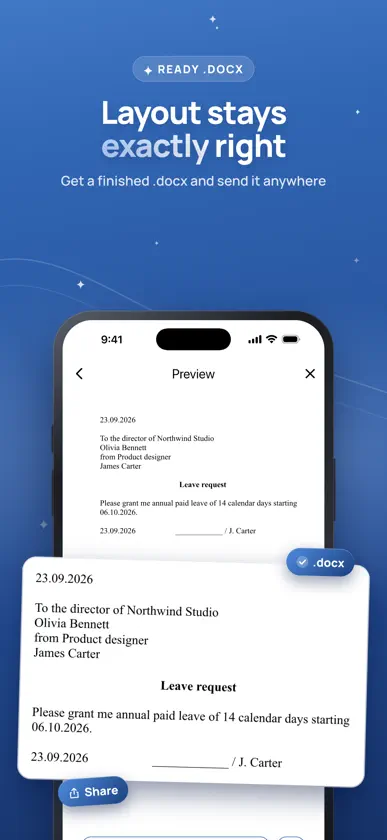
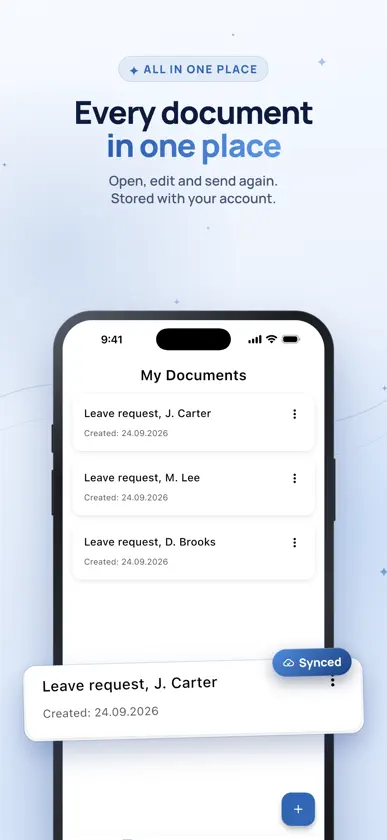
Doc Fill turns Word documents into simple forms you can fill in on your phone. Pick a template, answer the fields on a clean form, and get a finished document you can send to anyone as Word or PDF. No desktop, no fiddling with formatting on a small screen, no accidentally breaking the layout of a document you need to get right. USE YOUR OWN DOCUMENTS The app is not limited to a fixed catalogue. Upload your own .docx and it becomes a reusable template: - AI auto-markup finds the places that need filling in and turns them into fields for you, including places for photos and every row of a checklist table. No tags to write by hand. - Manual markup is there when you want full control. Mark the fields with simple tags and the app builds the form. Once a template exists, every new document takes a minute. BUILT FOR REPEAT PAPERWORK - Fill a familiar form again without retyping the parts that never change. - Keep every document you created in one list, open it, edit it, send it again. - Add photos to documents: the picture goes into the frame you set, cropped to fit. - Send the result as a Word file or a PDF to email, messengers or your files app. YOUR DOCUMENTS FOLLOW YOU Create an account and your templates and documents are stored under it, so a lost or replaced phone does not mean lost paperwork. Sign in on another device and everything is there. FREE AND PREMIUM Doc Fill is free to use with one template and up to 5 documents on it. Premium removes the limits: - Unlimited templates and documents - Export to PDF - 100 credits a month for AI auto-markup - Sync across your devices Credits are used only for AI auto-markup, and the app always shows the exact cost and your balance before anything is charged. You can also buy credit packs separately, without a subscription. GOOD TO KNOW Doc Fill produces .docx files, and Premium can also export them to PDF. Templates are documents, not legal advice: you are responsible for what goes into a document you create and send. Check anything that matters before you sign it. Questions, a missing document type, an idea? Write to us from the app or on WhatsApp: we read every message and reply. SUBSCRIPTION AND LEGAL Premium is an auto-renewable subscription, offered monthly and yearly, and it can start with a 3-day free trial. The price for your region is shown in the app before you confirm the purchase. Payment is charged to your Apple ID at confirmation, and the subscription renews automatically unless auto-renew is turned off at least 24 hours before the current period ends. You can manage or cancel it in your Apple ID settings; deleting the app does not cancel it. Terms of Use (EULA): https://dglfactor.tech/docfill/terms.html Privacy Policy: https://dglfactor.tech/docfill/privacy.html
What's new
Version 1.2.0 · Oct 14, 2026
Photos in documents: add a photo field and the picture goes right into your document, cropped to the frame you set. Smarter AI markup: it now finds places for photos and turns every row of a checklist or table into its own field. Export to PDF: preview the PDF and send it straight from the app (Premium). Help when you need it: a new Help screen and notifications put you in touch with us directly. The feedback form now asks how to reach you, so we can always reply.
In-app purchases
The most popular purchases on the App Store.
- Premium YearSubscription · 3 days free trialUSD 29.99 / year
- Monthly PremiumSubscription · 3 days free trialUSD 3.99 / month
- 1000 CreditsConsumableUSD 7.99
- 100 CreditsConsumableUSD 0.99
- 300 CreditsConsumableUSD 2.99
More from DGL Factor


You might also like
 Washidoc: PDF Editor & ScannerSoriStory
 AI Form FilleraiVANI
 PDF Fill & Sign EditorZENBYTE DIJITAL TEKNOLOJILER LIMITED SIRKETI
 eSign - Sign & Fill PDFLoic Veteau
 Easy PDF Signer: Fill & SignDaniel Mock
 Sign documents: SwiftSignNawal Amallou
 FolikPDFJOSEPH AARON SPEARS
 PDF Filler: Edit & SignAsad Ahsan
 Letter Printer: Write, A4 PDFPhuc Pham
 Джетпринт: Печать документовBiznes Ai Ti