
Exframe
Jawon Koo
No ratings yetPhoto & VideoAges 4+
Screenshots


About this app
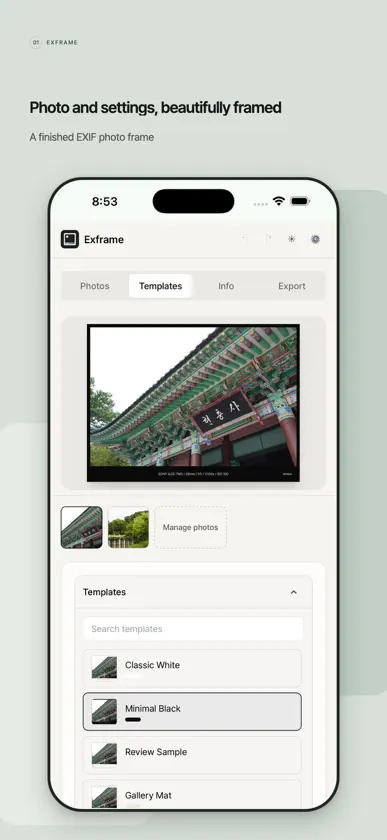
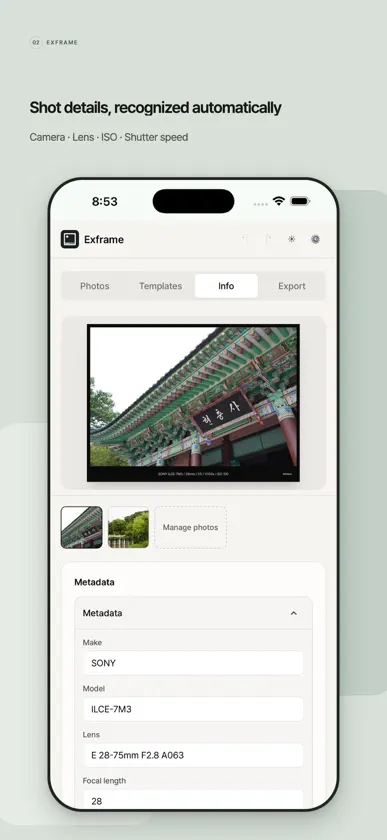
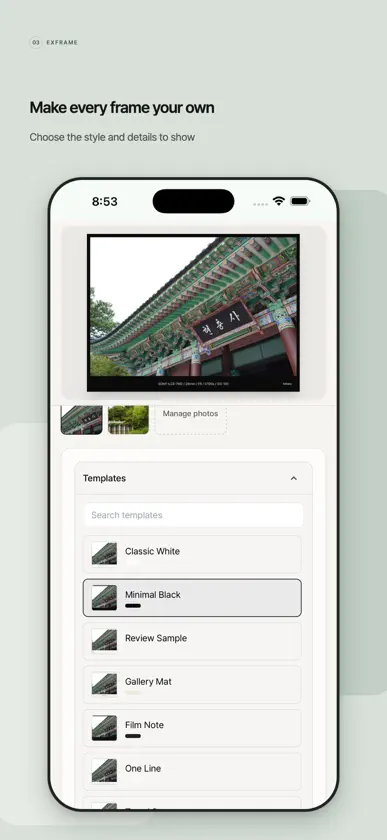
Give every photo a frame that shows how it was made. Exframe reads the EXIF metadata in your photos and turns it into clean, shareable frames. Import photos, choose a template, decide which details to show, and export finished images without rewriting camera settings for every post. Built for photographers, camera enthusiasts, manual-lens users, bloggers, and creators who share work on social media, photography communities, or portfolios. Metadata and manual lenses - Read camera, lens, focal length, aperture, shutter speed, ISO, exposure compensation, date, location, and copyright details. - Review and edit every displayed value before export. - Save manual or vintage lens profiles and apply a different profile to each photo. - Photos from lenses without electronic contacts can be exported even when EXIF aperture is missing. - Reorder fields, choose separators, and restore original values at any time. Location names - Automatically load place names when importing photos that contain GPS data. - Choose country, city, or neighborhood detail and the display language. - Look up one photo or several GPS photos together. Frames and export - Process and export up to 20 photos in one project. - Choose templates, maker display, Exframe marks, date style, frame margins, and visible fields. - Use presets for blogs, square posts, 4:5 portraits, stories, or high-quality archives. - Select aspect ratio, quality, and output size without cropping the photo. - Export JPEG or WebP, save to Photos, or open the system share sheet. - JPEG exports retain original GPS metadata; WebP exports do not include EXIF. Privacy Photos are processed on your device and are not uploaded to the developer's server. When you enable place-name lookup, only the coordinates and display language required for the lookup are sent to an external reverse-geocoding service.
What's new
Version 1.2.9 · Nov 6, 2026
- Improved the design of the settings, privacy options, and open-source license screens. - Improved save-location controls and text readability. - Moving and zooming a photo in Fill and crop now stays sharp and follows your fingers more closely. - Fixed some rotated photos appearing or saving sideways.
More from Jawon Koo


You might also like
 Exifmark - EXIF Photo Frameyoungsoo jin
 Paddie: Frame Daily MomentsHYOJAE JEON
 ShutterPin: Sony, Canon, NikonSINSABRIDGE
 mado frameYuta Shimizu
 ROLLCAkihwan Chun
 Shotspec: EXIF Camera FrameJhomar Maravillas
 FFFrameTomoki Kobayashi
 FramePic - EXIF Photo Frame转莉 王
 Exifill - Add Exif Framesakatech
 Someday We'll Miss Todayseihee han