
Hashleaf
Takashi Nakano
No ratings yetProductivityAges 4+
Screenshots


About this app
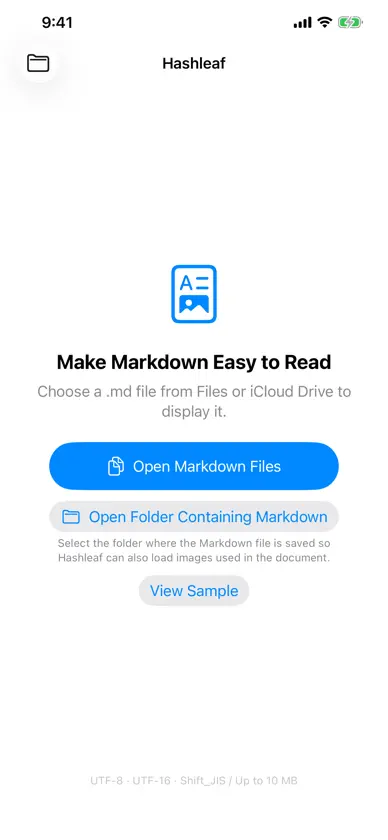
Hashleaf is a clean, focused viewer that makes Markdown documents easy to read on iPhone, iPad, and Mac. Open Markdown files from local storage, iCloud Drive, Dropbox through the Files app, and other document providers. Features • Headings, lists, tables, block quotes, code blocks, and links • Images referenced with relative paths • Inline and display math • A table of contents generated from headings • Search within the displayed document • Open individual files or folders from Files and cloud storage • Open multiple documents, with separate windows on Mac • Adjustable text size and Light or Dark Mode • Share the original Markdown file • Finder Quick Look previews on Mac • UTF-8, UTF-16, and Shift_JIS text support Hashleaf Pro — one-time purchase • Advanced PDF export and self-contained HTML export • Export themes and custom CSS • PDF headers, footers, page numbers, and table of contents • Export multiple documents separately or as one combined document • Full-text folder search and broken-link checks • Live preview on Mac when an external editor saves a document One purchase unlocks Hashleaf Pro on iPhone, iPad, and Mac when the same Apple Account is used. Math rendering resources are bundled with the app. Selected documents and images are processed on your device and are not uploaded to the developer's servers.
What's new
Version 1.7 · Nov 12, 2026
• Improved document rendering and scrolling performance, especially for documents containing images. • Other bug fixes and feature improvements.
In-app purchases
The most popular purchases on the App Store.
- Hashleaf ProConsumableUSD 5.99
More from Takashi Nakano


You might also like
All apps like Hashleaf → MathFix: AI Math to PDF & WordHABIP ERTUGRUL DAGDEMIR
 Quick Fill Pro久银 陆
 LaTeX NoteSota Iguchi
 ZenNotes: Markdown NotesLumary Labs LLC
 FloralMD英凯 孙
 Launcher Tag+TAKESHI ONO
 CSV File Viewer - Smart CSVHue Nguyen
 Screen Time Control -NoMoreSnackTime, Inc.
 LM MiniSultan Haider
 Sticky todo Note QuickMemo+flickfrog