
Matted
Nathan Kettles
No ratings yetPhoto & VideoAges 4+
Screenshots


About this app
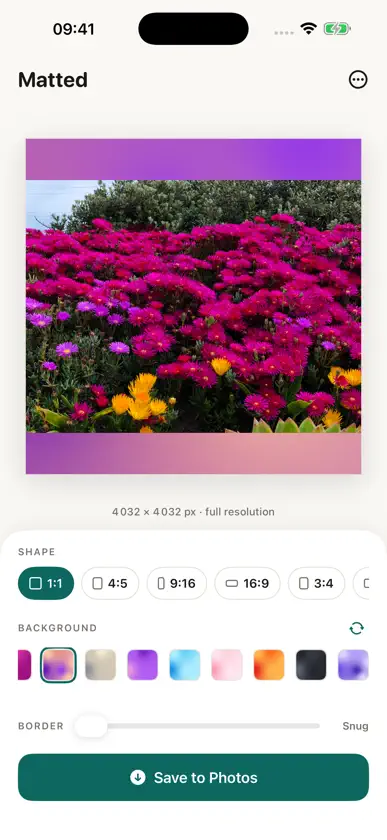
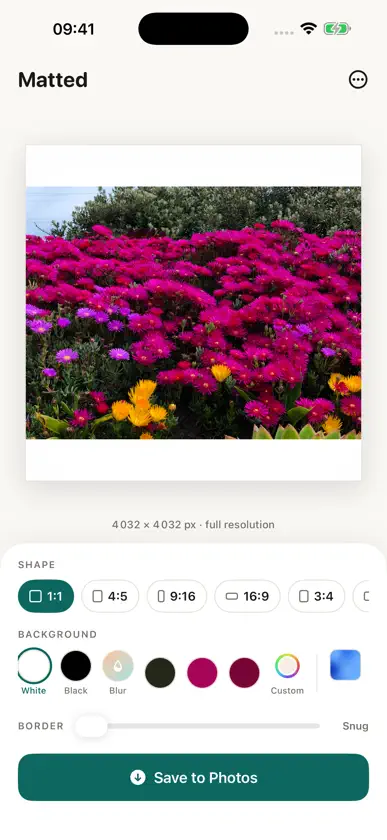
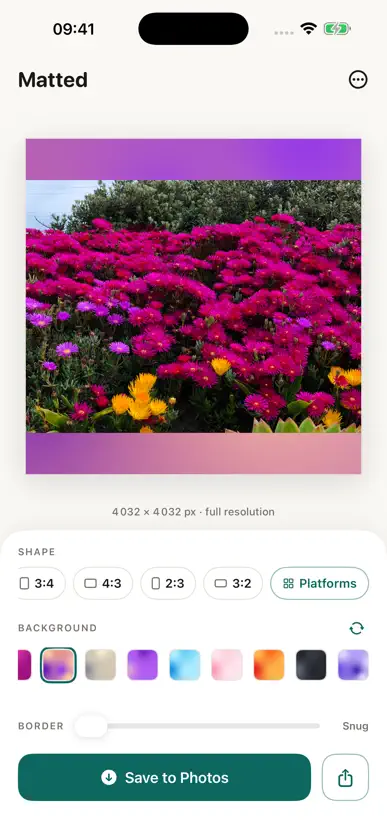
Matted fits any photo into any frame, without cropping a single pixel. Instagram now shows your grid at 4:5. TikTok, LinkedIn and every other platform want their own shapes too. Instead of cutting your photo down to fit, Matted pads it with a beautiful background, a mat, so the whole image always survives. WHY MATTED • Nothing gets cropped, ever. The full image is always preserved. • One-tap aspect ratios: square, 4:5 portrait, landscape, story, banner and more • A built-in size catalogue covering 105 placements across 20 platforms, feeds, grids, covers, banners, thumbnails, with up-to-date pixel dimensions • Adjustable border to give your photo room to breathe • Rounded corners, two ways: soften the photo's corners, round the mat itself, or both BACKGROUNDS THAT LOOK INTENTIONAL • Soft blur drawn from the photo itself, the classic blurred-background look, no second app needed • Clean white or black mats • Any custom colour you like • Colour mix: generated mesh gradients in twelve palettes, with endless shuffles, every one unique to your photo MAKE IT YOURS • Lift the subject off its background on device and drop it onto a mat • Add a small signature or brand mark to sign your work • Frame a photo hands free with Shortcuts and Siri PRIVATE BY DESIGN • Everything happens on your iPhone, photos never leave your device • No account. No ads. No tracking. No subscription. • Full-resolution export, saved straight to your photo library • HEIC or JPEG output, switches to PNG automatically when you round the mat's corners, so transparency is preserved Matted is built by one person, with a healthy assist from AI tools. There is a tip jar inside if the app saves you time. It unlocks nothing, because everything is already included. Frame it. Do not crop it. Matted.
What's new
Version 1.9.0 · Jun 24, 2026
Reframe by hand. Pinch to zoom, drag to pan and double-tap to reset, so you can frame people in or out without the app cropping for you. Clearer controls. "Fill" is the mat behind your photo and "Isolate Subject" lifts your subject out of its background. They used to be one control, which confused people. Clear the fill for a fully transparent mat, or use one of your own photos as the fill instead of a plain colour. The platform size list now collapses into tidy groups, so it is quicker to find the size you need. A new smaller tip option, plus fixes and polish throughout.
In-app purchases
The most popular purchases on the App Store.
- CoffeeConsumableUSD 1.99
- LegendConsumableUSD 59.99
- SupporterConsumableUSD 22.99
- SnackConsumableUSD 5.99
You might also like
 AspectlyOube
 PhotoBorder+Craig Stubing
 BorderzSEYED SAM SHAYEGAN SALEK
 emol - Emoji Photo DecoratorStarcrown Inc
 7rats: No Crop Photo BorderExovoid Ltd.
 Mosaico: Collage MakerPratigya Gulani
 Color Pop Effects AI - HuePopMeena Ranka
 Stampify : Collect StampAivana LLC
 ImageFit: Photo ResizerezCodeLab
 ImgFrame - Border & StackAmy Hu