
Media Stack: Managerr
Mann Badal
No ratings yetEntertainmentAges 4+
Screenshots





About this app
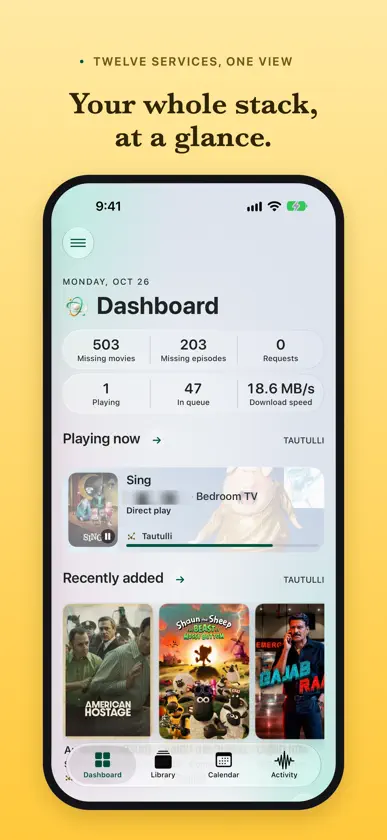
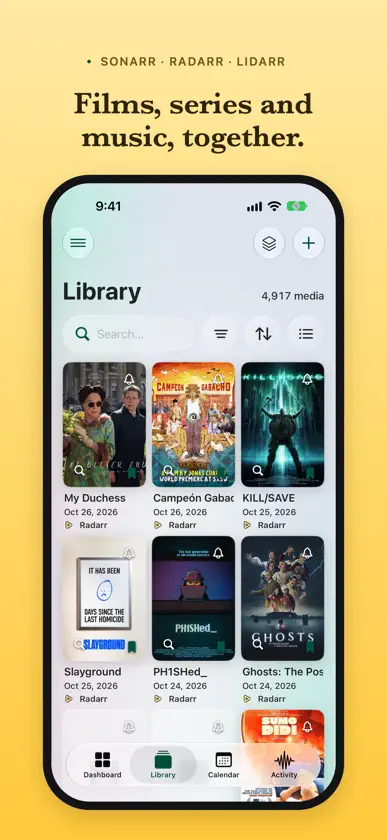
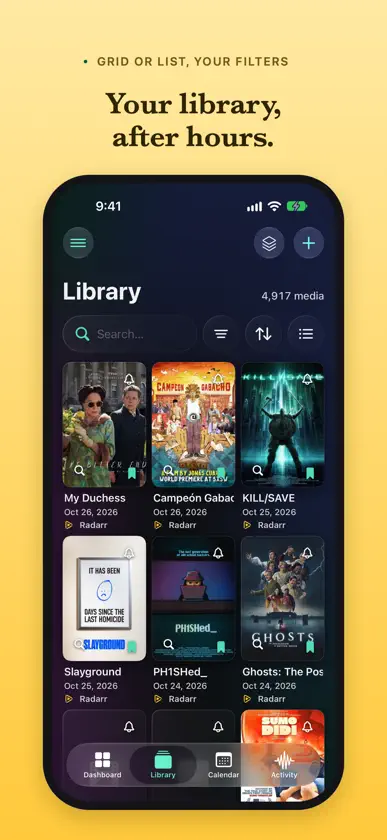
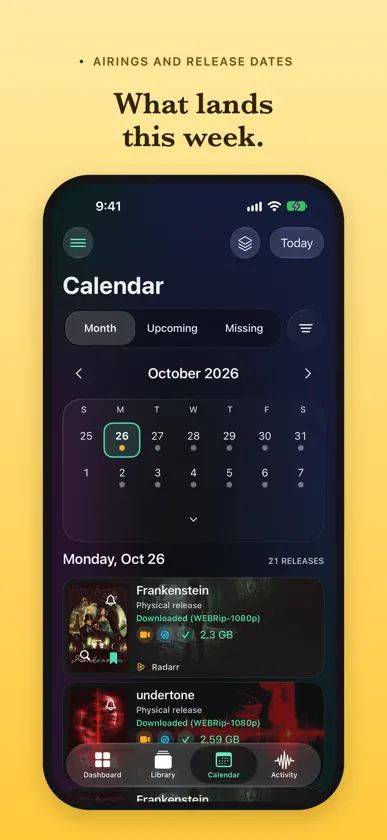
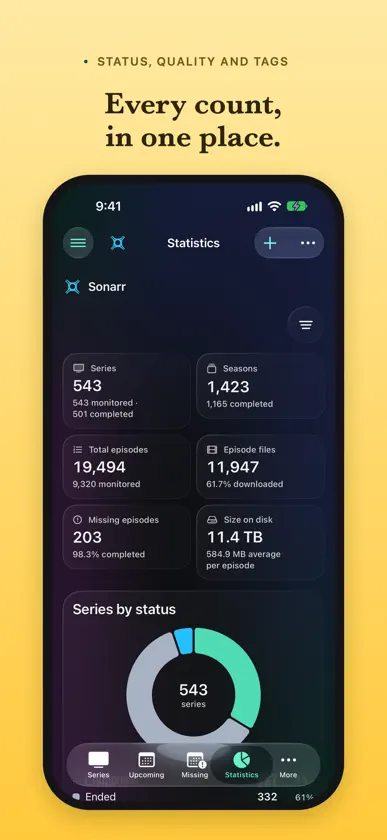
Run your whole media stack from your iPhone or iPad. Managerr connects to your own Sonarr, Radarr, Lidarr, Prowlarr, Jackett, Bazarr, Seerr, Tautulli, Jellyfin and Emby servers and brings them together in one native app. YOUR STACK AT A GLANCE • Arrange a Dashboard of health, upcoming releases, downloads, requests and what’s playing • See upcoming episodes, films and albums in a month or list calendar • Follow every download from every server in one queue • Search all your libraries at once, with filters, in a grid or a list SONARR, RADARR AND LIDARR • Add series, films and artists with the profile, folder and tags you want • Choose what to monitor, down to a single season, episode or album • Search automatically, or compare releases and pick one yourself • Find what’s missing or below your quality cutoff, and search for all of it at once • Remove a stuck download, blocklist it or mark it failed • Check history, health and disk space, and run scheduled tasks, RSS syncs and backups PROWLARR AND JACKETT • Search every indexer at once, and send a release to a download client or to Sonarr, Radarr or Lidarr • Add, edit, test and remove indexers, and see which ones report errors • Turn Prowlarr indexers on or off, edit them, and manage apps and download clients BAZARR • Find the episodes and films that lack subtitles, and search for them • See each title’s subtitles, search manually, download or delete one • Manage providers and language profiles, and check history and tasks SEERR • Discover trending, popular and upcoming films and series, with filters • Get recommendations from what’s been watched, through Tautulli • Request a film, a series, chosen seasons or a whole collection, in standard or 4K • Approve, decline, edit or retry requests from one inbox • Report, discuss and resolve issues • Sync your Plex, Jellyfin or Emby library and run jobs TAUTULLI AND PLEX • See who’s watching on Plex, on which device, and whether the stream transcodes • Stop a stream (requires Plex Pass) • Search playback history • Explore statistics and graphs, and browse your Plex libraries JELLYFIN AND EMBY • See what’s playing and why a stream transcodes • Pause, stop or seek a stream, change its audio or subtitles, or message the viewer • Browse, search and scan your libraries, and see what’s new • Fix a title’s metadata and artwork, see who watched it, and mark it watched or unwatched • Add users, and choose each user’s libraries and streaming limits • Sign out devices, run tasks, read logs, make Jellyfin backups and restart the server EVERY TITLE, EVERY SERVER • Title pages bring together cast, trailers, ratings, release dates, files and subtitles • A title on more than one server, such as an HD and a 4K Radarr, links to each one ON YOUR HOME SCREEN • Widgets for upcoming releases, the download queue, what’s playing and your services (Pro) • Optional alerts for grabs, finished downloads, upgrades, new titles, streams, requests and service problems, and reminders before a release • Shortcuts that open the Dashboard, Queue, Calendar, Requests or a library search • Light and dark appearances, colour themes (Pro), Dynamic Type and an adaptive iPad sidebar PRIVATE BY DESIGN • No ads, subscriptions or Managerr account • Your servers are saved only on your device, and API keys stay in the device-only Keychain • Back up your setup, with API keys sealed by a passphrase only you know FREE TO START, PRO TO GROW • Up to three services free, with every screen and action for each • Managerr Pro is one purchase, not a subscription: every service you run, widgets and colour themes • Downloaded Managerr before Pro? It’s already yours Try every feature, Pro included, in the offline demo. No server needed. Managerr requires your own supported services and does not supply, host or play media. Some actions depend on each service’s version, capabilities and permissions. Widgets and alerts use what the app last fetched; there is no push service.
What's new
Version 1.9.7 · Nov 10, 2026
Thank you for your support. Managerr supports - Sonarr, Radarr, Lidarr, Bazarr - Prowlarr, Jackett - qBitTorrent, SABnzbd - Seerr, Tautulli, Jellyfin and Emby. In this version - New Compact layout for your Sonarr, Radarr and Lidarr library: one line for each title, so you see more titles without scrolling. Tap the arrow on a row to monitor, search or set a reminder. The layout button now steps through Grid, List and Compact. - Sort menus show the selected sort in your theme colour, with an arrow on the right. Tap it again to change the direction. This replaces the Reverse order switch. - Filter menus show your choice in bold, in your theme colour, with no tick. - Grid posters show the value that you sort by, such as the date added, the runtime or the quality profile. List rows show that value in your theme colour. - The search, filter, sort and layout buttons stay at the top while you scroll a library or a download list. - Filter your library by content rating, and by quality profile on a Sonarr, Radarr or Lidarr page. - Content ratings, such as PG-13 or TV-MA, show on library rows and on Seerr title pages. - Seerr studio, network, cast and crew pages have filters and sorting: genre, year, rating, availability and more. - On a Seerr title page, Request and Request in 4K share one row when your Seerr has a 4K server. - With more than 25 torrents in qBittorrent, the Dashboard and Activity now show the downloads that are closest to finishing first. Before, they showed only the 25 newest, so an older download near its end could be missing. - Radarr no longer says that a film was released when only its cinema date has passed and it waits for its digital or disc release.
In-app purchases
The most popular purchases on the App Store.
- Managerr ProConsumableUSD 17.99


