
Noted Note
Jerry Munyoka Nkongolo
No ratings yetProductivityAges 4+
Screenshots

About this app
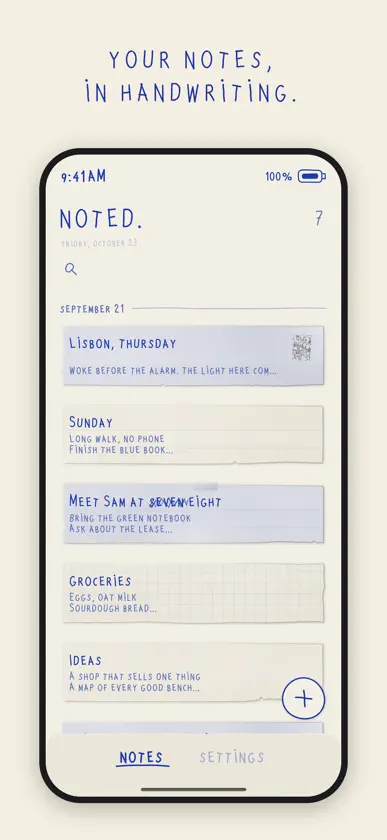
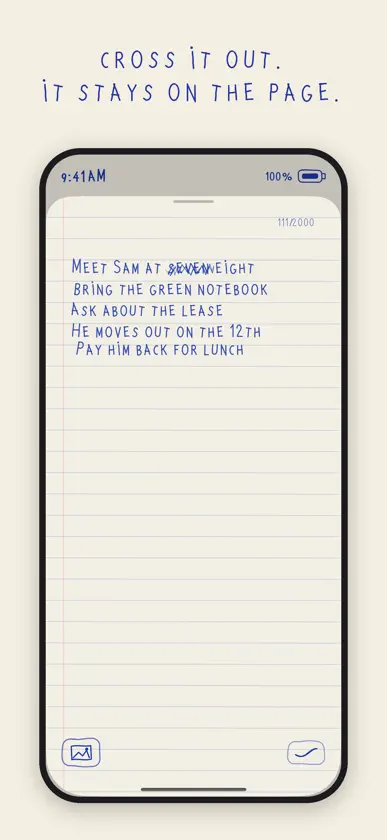
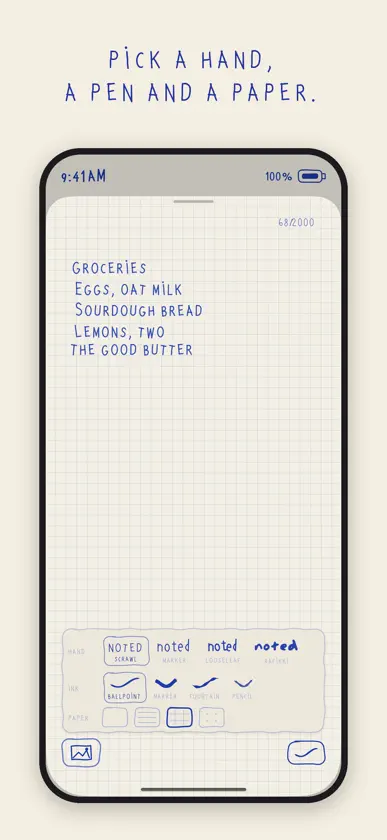
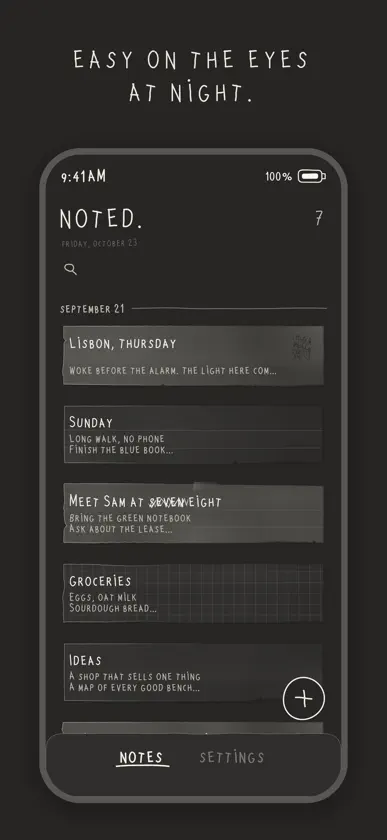
noted. is a little paper notebook for your iPhone. Type, and your words appear in handwriting on paper with a bit of grain. No folders to manage, no toolbars to learn. Just a page and a pen. WRITING • Four hands: scrawl, the house hand, which inks itself stroke by stroke as you type, plus marker, looseleaf and rafikki • Four pens: ballpoint, marker, fountain and pencil • Change the hand or pen for a selection, or for just what you type next; settings picks the hand new notes start in • Plain, lined, squared or dotted paper, chosen note by note CROSSING OUT • Delete more than a few letters and they are scratched out in ink instead of vanishing; a quick typo fix still simply deletes • Keep the scratch-out, or let it go DOODLES AND PHOTOS • Draw with your finger and put the doodle on the page • Add photos from your library: as the full photo, as a cutout with the background removed, as a cutout with a white border, or held on with a binder clip or a paper clip • Move doodles and photos around the page YOUR NOTES • Every note on one wall, most recently written first, grouped by day • Search what your notes say (crossed-out words are left out) • Hold a note to crumple it up PAPERS AND SOUNDS • Cream paper by day and charcoal at night, following your iPhone • Five more papers: charcoal, spring, terracotta, violet and sea • Soft pencil sounds when you cross out, crumple a note, or pick a paper, pen or hand, with a loudness control, or turn them off ON IPHONE DUO • Closed, the outside screen is your notebook's cover, with windows cut through it to your latest page • Open it, and your notes become a book: turn the pages, with a soft page-turn sound • Tap a page and write right on it with the keyboard • A handwritten index of your notes, with dates • Eight covers: bottle green, charcoal, ink navy, rust, burgundy, kraft, and two cloth covers, breakfast and horses • Lined, squared, dotted or plain pages; blue, black or sepia ink; turn the pages or scroll • Warm, faded paper after dark LANGUAGES • noted. speaks English, Danish, German, Spanish, French, Italian, Japanese, Korean, Brazilian Portuguese, Russian, Swedish, Ukrainian, and Simplified and Traditional Chinese • The handwriting writes all of them. The four hands and the self-inking scrawl are for the Latin alphabet; Cyrillic, Japanese, Korean and Chinese each have a handwriting face of their own FREE, AND THE WHOLE DRAWER Free to use, with no time limit: the scrawl, the ballpoint, cream paper (charcoal at night), scratch-outs, doodles, photos, search, sounds and the whole iPhone Duo notebook. One optional purchase, the whole drawer, adds: • the five more papers • every pen: marker, fountain and pencil • every hand: marker, looseleaf and rafikki • iCloud sync, so your notes follow you to your other iPhones One payment, kept forever. No subscription. Restore it any time from the purchase page. PRIVATE Notes stay on your device or in your own iCloud. Apple handles purchases; RevenueCat receives receipts and app/device IDs for validation and purchase statistics. No advertising tracking or data sales. Privacy Policy: https://walnut-burst-160.notion.site/Noted-Note-Privacy-Policy-3a93971e7add8199a7e4d91c688d6069 Terms of Use: https://walnut-burst-160.notion.site/Noted-Note-Terms-of-Use-3a93971e7add80428a0fdaad90470a72 Apple Standard EULA: https://www.apple.com/legal/internet-services/itunes/dev/stdeula/
What's new
Version 1.6 · Nov 12, 2026
A camera in your notebook, and daylight on the page. • Instant camera: take a print, watch it develop, and stick it on your page. One picture, four small ones, or a tall print. • Window light: the page sits in daylight that follows the time of day. At night, pull the lamp's chain. The light guesses your part of the world from the phone's time zone and never asks for your location. • Ink follows your typing: letters pencil in first, then the ink runs over them. • New handwriting styles and two smaller text sizes. A new size re-sets the whole note. • Look closer at any photo, receipt or stamp on your page. • Stamp camera: look through a stamp and take the picture. • New covers. On iPhone Duo, press and hold the closed cover to change it. • Our own hand-made icons, and a selection line that follows the shape of a cut-out.
In-app purchases
The most popular purchases on the App Store.
- the whole drawerConsumableUSD 9.99
More from Jerry Munyoka Nkongolo


You might also like
 TypeDrawTrautmann & Dorre GbR Shaped Agency
 Typewright - TypewriterIdeja 3000 doo Uzice
 Daycard • Today's RemindersOmarKnows LLC
 Marko: Markdown ViewerYash Banka
 Type Notes: Classic PaperJesus manuel Curreri
 DuoBook: Pocket MacMEHDI CHITSAZ
 RetrotypeGood Loop Software
 TypePress: Typewriter WritingEzgi Acar
 JottleMike Shear
 Note & WidgetInternet Friends LLC