
NoteRenderer: Math Notes
Pham Van Tuan
No ratings yetEducationAges 17+
Screenshots
About this app
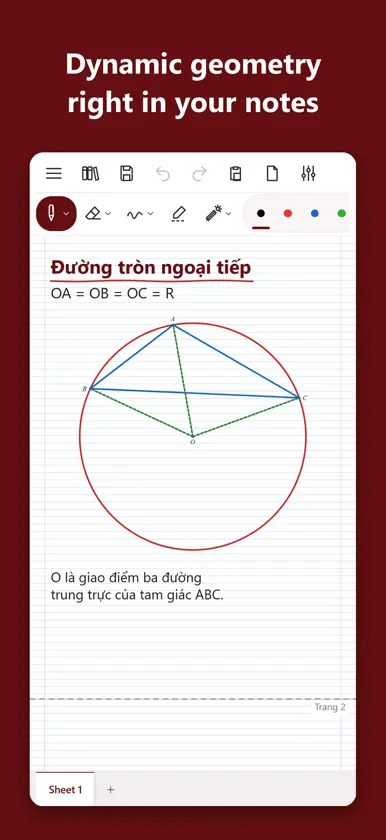
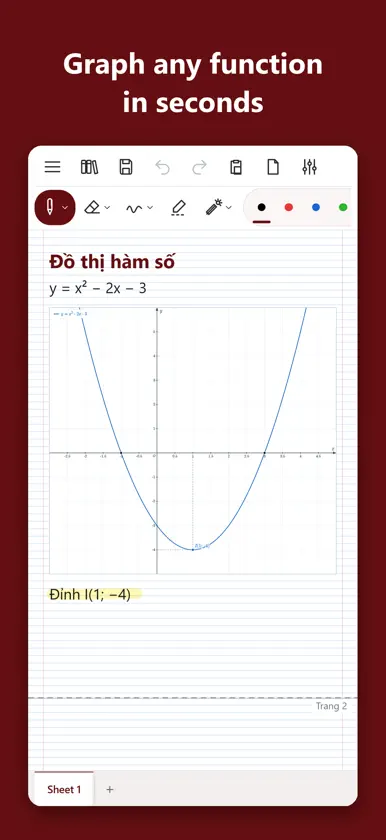
NoteRenderer is a notebook made for teaching and learning math. Write with Apple Pencil or your finger, build geometry, plot graphs and type formulas on the same page. NATURAL HANDWRITING • Pen, highlighter, eraser; Apple Pencil pressure • Shapes snap into lines, circles, triangles and rectangles • Grid, lined, dotted or blank paper; many pages per notebook DYNAMIC GEOMETRY • Points, segments, lines, circles, polygons, tangents… • Drag a point and the whole figure follows • Show or hide each object while you teach • Ruler, protractor and French curve right on the page GRAPHS AND FORMULAS • Plot functions, mark points, vertices and intersections • Type math formulas that look like a textbook • Built-in calculator DOCUMENTS • Open PDFs to annotate, insert images • Export PDF or PNG to share with students • Notebooks kept in the Files app, grouped in projects PRIVATE • No account, no ads • Notebooks stay on your device FREE TRIAL AND PLANS Use every feature free for 7 days, no sign-up. Then choose a "NoteRenderer full version" plan: monthly, yearly (auto-renewing) or lifetime (a one-time purchase that does not renew). Prices are shown in the app, for your country. Payment is charged to your Apple Account at confirmation of purchase. Monthly and yearly plans renew unless auto-renew is turned off at least 24 hours before the end of the period; manage or cancel them in Settings → [your name] → Subscriptions. One plan can be used on up to 3 devices with the same Apple Account. Terms of Use: https://www.apple.com/legal/internet-services/itunes/dev/stdeula/ Privacy Policy: https://dolphin9569.github.io/NoteRenderer-Release/privacy.html
What's new
Version 1.0.1 · Nov 14, 2026
• Upgrade plans: move from monthly to yearly or lifetime right in the app. • Crop pictures: drag a frame on a picture to cut out a new one. • Select: new "Touch to select" option for Freeform and Rectangle selection. • Projector, TV: now also shows the NoteCalc calculator, its big screen and the Probability, Trigonometry and Statistics boxes. • NoteCalc: a big separate screen for the whole class, movable and resizable. • Arrange tools right on the toolbar: hold to drag, tap to hide or show. • Sticky notes and many small fixes.
In-app purchases
The most popular purchases on the App Store.
- LifetimeConsumableUSD 49.99
- MonthlySubscriptionUSD 0.99 / month
- NoteRenderer YearlySubscriptionUSD 14.99 / year
You might also like
All apps like NoteRenderer: Math Notes → Quản lý Trung tâmBa Hung Nguyen
 ClassFast: Class AttendanceVien Tran Ngoc
 Quản Lý Lớp Dạy ThêmVan Luan
 Newton - Nhà trườngPHX SMART SCHOOL SOLUTIONS JOINT STOCK COMPANY
 Nature ReachManh Linh Ly
 EduGradeNguyen Ngoc
 SchoolOnline AttendanceONLINE MANAGEMENT TRAINING JOINT STOCK COMPANY
 TNMaker Pro - Multiple ChoiceVinh Le
 Bài trắc nghiệmAnh Tran Tuan