
Notes: Markdown Notepad
Linh Phan Nhat Khanh
No ratings yetProductivityAges 4+
Screenshots





About this app
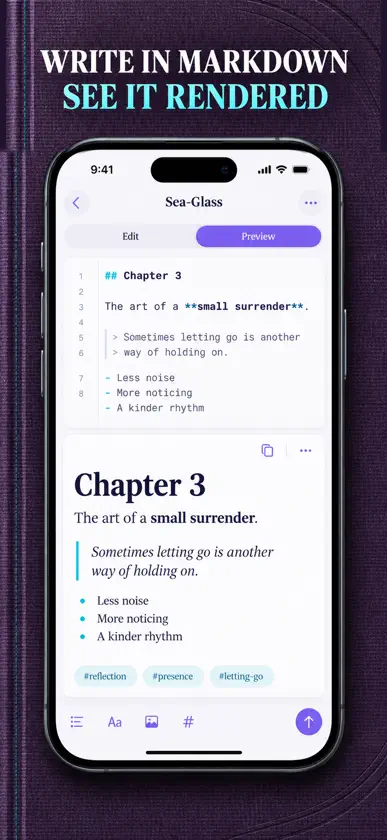
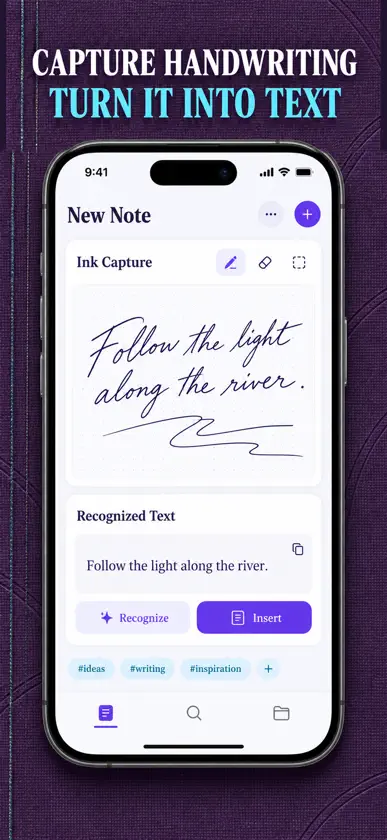
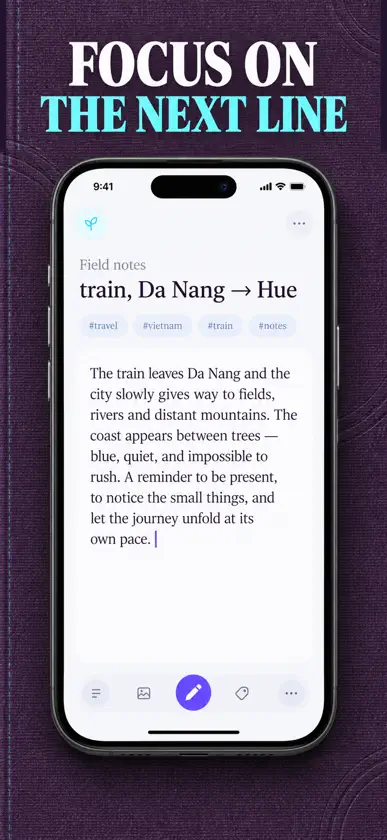
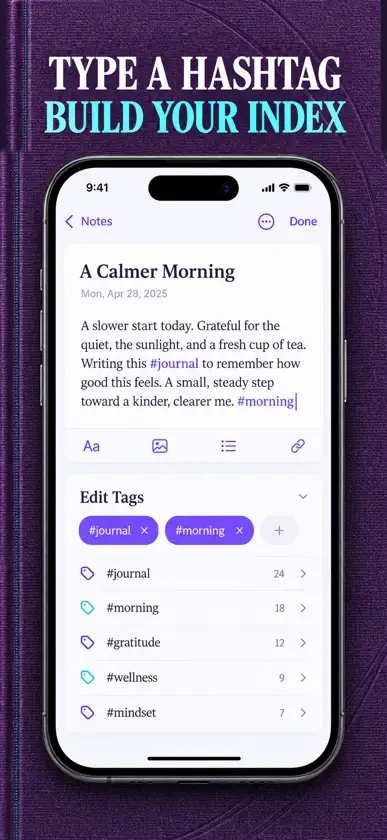
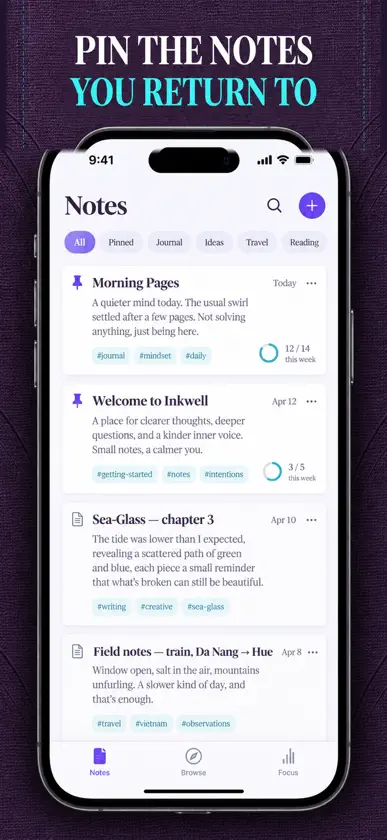
A calm, keyboard-first Markdown notebook that also reads your handwriting. Type plain text, watch it render, and keep every page on your iPhone. THE EDITOR Type in plain Markdown and switch to a rendered preview whenever you want to see how it reads. Headings, bold, italic and lists are handled inline, so you never leave the keyboard to format a line. A live counter shows words, characters and an estimated reading time as you write. FOCUS MODE One tap hides the chrome and leaves you with the page. Set a word goal on any page and a quiet progress ring fills as you get closer to it. Turn the goal off on pages that do not need one. HANDWRITING CAPTURE Open the ink canvas and write with Apple Pencil or your finger. The app reads the handwriting on the device and drops the recognised text straight into the page, so the words become searchable like anything else you typed. The original drawing is saved with it. HASHTAG ORGANISATION Type #project or #recipes anywhere on a page and the tag is picked up automatically. You can add tags by hand as well. The tag browser builds a tree of everything you have used, with a count beside each one, so a whole topic is one tap away. FIND IT AGAIN Search runs across titles, bodies and tags at once. Filter by one tag or several at the same time, then sort by most recent, most recently created or by title. Pin the pages you come back to and they stay at the top of the list. STAYS ON YOUR DEVICE There is no account to make and no sign-in screen. Everything you write lives in local storage on your iPhone and is never uploaded to a server. WHAT IT IS GOOD FOR Daily quick captures, meeting minutes, a writing habit, a second brain of reference pages, code snippets, journalling, lecture notes and travel notebooks. Notes: Markdown Notepad requires a Premium unlock to write in. Premium opens the whole notebook: unlimited pages, the plain-Markdown editor with rendered preview and live word, character and reading-time counts, focus mode with word goals, handwriting capture on the ink canvas with on-device text recognition, the hashtag tree and tag browser, search with multi-tag filtering and sorting, pinned pages, and the local-only vault with no account and no sign-in. Plans: a weekly subscription, a yearly subscription, or a one-time lifetime purchase. Payment is charged to your Apple ID account at confirmation of purchase. A subscription renews automatically unless it is cancelled at least 24 hours before the end of the current period, and your account is charged for renewal within 24 hours prior to the end of the current period. You can manage your subscription and turn off auto-renewal in your Account Settings after purchase. Privacy policy: https://pnkl26.web.app/privacy-policy Terms of use: https://pnkl26.web.app/terms-of-service
What's new
Version 1.1.0 · Nov 12, 2026
• New five-tab layout: Notes, Library, Tags, Search and Focus • Handwriting capture turns your handwriting into text • Word goals, writing stats and a daily writing reminder • Premium unlock by subscription or lifetime purchase, plus fixes
In-app purchases
The most popular purchases on the App Store.
- Private Offline DraftsConsumableUSD 34.99
- Tag Filter & SearchSubscriptionUSD 3.99 / 7 days
- Focus Mode & Word GoalsSubscriptionUSD 17.99 / year
More from Linh Phan Nhat Khanh
 Sports Card Log: TCG BinderLinh Phan Nhat Khanh
 Numen Myth CardsLinh Phan Nhat Khanh
 Posture Reminder & StretchesLinh Phan Nhat Khanh
 Candle Tracker: Burn LogLinh Phan Nhat Khanh
 Trim: Haircut TrackerLinh Phan Nhat Khanh
 Kindling Fire SkillsLinh Phan Nhat Khanh
 Tare Kitchen Scale & ConverterLinh Phan Nhat Khanh
 Jot Quick NotesLinh Phan Nhat Khanh
You might also like
 Gather-URLManagementChanwoo Kim
 BrevetoIdeaPunch
 Hustla To-Do List Task PlannerMilos Milikic
 Draw Calendar: Sketch PlanFishington Studios
 freewrite.Mohammad Farseen Manekhan
 BasicNotesAppPeter Roach
 Notepen: Notes & PlannerHamdi Tug
 Note!RIEU Limited
 Sitoplazma NotesBERKHAN AGAR SITOPLAZMA BILIM VE TEKNOLOJI ARASTIRMA MERKEZI
 FTP Client - Files locationAnders Borum ApS