
QRCode++
James Chang
No ratings yetUtilitiesAges 4+
Screenshots





About this app
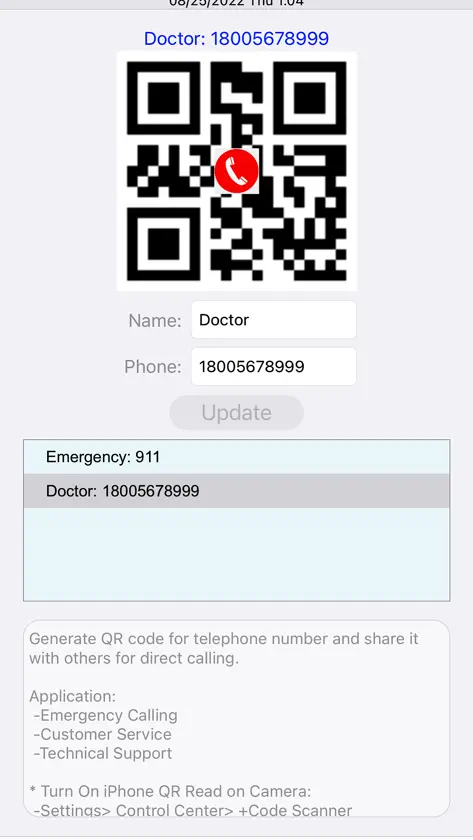
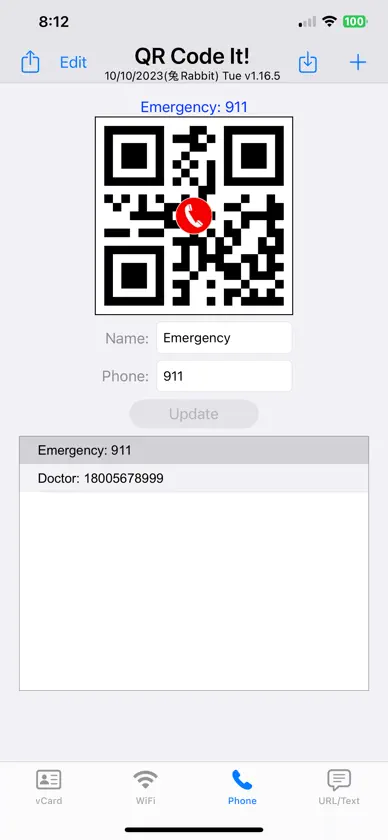
Share who you are in one scan — no typing, no spelling out passwords. QRCode++ turns your contact details into a beautiful digital business card with a QR code. Anyone can scan it with their phone's camera and save you to their contacts in seconds — no app needed on their side. Fully built in 繁體中文, 简体中文, 日本語, 한국어, Español, Português, Français, Italiano and Nederlands. YOUR DIGITAL BUSINESS CARD • Design your card: pick a color, or use your own photo as the background • Your photo right in the middle of the QR code • Bring in an existing contact, photo included — no retyping • Show it full screen for an easy scan, or share it by message or email • Save your card to Photos ON YOUR HOME SCREEN AND LOCK SCREEN (NEW) • vCard Card widget in three sizes: your QR code, your code with name, phone and email, or your whole designed card — ready to scan • Lock Screen shortcut: one tap opens your full-size code MORE THAN BUSINESS CARDS • Wi-Fi: guests scan and join — no spelling out the password • Phone: a QR code that dials your number • URL / Text: links, menus, anything you want to share WHERE AM I? • Your current location and address, with weather, UV index and air quality • Sunrise, sunset and upcoming holidays — handy when you travel PEACE OF MIND • iCloud backup, daily and automatic — switch phones without losing a thing • No account needed PAY ONCE. YOURS FOR LIFE. No ads. No subscriptions. No in-app purchases. A LITTLE INSPIRATION • Fresh motivational quotes and app tips, right on the main screen
What's new
Version 1.34.0 · Oct 14, 2026
New in 1.34.0 • Widgets: your vCard Card on the Home Screen in three sizes (your QR code, your contact details, or your whole designed card), ready to scan. Plus a Lock Screen shortcut that opens your full-size code in one tap. • Settings › QRCode++ is now in your language. • Every screen is now fully translated in all 10 languages, and Portuguese is now Brazilian Portuguese. • Fixes and improvements.


