
TimerFit: Interval Timer
KWANG ROK KIM
No ratings yetHealth & FitnessAges 4+
Screenshots


About this app
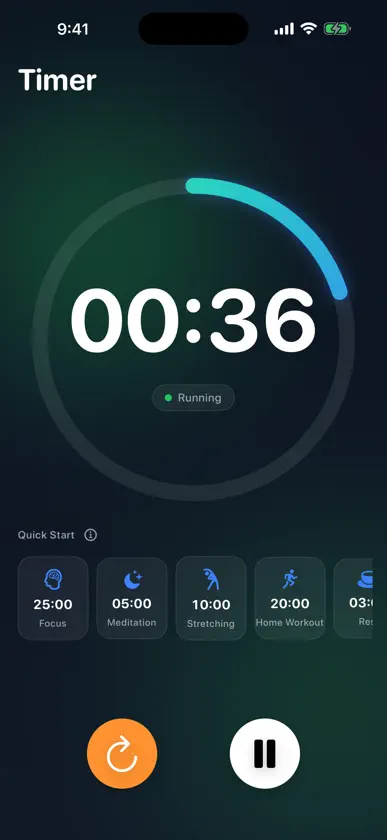
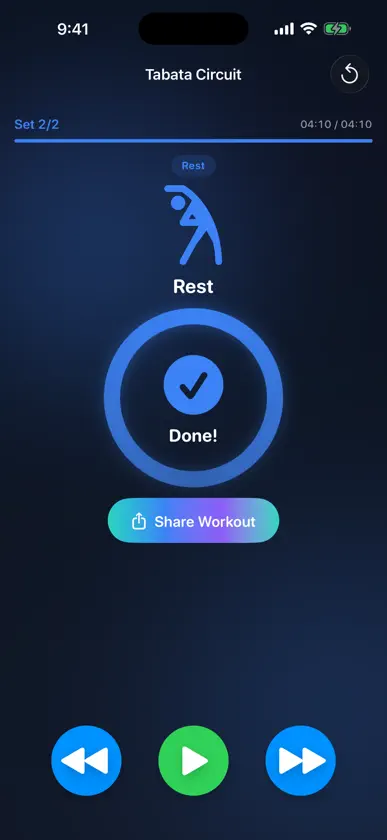
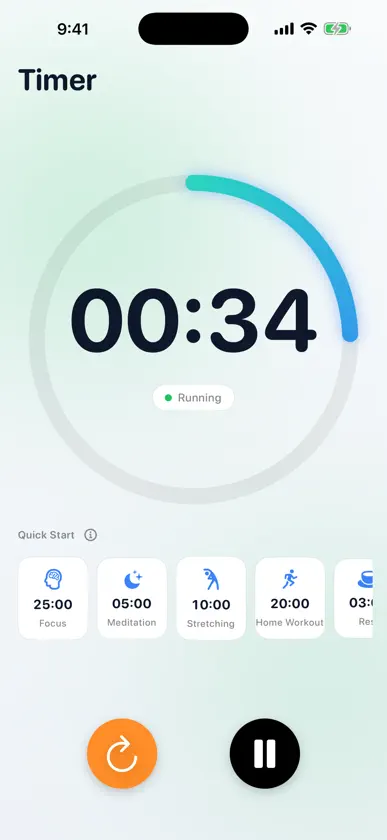
Just what you need for your workout — nothing more. TimerFit started from one simple idea: a beautiful timer you flip on and off while you train. It grew into a clean, focused interval timer for real workouts. ■ Two timers, one app • Simple Timer — set the time and go. A big, clear progress ring shows time at a glance, and your go-to durations are one tap away under "Recent." • Interval Circuit Timer — prepare → work → rest → next round, all handled automatically. Hands-free flow from start to finish. ■ A different move each round — follow along Burpees, mountain climbers, jumping jacks, squats… each work interval shows the movement and a short form cue, big and clear. No more "what's next?" — just move. ■ Ready-to-go presets • Tabata (20s work / 10s rest) • HIIT (40s work / 20s rest) • EMOM Burpees Tap and start. Perfect for beginners. ■ Build your own routine Set work/rest durations and rounds your way. Add your own exercises with a custom icon, name, and form cue. Your routines are saved for next time. ■ Signals you won't miss Sound and haptics on every interval change, plus a 3-2-1 countdown before each one ends. Stay on track without staring at the screen. ■ A glance at your Lock Screen • Lock your phone — the current interval and time left stay on the Lock Screen and Dynamic Island. • Tap a Home Screen widget to start your go-to routine instantly. ■ Right on your wrist with Apple Watch • Start from the watch alone — no phone needed. Presets and the routines you build on iPhone sync straight over. • Drop your wrist and let the screen sleep; the timer keeps running. • A tap on the wrist at every interval change, so you never lose the flow. ■ Stay motivated with history Completed workouts stack up in the History tab — see your total count, total time, and this week's activity at a glance. ■ Clean by design • Dark mode by default, easy on the eyes (Light mode too) • No ads · No account • Keeps the screen awake during workouts • iPhone, iPad & Apple Watch · English/Korean Home workouts, CrossFit, core, stretching — or just a 3-minute timer. For every moment that needs one. Start light. Start now.
What's new
Version 1.8.0 · Sep 28, 2026
TimerFit now opens dark from the very first moment. • On iPhones set to Light Mode, a white screen flashed briefly before the dark app appeared. It now opens dark straight away • Fixed one internal measurement we use to understand which features are actually used. Only values such as counts and durations are recorded — nothing you type, like routine names, is ever included Prefer a lighter look? Change it anytime in Settings > Appearance.
More from KWANG ROK KIM


You might also like
 루틴 타이머 - 인터벌 운동 타이머Jeonghun Heo
 TempoBeat-RepCounter Gym TimerMinWoo Lee
 Workout Tracker: Timer & Logsuyoup kim
 FitMaxx: HIIT Interval TimerJasko Hodzic
 GlowMatch KoreaGoon Mo Koo
 TimerFit - Workout PlannerKonstantinos Meletiou
 Intava: Tabata Interval TimerSeowon Choi
 Interval Timer - HIIT & Tabatamanabu ueda
 SmartHIIT: Quick WorkoutsDiego Dias de Macedo
 PLCO Coach(주)큐엠아이티