
TabForge: Code Keyboard
Jeremy Collins
No ratings yetDeveloper ToolsAges +4
Screenshots





About this app
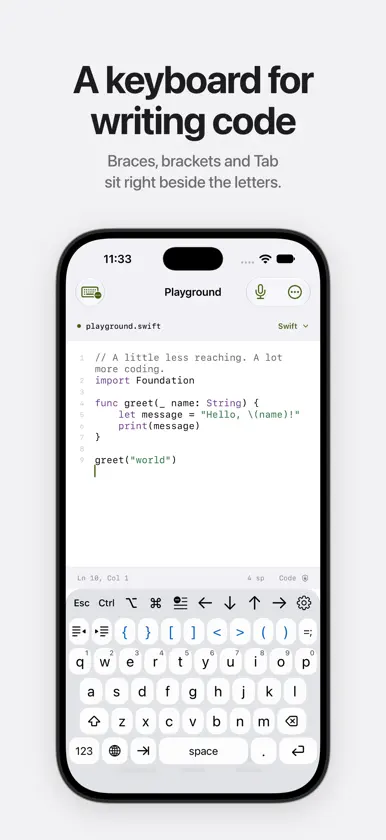
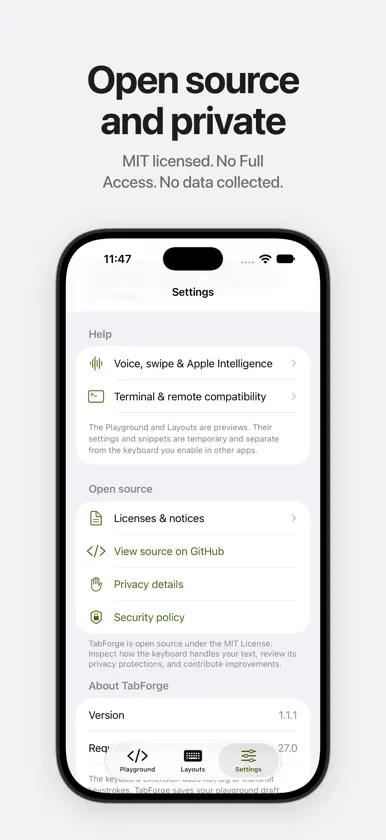
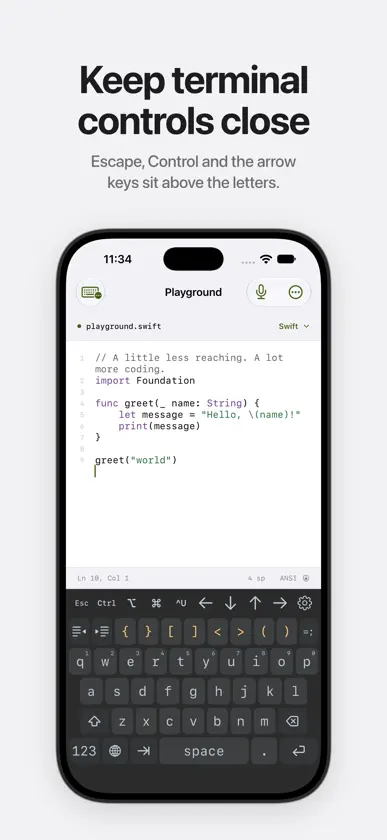
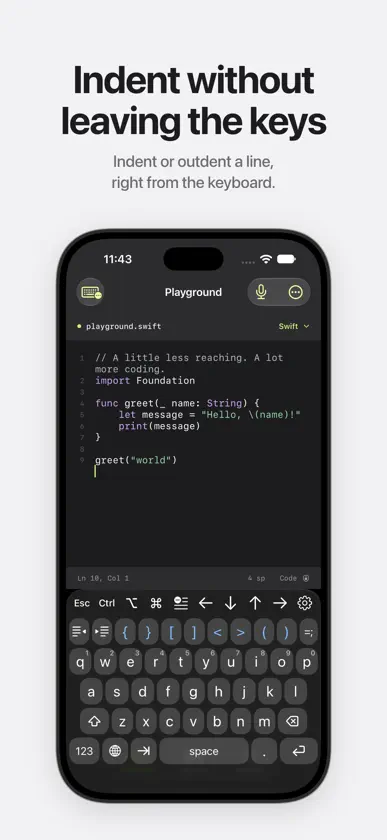
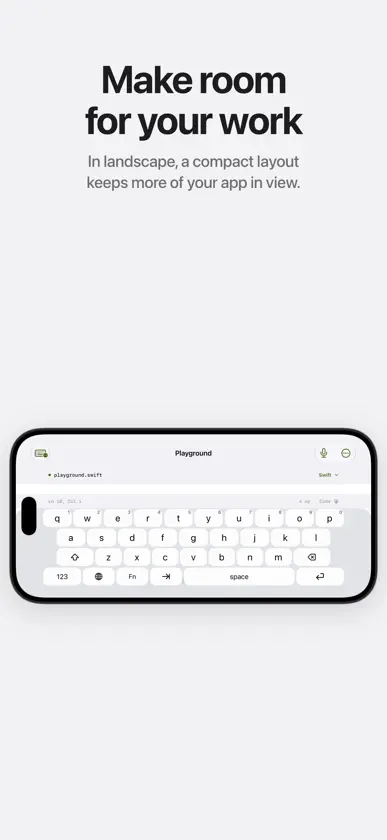
TabForge is an open-source programming keyboard for iPhone and iPad. Write code, scripts and terminal commands with punctuation and editing controls beside the letter keys. Indent a line, move the cursor or insert a saved snippet. The keyboard's gear menu gives you access to settings and code tools in the app you're typing in. Programming keys - Type braces, square brackets, angle brackets, parentheses and full ASCII punctuation. - Choose Tab, two spaces or four spaces, with indent, outdent and automatic newline indentation. - Use arrows, Escape and Control, Option and Command keys. Their behavior depends on the input profile and host app. - Hold a key for its digit or related operators, and choose which keys the toolbar shows. - Save snippets for commands, operators and repeated text. - Get language suggestions for Swift, Python, JavaScript, TypeScript, Shell and JSON. Layouts for your screen Phone layouts keep familiar letter keys with coding controls close by. Compact landscape layouts leave more room for the app above the keyboard. Larger iPad and supported Duo layouts show more controls. Choose your key size and keyboard height, follow iOS light and dark appearance, or select a code palette. Editing and input profiles Use Code editor for pairing and indentation, Terminal · ANSI for supported control text, or Remote desktop for literal input. Terminal and remote behavior depends on the client: a keyboard extension inserts text and cannot send arbitrary hardware-key events. Line edits need enough context from the host app to verify the change. Optional English prose autocorrect runs on the device in eligible text fields. Apple's spelling service finds misspellings, and TabForge picks the replacement from a bundled word list and the words around the cursor, weighing where you tapped. It is off by default, skips code-like input and stays inactive in Terminal, Remote desktop and the code playground. Space applies a correction; immediate Delete restores your spelling. An optional Learn my tap positions setting keeps average tap offsets for each key on this device to sharpen corrections. Turning it off erases them. The companion playground Edit text with syntax highlighting, line numbers, undo and a share action. The playground does not run code. Its keyboard, layout and theme screens change the installed keyboard's settings and snippets. Voice to code lets you dictate, review spoken punctuation and insert the result. It requires microphone and Speech permission plus available on-device English recognition. Voice input runs in the companion app; iOS controls system Dictation availability. Optional swipe typing uses a bundled English word list with word frequencies, programming words and names from the text around the cursor, with alternatives in the gear menu. It works offline, is off by default and remains experimental. Tap typing works better for some identifiers. Optional support TabForge is free. If you would like to support its development, the companion app's Tip Jar offers optional one-time purchases through Apple. Tips unlock no features and are not subscriptions. Open source and privacy TabForge is MIT licensed, with source and privacy details linked in the companion app. The keyboard does not log or transmit keystrokes. There are no ads, analytics or accounts. Keyboard preferences and custom snippets can be set from the keyboard's gear menu or in the companion app. The app's changes go in a container the keyboard can only read; changes made in the keyboard and optional tap learning stay in its own container. Full Access is not requested. The companion playground saves its draft separately. Apps you type into, Apple system services, device backups and destinations you choose when sharing have their own data practices. Requires iOS or iPadOS 27.0 or later. Duo-specific layouts require 27.1. iOS uses its system keyboard in secure and phone fields, and some apps decline third-party keyboards.
What's new
Version 1.2.0 · Nov 10, 2026
The TabForge app now sets up your keyboard. Settings, themes and snippets you change in the app's Playground, Layouts and Themes reach the keyboard the next time it opens in another app. Changes you make from the keyboard's gear menu stay in the keyboard, and for each setting the newer change wins. Everything stays on your device, and TabForge still doesn't ask for Full Access. Haptic feedback now shows that it needs Full Access, which iOS requires before a keyboard can vibrate. Key click sounds work as before.
In-app purchases
The most popular purchases on the App Store.
- Thoughtful TipConsumableR$ 12,90
- Wonderful TipConsumableR$ 19,90
- Extraordinary TipConsumableR$ 29,90
- Incredible TipConsumableR$ 24,90
- Kind TipConsumableR$ 6,90
More from Jeremy Collins


You might also like
 TypeTab: Coding KeyboardAndreu Pifarre
 GpuTermSANGHAK LEE
 TermiXTING CHIEH HSIA
 TagSet: ML Image DatasetsLinus Tegethoff
 CSVMagicVlad Alexa
 Pull requests ManagerAntoine Barrault
 Mobile Database Client文睿 李
 ViSH - Terminal de código IA武汉小强科技有限责任公司
 BinHexDIEGO A CHAPARROAVILA
 .md viewer & editor: NanoFileDigital Sandbox B.V.