
Sessionify
Hang Khiong Chong
No ratings yetProductivityAges 4+
Screenshots



About this app
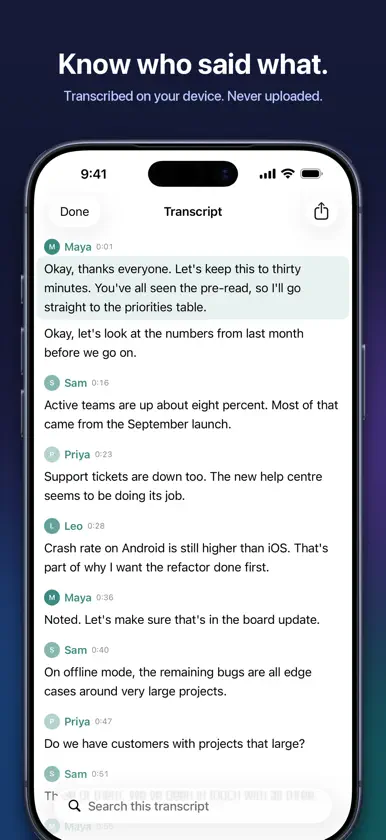
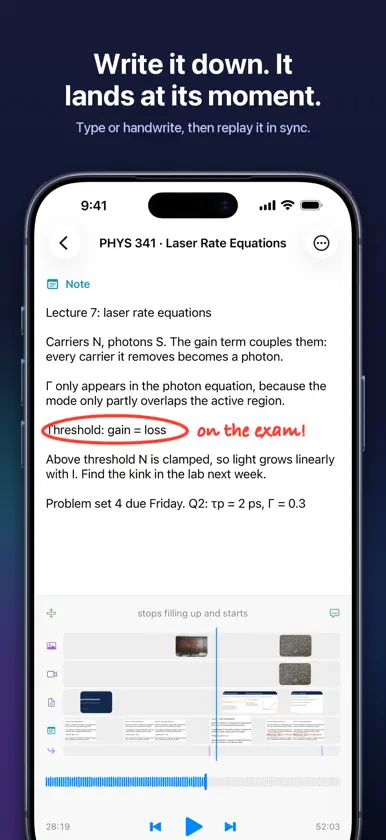
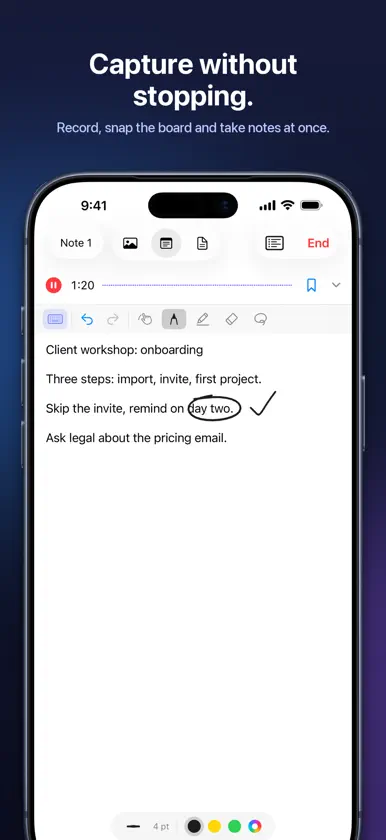
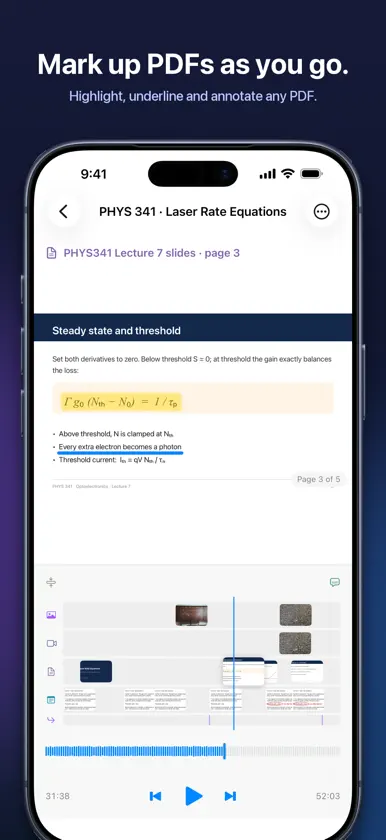
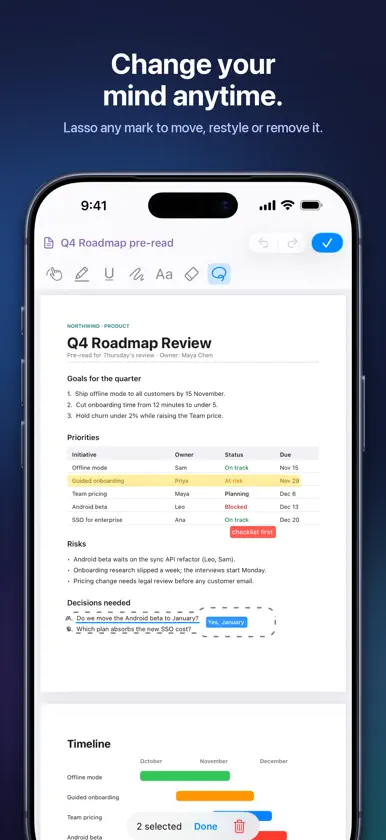
Your recording doesn't know which photo it's talking about. Your photos don't know where in the recording they belong. Sessionify fixes that. Sessionify captures an in-person session — a workshop, a client meeting, a design review, a class — as one timeline. Audio runs the whole way through, and everything else you capture lands on it at the moment it happened: whiteboard photos, video clips, typed notes, handwriting, and markup on photos and PDFs. Filming the whole thing is rarely an option. Holding up a camera for an hour is tiring and awkward, people speak less freely in front of one, and many classes, client meetings and services don't allow video at all. Sessionify records just the audio and lets you capture only the moments that matter — a photo of the whiteboard, a few seconds of video, a note — each one landing at its exact moment. PLAY IT BACK IN SYNC Scrub the audio and the whiteboard from that moment appears. Tap a photo, a note or a highlight and the audio jumps to when you made it. Every part of the session stays in step, in both directions. CAPTURE WITHOUT STOPPING • Record continuously while you take photos and short video clips — the shutter is silent, so it never ends up in your recording. • Type notes or write with Apple Pencil; every line is stamped with its moment. • Open a handout, an agenda or a paper as a PDF and highlight, underline or write on it as the session runs. • Mark up a photo of the board: boxes, ovals, underlines, handwriting and typed notes. • Put the phone face down and keep recording — pause and resume from the Lock Screen. FOLLOW UP LATER Come back that evening and add to it: a note on a photo, a highlight on a page, an answer to a question you wrote down. Follow-ups are kept separate from what happened in the room, so the session always shows both — what was said, and what you made of it afterwards. TRANSCRIBED ON YOUR DEVICE Sessionify writes a transcript you can read along with and tap to jump to any word. It can tell speakers apart when several people talk. All of it runs on your iPhone, iPad or Mac — no audio is ever uploaded. SHARE THE WHOLE SESSION Send a session to anyone and they get the audio, photos, notes and markup together, in sync. Opening and playing a shared session is free — no subscription, no account. Or export the parts: the audio, a clip, a photo, or the marked-up PDF as an ordinary file. YOURS, ON EVERY DEVICE Sessions are ordinary files in your own iCloud Drive, visible in the Files app and backed up with your device. There is no Sessionify server and no account to create. Record on iPhone, annotate on iPad with Apple Pencil, review on a Mac with a wide timeline. PRIVATE BY DESIGN No sign-up. No tracking. Recording, transcription and speaker identification all happen on your device. SUBSCRIPTION Viewing and playing sessions is free. Recording, capturing and editing need Sessionify Pro, with a one-month free trial. Payment is charged to your Apple Account at confirmation of purchase. The subscription renews automatically unless cancelled at least 24 hours before the end of the current period; manage or cancel it in your Apple Account settings. Terms of Use: https://www.apple.com/legal/internet-services/itunes/dev/stdeula/ Privacy Policy: https://tianenchong.github.io/sessionify/privacy.html
What's new
Version 1.0.1 · Oct 30, 2026
• Pen strokes on photos now replay as they were drawn, stroke by stroke. • On iPhone, the playback controls now reach the bottom of the screen.
In-app purchases
The most popular purchases on the App Store.
- Sessionify Pro (Annual)Subscription · month free trialUSD 59.99 / year
- Sessionify Pro (Monthly)Subscription · month free trialUSD 7.99 / month