
Screenshots



About this app
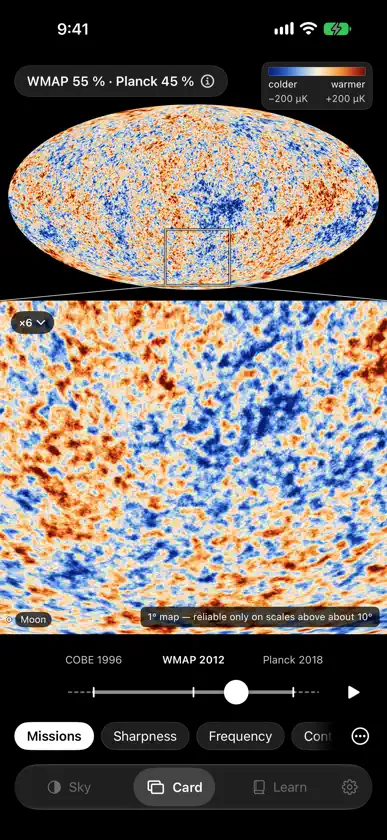
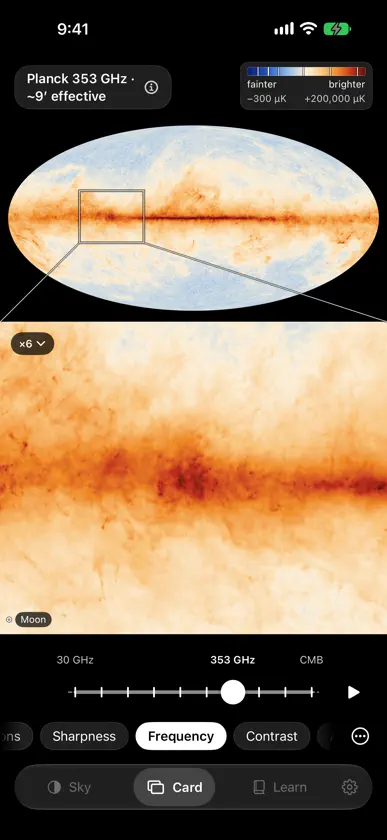
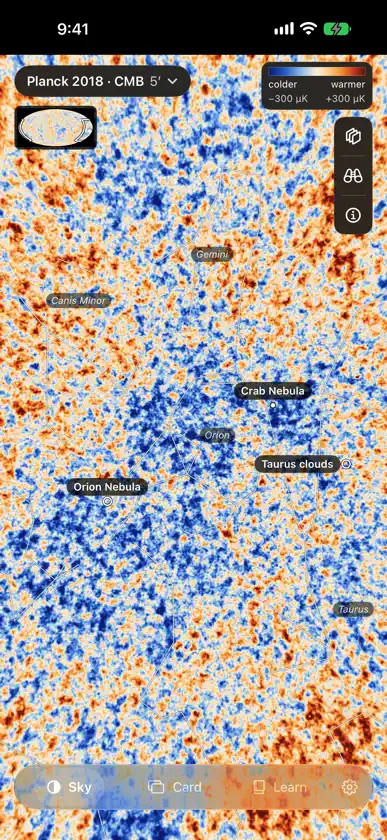
CMB Maps shows the cosmic microwave background, the oldest light we can see, across the whole sky. Every map is drawn live on your device from the missions' own data: COBE, WMAP, Planck's 2018 map and Planck's nine frequency maps. THE SKY • The whole sky in one oval. Drag it, let it glide, and pinch to zoom in as far as the map's own detail goes. • Tap anywhere to read the map there. Tap the Cold Spot's label and Planck's map reads the point at its centre: "Colder than average, about −270 µK · 10 in 100,000", with the position on the sky. • Switch between COBE, WMAP and Planck, Planck's nine frequencies from 30 to 857 GHz, and Planck's map smoothed to less detail. Choose the colours and the scale. • Add a grid, the celestial equator and the ecliptic, constellation lines, size rulers and 20 landmarks you can fly to. • Step inside the sphere with Around you, and on iPhone or iPad turn on Look around to turn the view by moving your device. THE CARD • The whole sky and, under or beside it, a live close-up of one patch of the same map, outlined on the sky like the inset in a science paper, with the full Moon drawn to scale. Choose the patch from a short list, and where the screen allows, pinch it for a second, closer step. • Tilt your iPhone to fade from one map to the next, as on a lenticular card, and feel each map click into place. The Tilt button turns tilt on and off; the slider, taps and keys do everything tilting does, and Auto plays the deck for you. • Seven decks: Missions (COBE, WMAP and Planck on one colour scale), Sharpness, Frequency, Contrast, Any two, Scales, and Classic 2014, the look of the original app. LEARN • "What am I looking at?", short notes on every map, and a timeline of twelve moments, from the 1948 prediction of the glow to a mission planned for the 2030s. • Two charts: the spectrum (brightness by frequency) and the power spectrum (ripple strength by angular scale). A glossary, and every number in the app with its source. HONEST BY DESIGN • Every view names its map and shows its colour scale. About this map, one tap away, says what the map is, where it comes from, who made it and what was changed. • The colours are false colour: you choose them, and the colour bar always says what they mean. Filled-in areas are hatched, and each map's caveats are spelled out. OFFLINE, PRIVATE AND ACCESSIBLE • Works fully offline. No account, no ads, no in-app purchases, no tracking. • In English, Simplified Chinese, Traditional Chinese, Japanese and Spanish. CMB Maps follows your device's language, or you can give it a language of its own in Settings. • VoiceOver with Describe this view, Switch Control, Dynamic Type, Reduce Motion, keyboard shortcuts on iPad and Mac, two colour-blind-safe palettes and a contour mode. • Upright or sideways on iPhone and iPad, and in a window on a Mac with Apple silicon. CMB Maps is not affiliated with or endorsed by NASA or ESA. Sky data: ESA, Planck Collaboration; NASA / WMAP Science Team; NASA / COBE Science Team.
What's new
Version 2.1 · Nov 13, 2026
• CMB Maps is now in Simplified Chinese, Traditional Chinese, Japanese and Spanish, as well as English. Almost everything is translated: the Sky, the Card, Inspect readings, and all of Learn, from the notes and the timeline to the glossary and every number. Credits, licence names and each map's "Changes made" notes stay in English. • It follows your device's language. To choose a language for CMB Maps alone, open its page in Settings. • Read aloud speaks each language in its own voice. • In English, numbers now use one format throughout the app, whatever your region's format.
You might also like
All apps like CMB Maps → Univerzoom 2D Size ComparisonLinda Schnetzinger
 Stars Units Sizes ObjectsMudarmeen Munlin
 Univerzoom 3D - Explore ScaleLinda Schnetzinger
 Universal Zoom - Science GuideGamifyIt
 Universe Size ComparisonDaniele Citi
 Cosmic Scale: Universe & Spacekhushnidjon Keldiboev
 3D Star MapAlexander Winn
 CosmoSize: Space to ScaleONLIST
 Universal Numbers: Count to 1MGamifyIt
 Scale of UGrossard Education