
Converty
VINCENZO GALLINA
No ratings yetUtilitiesAges 4+
Screenshots


About this app
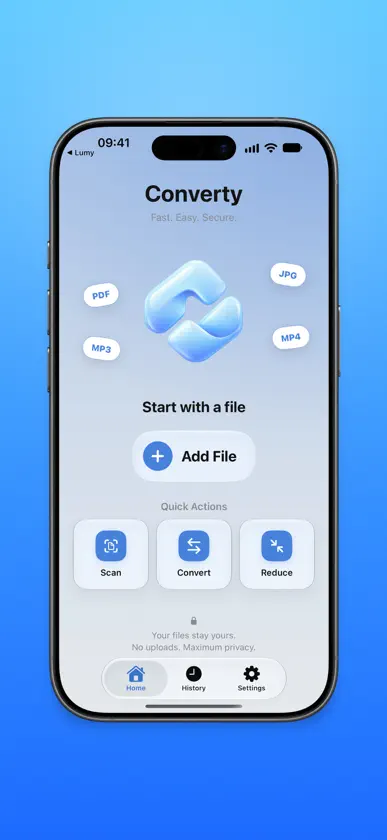
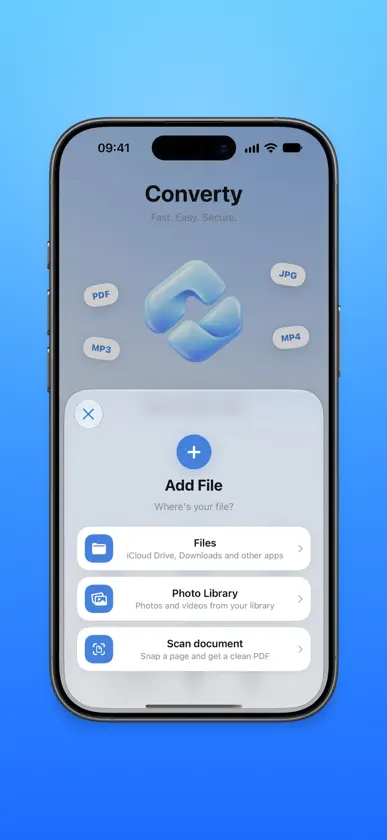
Converty converts, compresses and fixes your files in a few taps — and it all happens right on your iPhone. No server uploads, no account, no ads: your documents never leave your device. CONVERT ANYTHING • Images between HEIC, JPG, PNG and more • Open RAW photos and AVIF images and convert them to JPG, PNG or HEIC • Documents and photos into PDF, in one tap • Turn a video into an animated GIF • Extract a video's audio track as M4A, WAV, AIFF, CAF or Apple Lossless — and open FLAC files • Convert from any app, straight from the share sheet SHRINK FILE SIZE • Compress in one tap: pick Low, Medium or High, with an estimate of the final size • Or set the quality, the exact size or the pixels yourself • Resize images to exactly the size you need VISUAL PDF TOOLS • Fill in PDF forms with iOS's native editor: fields, text and signature • Split, rotate, reorder and extract pages, visually • Merge several files into a single PDF SCAN AND RECOGNIZE • "Scan document" opens the camera straight away and names files from their content • Extract the text from a document or photo, then fix, copy or save it as .txt TRIM AND POLISH • Trim video and audio • Change video playback speed PRIVACY FIRST Converty works entirely offline. No file is ever sent to a server, no account is required, and we collect no data. Sensitive metadata (location, date, device) can be removed with a single tap. Designed for iOS with a glass design, light and dark mode, an accent colour of your choice and 48 languages — following your iPhone's language automatically.
What's new
Version 6.0 · Oct 15, 2026
What's New in 6.0 • Everything on one screen — Open a file and pick what to do from the bar at the bottom: the options appear right above it and the result arrives on the same screen, ready to save. • Work right on the file — Tap a PDF's pages to split, rotate or extract them, and hold one to reorder; trim video and audio on the timeline; straighten documents by dragging their corners. • High-quality audio — Converted sound keeps its original quality, and you choose the bit rate and sample rate. • New icon — Two pieces turning into each other: Converty has a new face, in the Home too. • Save in one tap — Photos and videos go to your photo library, everything else to Files. And History now remembers every action. • Smoother and easier to read — Animations up to 120 Hz and text that follows the size you chose in Settings.
More from VINCENZO GALLINA

You might also like
 unrollROHYO RO
 Inventory Scanner: OrganizerMaaDoTaa
 Ambient TimeLanguageCraft
 LongShot: Screenshot StitchBeijing Yangming Jiuha Technology Co., Ltd
 Flick: AI Remote for ClaudeSEIZEMODE
 ghleopeawrThomas Richardson
 Aura: Video to MP3 ConverterKrishnaiah Indyala
 0.05 Player逢 刘
 Palvia: AI Agents in Your Palm进年 贺
 Aura Notes AIVan Hai Nguyen