
CycleLine
Stefan Schwinghammer
No ratings yetNavigationAges 4+
Screenshots

About this app
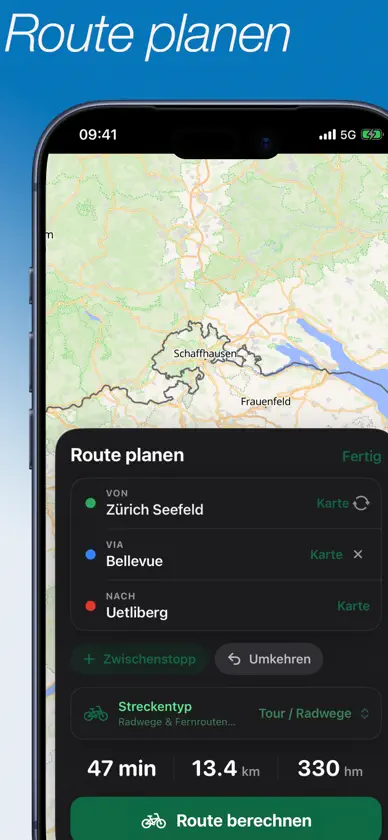
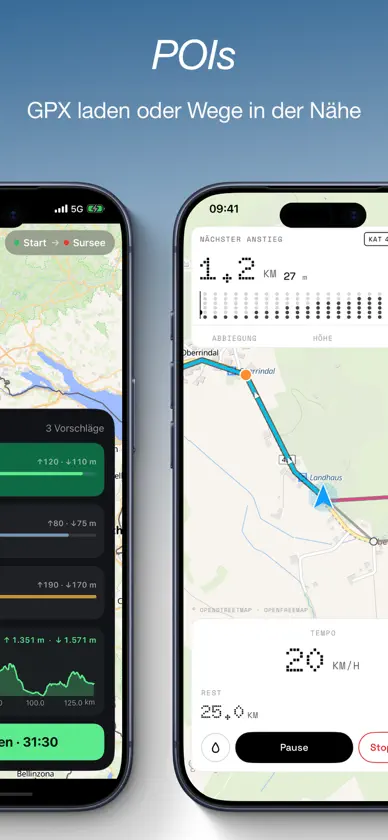
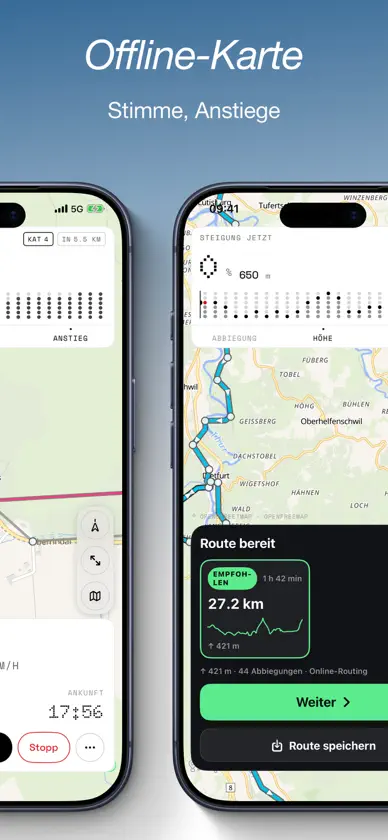
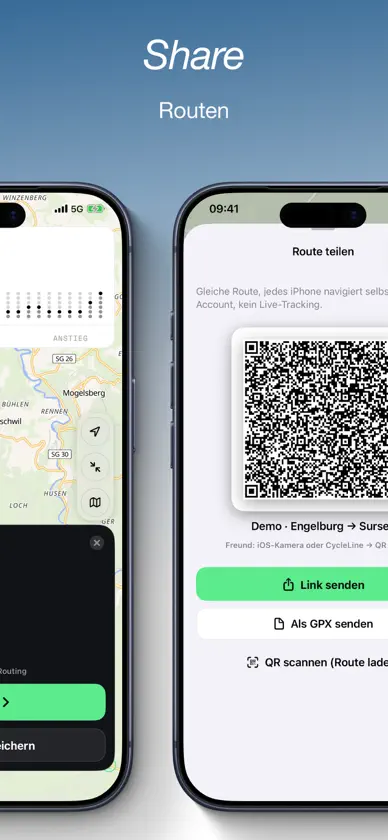
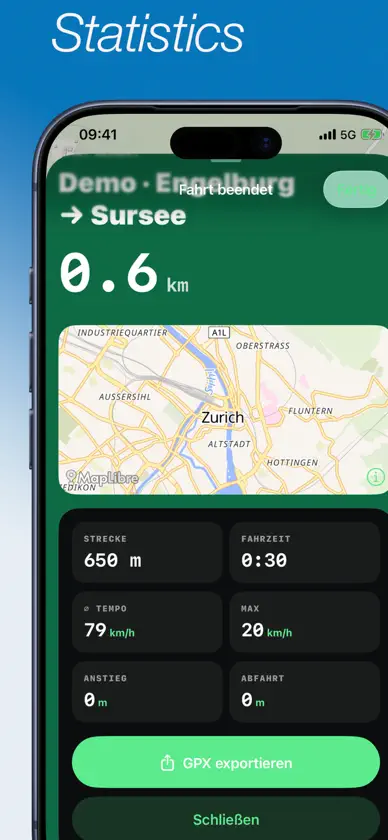
CycleLine is bike navigation you can read on the handlebars: big turn cues, clear numbers, a calm display. Plan a ride, load a GPX or pick a cycle route nearby — then follow, don't scroll. WHO IT'S FOR For commuting, after-work loops and multi-day tours. For gravel, touring and road bikes. For everyone who wants a navigator that shows the way, not another social app. PLAN A ROUTE • Start, destination and stops by address or by dropping a pin on the map • Current location as start • Routing profiles for touring/cycle paths, gravel, road bike and more BRouter profiles • Alternatives A/B/C with distance, elevation gain and ride time • Pick a variant before you set off LOAD A ROUTE • Import a GPX and follow it right away • Saved rides in your library • Discover OSM cycle routes nearby — from your location or as a mapped stage • Demo route to try it out, no network routing needed WHILE RIDING • Large turn cue with distance, direction and street name • Voice guidance in the app language and haptics (adjustable distances) • Bike computer: speed, distance left, arrival, pause and stop • Track-up map that follows you • Off-route warning and automatic rerouting to your original destination • Change destination or stops on the way • Route back to the start • Live Activity on the Lock Screen and in the Dynamic Island • Optional Home Screen and Lock Screen widgets • Control Center actions to start, stop and follow ELEVATION AND CLIMBS • Elevation profile of the whole ride, even before you start • Next climb with category, gradient and remaining ascent • See what's coming while you ride — not only once it gets steep PLACES ALONG THE ROUTE Put service points on the map when you need them: • Water, fountains, toilets • Bakery, restaurant, café, supermarket • Bike pump, bike shop, repair station, petrol station • Hut, hotel, picnic spot, shelter, swimming spot • ATM, pharmacy, hospital, defibrillator Medals for stopping at places — optional, no account. OFFLINE • Download map tiles along the loaded route • Keep navigating loaded GPX and demo routes without a connection • Voice guidance and turn-by-turn keep working Note: offline stores the base map. Planning new routes, alternatives, rerouting and fresh POIs need internet. LIBRARY AND AFTER THE RIDE • Save, load and export routes • Ride history with distance, time and elevation gain • Share GPX • Optionally save rides as cycling workouts in Apple Health PRIVACY No account. No ads. No tracking SDK. Location only for the map, guidance, widgets and Live Activity. "Always" access only when you start navigation — so voice guidance and the Live Activity keep running with the screen locked. MAPS AND DATA OpenStreetMap · OpenFreeMap · MapLibre · BRouter · Open-Meteo · Overpass CycleLine follows the sign — not the screen. Note: routing depends on the public BRouter service and your connection. OSM data can be incomplete. CycleLine does not replace traffic signs or your own attention on the road.
What's new
Version 1.1.4 · Nov 14, 2026
Round trip • Plan without a destination: “Round trip” with 20, 30, 50, 80 or 100 km from your start, three options in different directions • If you leave the loop, you are guided back onto it instead of straight to the start Weather • “Route ready” shows temperature, rain risk and wind for your ride time, with headwind and tailwind along the route • While riding, “…” → “Weather” shows the weather at the next points of your route with estimated arrival times GPX • Waypoints from GPX files appear on the map and are kept when saving, exporting and recalculating • The app copes better with faulty GPX files and route links POIs • Water, cafés, benches and other POIs are stored on your device: after adding a via point, a recalculation or on another ride in the same area they appear right away, even offline • Fixed: after adding a via point, POIs stayed empty and kept loading Ease of use • More text follows your text size setting • VoiceOver: more buttons have labels • Small iPhones: “Continue” stays visible • Planning buttons are easier to tap Reliability • Clear message when a ride or route cannot be saved • Fixed: the Live Activity and widget stayed on screen after the app was swiped away or crashed


