
Data Remaining: Usage Tracker
Rigato inc
3.5(17)UtilitiesAges 4+
Screenshots






About this app
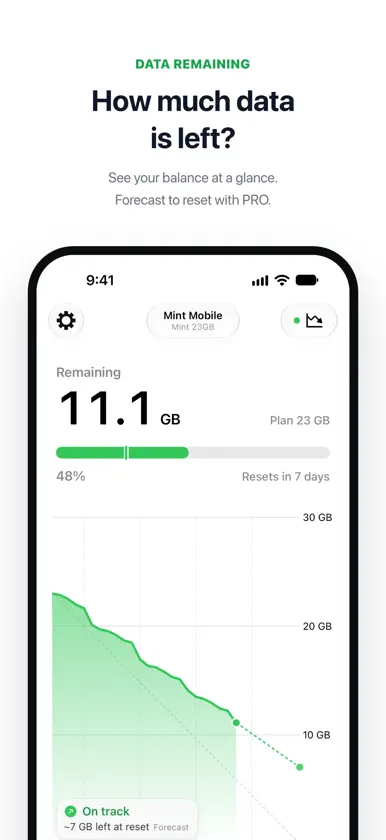
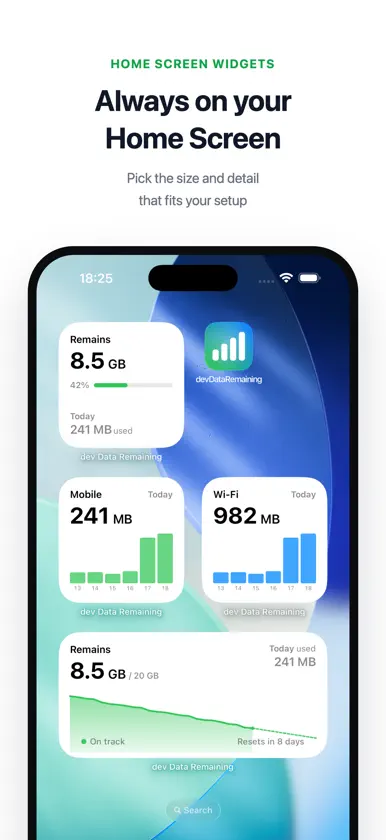
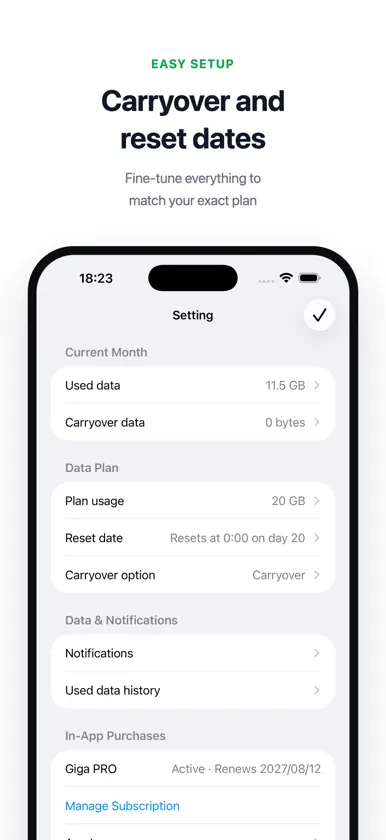
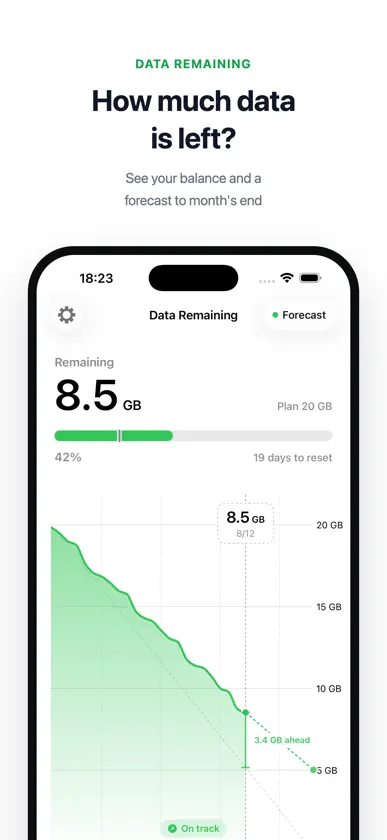
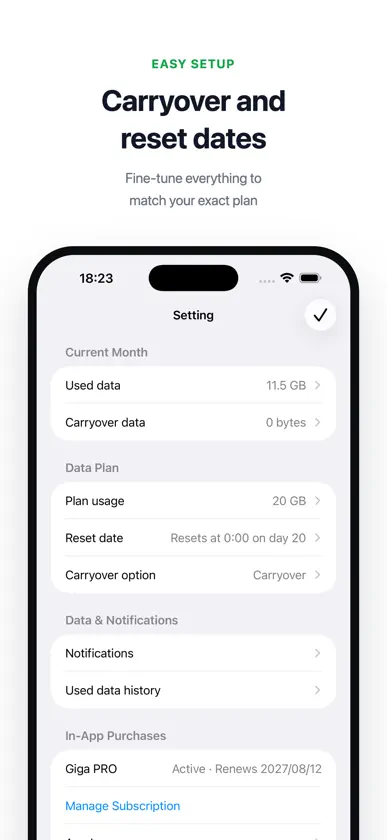
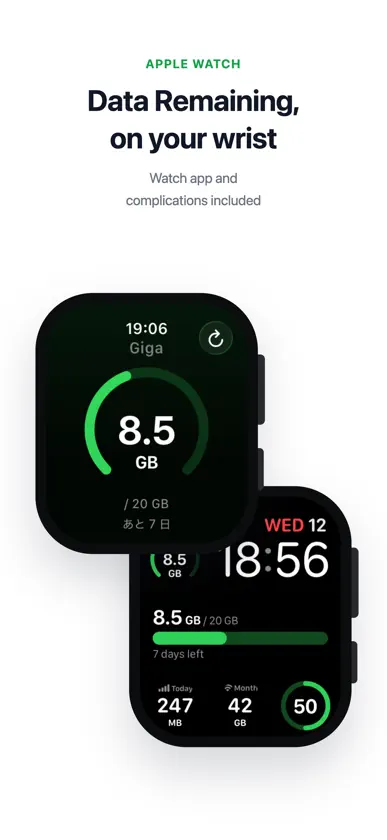
Data Remaining shows how much mobile data you have left before your plan renews. Pick your carrier's plan, set your renewal day, and the app tracks your cellular and Wi-Fi usage automatically. No account needed. Made for plans with a data cap, such as prepaid plans and travel eSIMs. Ready-made plans for US prepaid carriers Choose your plan from presets for Mint Mobile, Cricket Wireless, Verizon Prepaid, T-Mobile Prepaid, Boost Mobile, Google Fi, Tello, and AT&T Prepaid. Plans from Japanese carriers and travel eSIMs are included too, or enter any data cap and renewal day yourself. Not sure which plan you have? Start with a temporary 20 GB monthly plan and change it anytime. Features - See your remaining data as a big number and a chart - Track cellular and Wi-Fi usage separately - Hourly and daily usage charts. Tap a bar to see its breakdown, including data used by devices on your Personal Hotspot - Monthly plans with any renewal day from the 1st to the 31st - Plans that expire after a set number of days, such as travel eSIMs - Carryover rules, including per-carrier rules such as 100 MB increments - Track add-on data you buy, with its own expiration - Alerts at 50%, 80%, and 90% used, and on renewal day - History of past periods, with overage, expired data, carryover, add-on purchases, and the day your data ran out - Adjust usage by hand to match your carrier's number - Open your carrier's website or app to check your official balance - Widgets for the Home Screen and Lock Screen, with an option to show the days left until your plan renews - Apple Watch app and watch face complications - Works on iPhone and iPad - Background updates (not available if the app is force-closed) - Turn off usage analytics in Settings - Review and share diagnostic information to help investigate issues Data Remaining PRO (subscription or one-time purchase) - Forecast your usage through your next renewal or plan end, with a pace indicator (on track / over pace) - iCloud Sync: pick up where you left off on a new phone, and see remaining data combined across your iPhone and iPad - Medium and Large Home Screen widgets for remaining data, with the forecast and your pace. Large adds a guide line for making your data last - Extra-large widgets on iPad, and extra-tall widgets on iOS 27 - Cellular and Wi-Fi usage widgets in Small, Medium, and Large, with hourly bars for today and daily bars for this month - Lock Screen widgets (days left, and today's and this month's cellular and Wi-Fi usage) - Apple Watch usage summary and usage complications - No ads Tip Open the app regularly for more detailed usage records. Check your remaining data at a glance from Home Screen and Lock Screen widgets. Note This app measures data from records stored on your device, so the numbers may differ from your carrier's official usage. Please use the app with this in mind.
What's new
Version 4.9.3 · Nov 6, 2026
- Not sure which plan you have? Choose "I don't know my plan" to start right away with a temporary 20 GB monthly plan, and change it anytime. - Using this device on Wi-Fi only? Choose "I don't use cellular data on this device" to start tracking Wi-Fi data without setting a plan. - New Large Home Screen widgets show your remaining data in a bigger chart, with a guide line for the pace that lasts until your plan renews. On iOS 27, an extra-tall size is available too (PRO). - Cellular and Wi-Fi usage widgets now come in Medium and Large, plus extra-tall on iOS 27, with hourly bars for today and daily bars for this month (PRO). - Added extra-large widgets for the iPad Home Screen (PRO). - Remaining-data widgets can now show the days left until your plan renews (Edit Widget > Days left). - From 7 days before a monthly plan renews, the app now shows a look back at your recent usage. - Tapping a bar in a chart now shows how much data devices on your Personal Hotspot used. - With iCloud Sync on, you can now hide the device legend below the charts (Settings > Show Chart Legend). - Small usage widgets now have a scale, and their dates no longer get cut off. - PRO is now called Data Remaining PRO, and the Apple Watch app is now named Data Remaining. - For Japanese plans, plan details now explain the speed after you use up your data and which data doesn't count, and docomo's discontinued plans (eximo, irumo, and more) can now be selected. With iCloud Sync, devices that receive the automatic December 1 ahamo plan switch now also show the notice. - Fixed the pace label covering most of the remaining-data chart, and the chart breakdown overlapping the scale, at large text sizes. - Other fixes and improvements.
In-app purchases
The most popular purchases on the App Store.
- Remove Ad BannerConsumable$3.99
- Giga PRO MonthlySubscription · 7 days free trial$0.99 / month
- Giga PRO LifetimeConsumable$19.99
- Giga PRO YearlySubscription · 7 days free trial$9.99 / year
More from Rigato inc

You might also like
 Data Usage: Cellular TrackerHungChun Lai
 Usage Device MonitorOleh Stasula
 My Data Manager VPN SecurityDistimo
 Network Usage MonitorKhashayar Abryoghani
 Traffic Monitor with WidgetTreconite S.L.
 Didget: Data Usage WidgetZlatko Kuvendjiski
 Network UtilityFausto Ristagno
 Data Plan - Network UsageOleh Stasula
 Internet Data Tracker ManagerSwetha MB
 Touchscreen Pro: Phone TestSeiya.k