
Lectra Notes
Noel Sason
No ratings yetEducationAges 4+
Screenshots



About this app
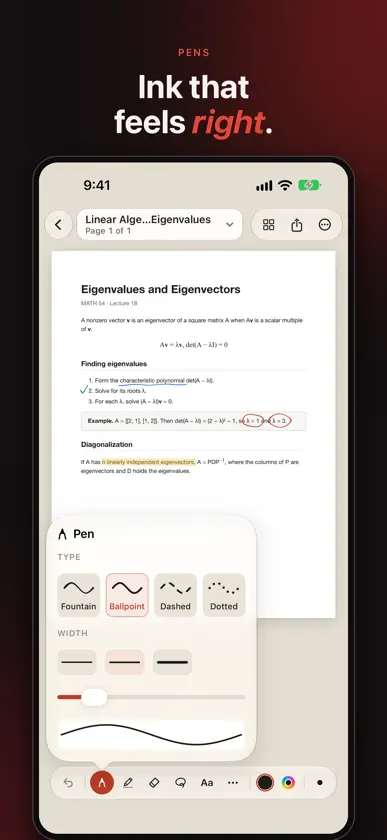
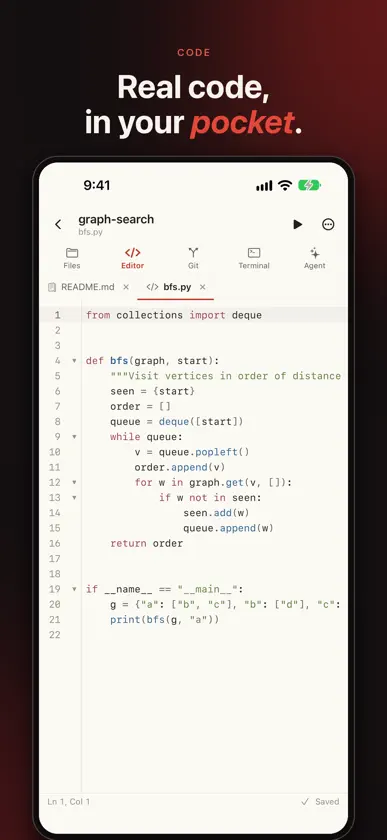
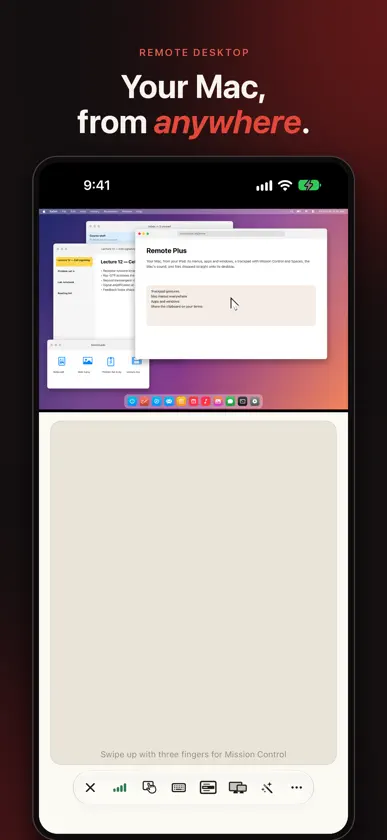
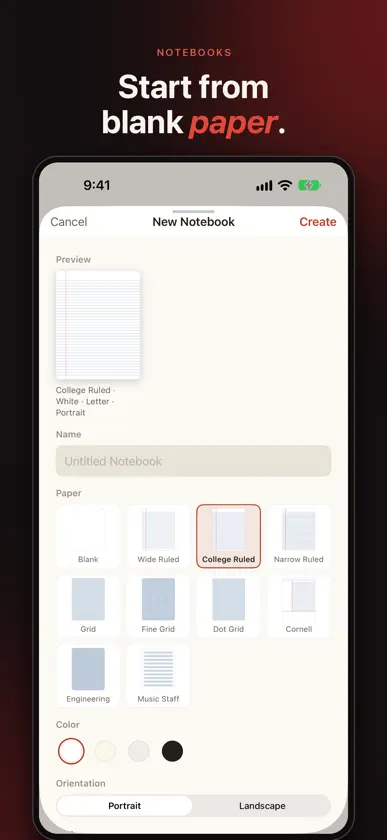
Lectra is a workspace for the documents you think on: lecture slides, problem sets, papers, and textbooks, marked up by hand and kept in one library that works without a signal. READ AND MARK UP Open any PDF and work it over with Apple Pencil. A pressure-responsive pen, highlighter, and eraser in a calm, distraction-free editor keep your ink sharp at any zoom. Select the document's own text with a finger. On Apple Pencil Pro, squeeze to switch tools. MADE FOR IPHONE DUO Folded, Lectra fits the outer screen. Open it, and your page spreads across the full display, with every control kept clear of the camera and status bar. On iPad, keep two documents side by side. RECORD THE LECTURE BESIDE YOUR NOTES Start recording from a control that floats above the whole app, then keep writing. Tap a handwritten stroke to hear what was being said as the pen moved. Drag the playhead and watch the page fill back in, stroke by stroke. Transcription runs on your iPad, and an hour of lecture takes about 15 MB. NOTEBOOKS AND PAPER Start from a blank page when the thinking hasn't found a document yet. Choose blank, lined, grid, dotted, or Cornell paper for each new page, then export your pages as PDFs. SCAN ANYTHING Bring paper into the record. Scan pages with the camera and mark them up like any other PDF. ASK YOUR DOCUMENTS Ask a question about what you're reading and get an answer that cites the page it came from. Summarize a document to get to the point faster. These features run on your iPad, are off until you turn them on, and never use your notes or documents to train a model. WHEN READING TURNS INTO WORK Run Python where you already work: notebooks with charts, a real shell, Git, and a code editor, all on your iPad and all offline. The document and the work on it stay in the same place. YOUR MAC, TOO Lectra for Mac is a free download at canvascope.org/mac. It brings the whole app to your desktop, puts your Mac on your iPad as a remote desktop, sends documents straight between iPad and Mac, and shares one clipboard. The Remote Desktop assistant can open a website, search, or launch an app on your Mac in one step, and asks before it acts unless you turn on Auto-run. A LIBRARY THAT KEEPS UP Everything in one place, available offline, and backed up when you sign in. Your documents are yours: export them anytime, in formats that open anywhere. PRIVATE BY DESIGN No ads and no tracking. Lectra is free to use.
What's new
Version 11.0.1 · Oct 25, 2026
Bug fixes and app improvements.
You might also like
 Pencora: Handwriting NotesAnastasia Naumkina
 SnapPy: The Python NotesRohit Srivastava
 Homeschool Tracker & PlannerBrian Kershner
 리풀 repull - 복습 아카이브·오답노트JIINEDU
 MindMetrics - IQ & PersonalityAbdulrazaq Alonazi
 SymPy EditorFrancesco Bonazzi
 Anote: Smart AnnotationsKyuman Kim
 CloudLabs Sinusoidal CurrentJiovany Orozco
 Dhikr Streak: Muslim HabitMustafa Al Shammari
 Pocket Experiments Virtual LabMIZOU, CO., LTD.