
My Reading Stack
Richard Pak
No ratings yetEducationAges 4+
Screenshots




About this app
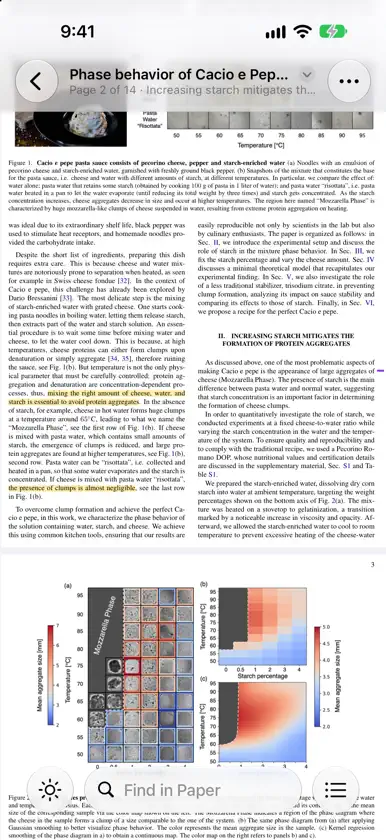
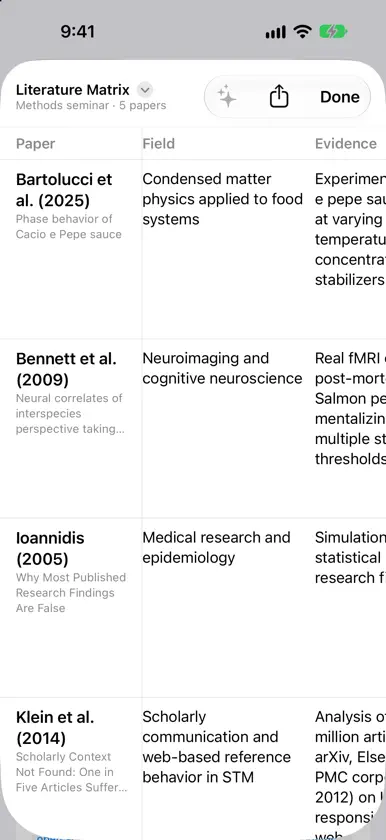
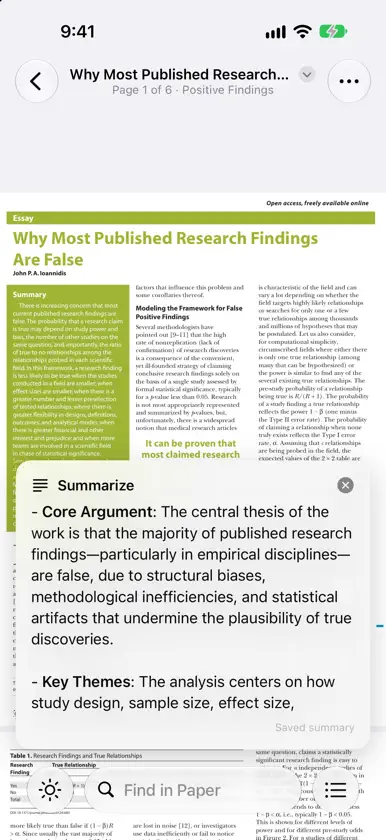
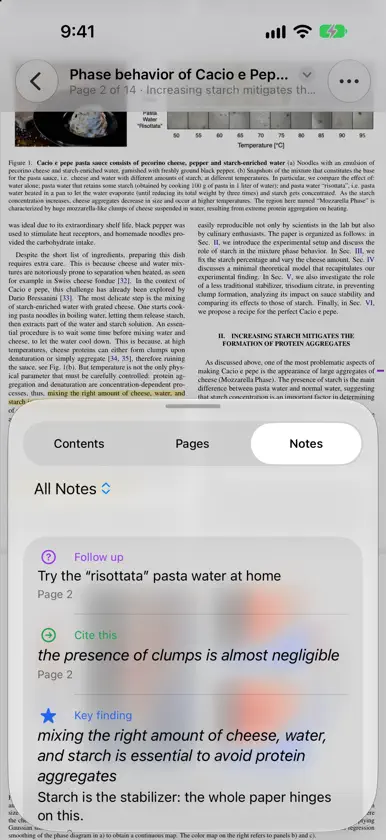
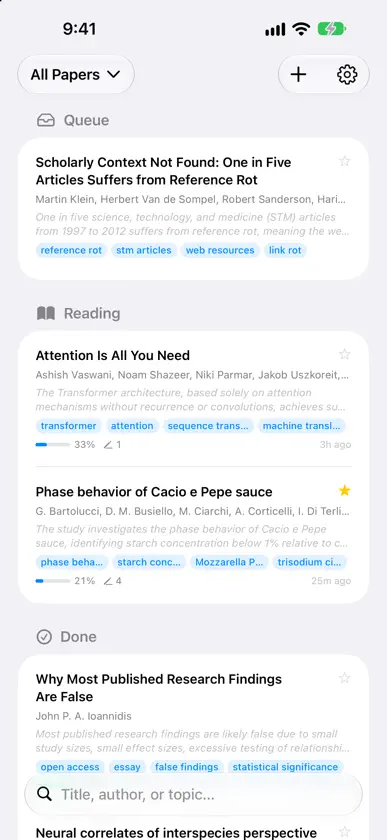
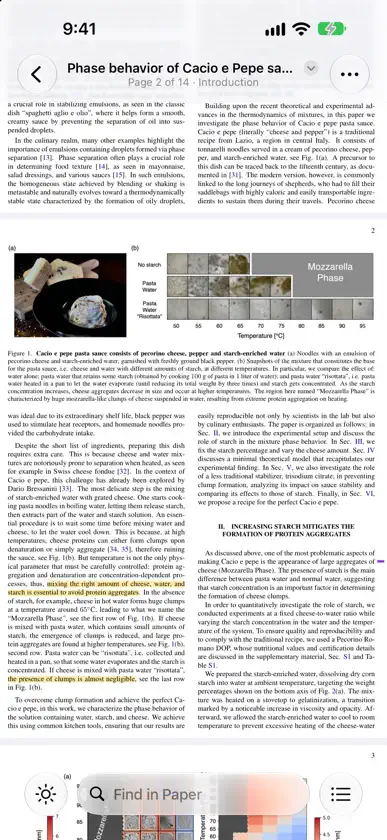
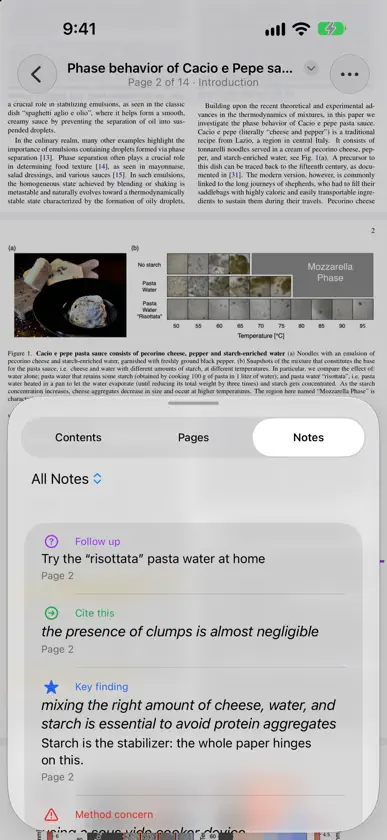
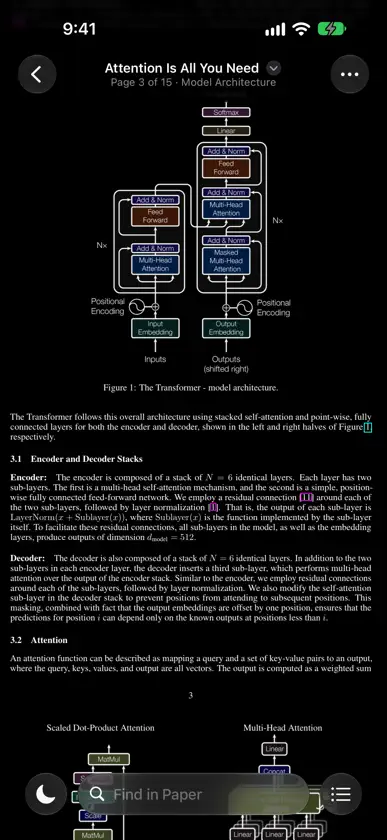
A reader for the papers you actually have to read: for a class, a lab meeting, a review or your own research. More than a plain PDF viewer, less work than a reference manager. READ COMFORTABLY • Pages fill the screen. Trim Margins crops away blank borders so the text is bigger. • Double-tap a column to zoom into it; double-tap again to zoom back out. • Light, dark and sepia reading, and two pages side by side on a wide screen. • The title bar shows where you are: page, and the section you're in. • Jump to any section, page or note from Contents. • Find in Paper shows every match and steps through them. KEEP WHAT MATTERS • Highlight and add notes from the text selection menu. • Tag them: Key finding, Method concern, Cite this, Follow up, Disagree, Connects to. Filter your notes by tag. • Copy with citation: copied text comes with an in-text citation, like (Bartolucci et al., 2025, p. 4). • On iPad, highlight and write with Apple Pencil. • Export your notes as Markdown or text, grouped by tag, or as an annotated PDF. COMPARE PAPERS • The literature matrix puts a group of papers in one table: each paper's aim, material, approach, result and your own notes. • Fill it in with AI, then edit any cell. • Export it as CSV or copy it as a table into Numbers, Excel, Pages or Word. A LIBRARY THAT ORGANIZES ITSELF • Paper details (exact title, authors, journal, year) are looked up from the paper's DOI or arXiv ID. • On-device intelligence writes a one-line summary, finds the paper's sections and picks out its topics. • Group papers into Queue, Reading and Done, star favorites, and browse by topic. Reading progress is shown for every paper. • Search by title, author or topic, or describe what you're looking for and let on-device AI find it. ASK ABOUT A PAPER • Summarize a paper or ask questions about it with Apple Intelligence, on your device. • Or add your own Claude API key for deeper answers. EVERYWHERE YOU READ • Papers, highlights and notes sync through your iCloud across iPhone, iPad and Mac. • Add PDFs from Files, from the share sheet in any app, or with File ▸ Import on the Mac. • On a Mac, keep Contents open in an inspector and the literature matrix in its own window. • On iPhone Duo, an unfolded phone becomes an open book, with two pages on either side of the fold. PRIVATE BY DESIGN • No accounts, no tracking, no analytics, no servers. • Summaries, sections and topics are made on your device. • To look up paper details, only the paper's public DOI or arXiv ID is sent (to Crossref, DataCite or arXiv). You can turn this off in Settings. • Paper text is sent to Anthropic only if you add a Claude API key and use Ask Claude. My Reading Stack is free, made by one developer. If it helps your reading, there's a tip jar in Settings.
What's new
Version 2.3.1 · Nov 5, 2026
Smoother full-screen reading, especially on iPhone Duo. • Tap the page to hide the controls, and the status bar and home indicator hide too. • On an unfolded iPhone Duo, Single Page and Fit Page show one page across the whole screen, centered, with margins still trimmed. • A page that fits the screen stays centered. Zoomed in, drag sideways to read the rest of the line. • A pinch zoom now stays put when the controls come back.
In-app purchases
The most popular purchases on the App Store.
- Tip jarConsumable$6.99
- Tip jarConsumable$3.99
- Tip jarConsumable$0.99


