
OBDScan
Israel Alvarado
No ratings yetUtilitiesAges 17+
Screenshots




About this app
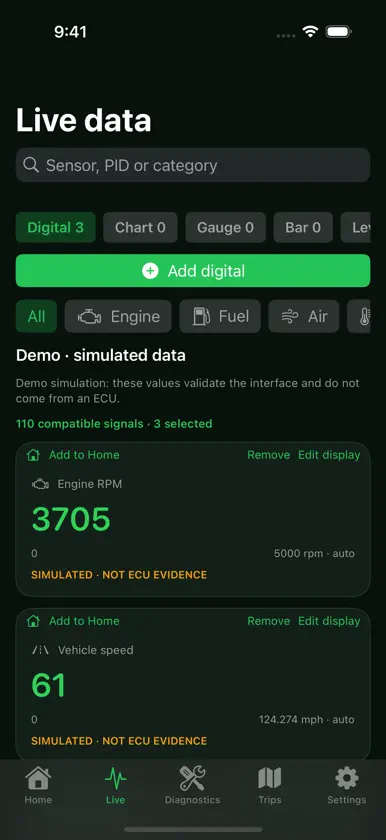
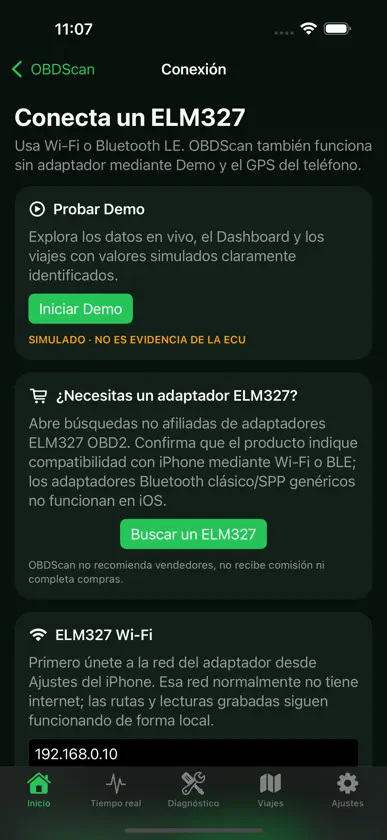
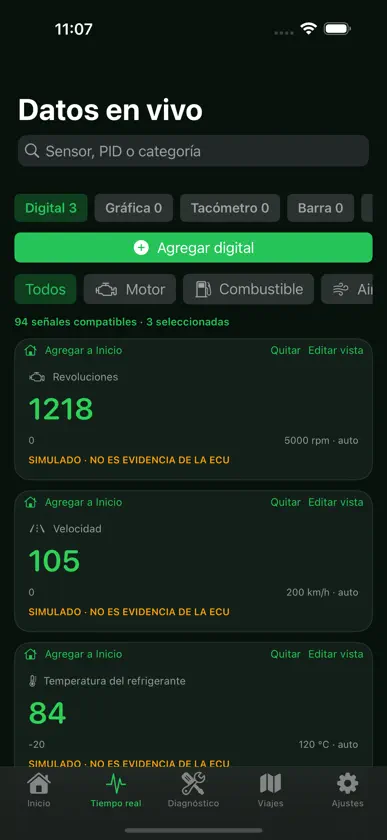
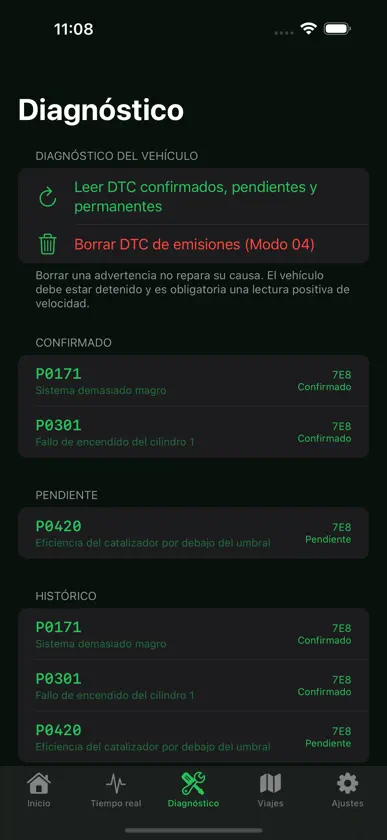
Get to know your vehicle with OBDScan. Connect a compatible ELM327 adapter over Wi-Fi or Bluetooth Low Energy (BLE), view live OBD-II readings and check fault codes on your iPhone or iPad. • View readings with digital displays, charts, gauges and other configurable styles. • Organize a dashboard with customizable pages and indicators. • Add iOS Home Screen widgets: a configurable signal graph, DTC summary, and GPS route with up to three signals. Data includes timestamps; iOS controls refreshes. • Read confirmed, pending and permanent codes. Clearing requires confirmation and is blocked while the vehicle is moving. • Record trips using the phone's GPS and motion sensors, even without an OBD adapter. • Review routes, events and readings linked to positions; replay your trips and view their charts. • Import and share .obs trip files through the system sharing options. • Choose visual themes, metric or imperial units and an interface available in 23 languages. • Explore Demo without connecting a vehicle. Simulated values are clearly identified. Trips and vehicle readings are stored locally. Sharing them is voluntary. Optional usage analytics is confirmed during welcome or enabled in Settings, where it can also be disabled. If you authorize it, analytics may include the brand, model and year you selected from the catalog, without VIN, routes, fault codes or readings. Remote configuration uses Firebase services. On iOS, Firebase Crashlytics crash diagnostics help improve stability independently of optional usage analytics; we do not attach VIN, routes, fault codes or vehicle readings. Sensor availability depends on the vehicle, ECU and adapter. The vehicle catalog is a preliminary guide, not a compatibility guarantee. iOS does not support generic Bluetooth Classic SPP adapters; use a compatible Wi-Fi or BLE adapter. Set up before driving. Do not use the phone while driving. Clearing codes does not repair the underlying cause and does not directly remove permanent codes. Terms of Use (Apple's standard EULA): https://www.apple.com/legal/internet-services/itunes/dev/stdeula/
What's new
Version 1.11.6 · Nov 4, 2026
Localized App Store text and screenshots in more languages.
In-app purchases
The most popular purchases on the App Store.
- OBDScan Pro LifetimeConsumable$49.99
- OBDScan Pro AnnualSubscription$34.99 / year
- OBDScan Pro MonthlySubscription$4.99 / month
More from Israel Alvarado

You might also like
 iXOBD-IIHECTOR CABALLERO HERNANDEZ
 CarCoding: OBD2 Car ScannerBUBISOFT YAZILIM TEKNOLOJI ITHALAT IHRACAT SANAYI TICARET LIMITED SIRKETI
 WAV Converter, WAV to MP3Alberto Gonzalez
 MexfonADS MOBILE SERVICES S DE RL DE CV
 My AXA MéxicoAXA Seguros México
 NetSpot WiFi AnalyserEtwok Inc
 OBD2 Scanner: Torque ELM 327Phong Pham
 EOBD Facile - OBD2 Car ScannerOUTILS OBD FACILE SARL
 Photo Recovery - HidexMert Guner
 Find My Lost Device & TrackerApp Holdings