
SofaCode - VS Code Vibe Coding
Codedatda.casa
No ratings yetDeveloper ToolsAges 4+
Screenshots

About this app
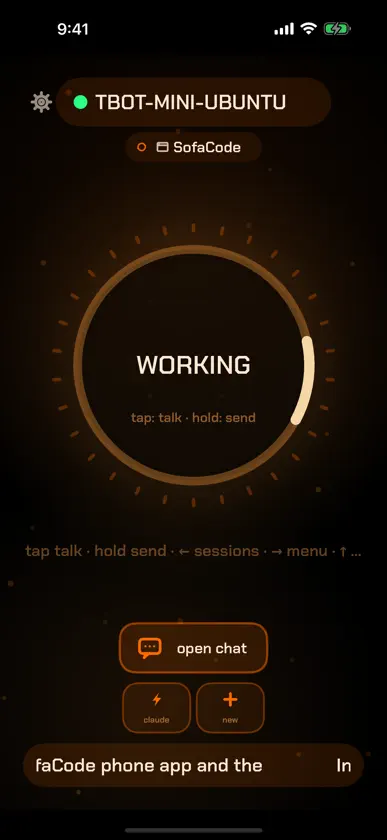
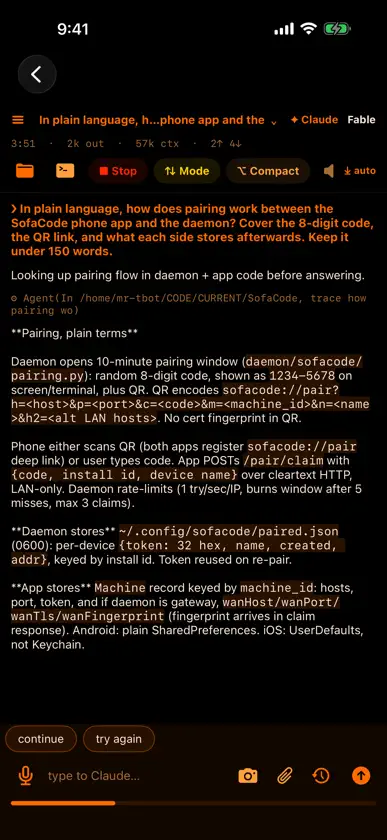
SofaCode turns your phone or tablet into a remote control for the AI coding assistant already running on your computer — Claude Code, Codex, GitHub Copilot Chat or Local LLMs in VS Code. Vibe coding, off the desk. Talk to your agent from the couch. Approve its actions from the kitchen. Watch it work from anywhere on your network. NOT JUST VS CODE — NOW IN BETA SofaCode started as a VS Code remote. Now it drives your agent in the VS Code editor you actually use: Cursor, VS Code Insiders, VSCodium, Devin (formerly Windsurf) and Antigravity (Google's IDE) — all in beta, right alongside stock VS Code. Same deck, same voice, same real approvals, whichever one you open. (Copilot Chat features apply only where Copilot Chat itself runs: VS Code and Insiders.) HOW IT WORKS A small companion daemon runs on your computer next to VS Code — free for Mac, Windows and Linux at https://sofacode.app. The app connects to it directly over your own Wi-Fi, VPN, or mesh network. Nothing routes through a cloud: no relay servers, no accounts, and your code, voice, and sessions never leave your network. WHAT YOU CAN DO • Push-to-talk dictation straight into your coding agent • Live deck that shows working / needs-you / error states at a glance • Approve or deny permission prompts remotely — real approvals, not keystroke hacks • Full chat with code boxes, task checklists, and session transcripts • Drive all three assistants alike — skills, model picker, usage, tasks, permissions and more work the same for Claude Code, GitHub Copilot Chat and OpenAI Codex • Browse sessions across machines, switch windows, open projects • File browser, terminal, saved prompts, themes (including LCARS), TTS read-aloud • Works across editors — VS Code, plus Cursor, Insiders, VSCodium, Devin and Antigravity in beta • Multiple machines and multiple devices at once WHAT YOU NEED A computer running VS Code with Claude Code, Codex or GitHub Copilot Chat — your own assistant subscription — plus the free SofaCode daemon. Copilot Chat can also run local models from LM Studio or Ollama. Setup takes a few minutes with QR pairing. SofaCode is an independent product and is not affiliated with OpenAI, Anthropic, GitHub, or Microsoft. PRICING One subscription, one week free, then $5/month or $50/year. Cancel anytime in Settings. Terms of Use (EULA): https://www.apple.com/legal/internet-services/itunes/dev/stdeula/ Privacy Policy: https://sofacode.codedatda.casa/privacy.html Your coding agent. In your comfy place. by Codedatda.casa
What's new
Version 2.47.0 · Oct 24, 2026
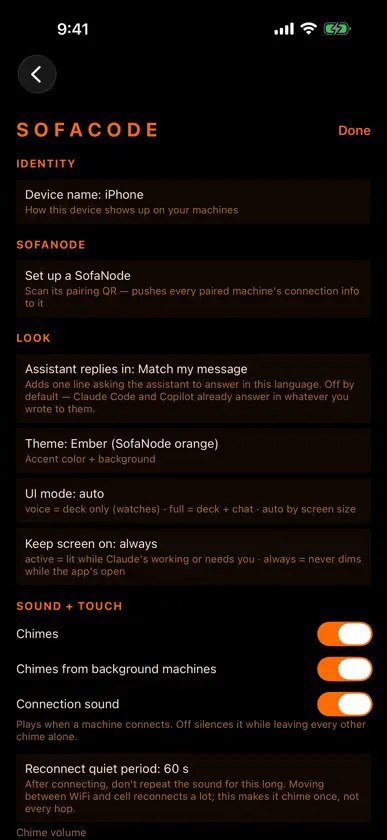
Chat shows up sooner: the deck's chat box echoes what you sent right away, and the computer reads the transcript the moment the assistant reports a change. Open a project from any folder: "Open a project…" and Windows & projects → "Browse folders…" walk any depth below a watch folder, an open window, or your home folder, with ".." back up; a folder that is already open goes straight to its window. Settings is a short hub of pages — This device, Assistants, Machines & hardware, Files & transfers, Account & app — each row summarizing what is set inside. With daemon 2.47.0, a Linux Wayland desktop (recent GNOME and KDE Plasma) no longer asks "Allow remote interaction?" on every send.
In-app purchases
The most popular purchases on the App Store.
- SofaCodeSubscription · 7 days free trial$70.00 / year
- SofaCodeSubscription · 7 days free trial$7.00 / month
More from Codedatda.casa


You might also like
 dev-mux: AI coding fleet mgmtJamie Ter Beest
 codedorianDorian Marie
 Shelify SSH Remote ConnectSELECTA LAB LLC
 Tmux BridgeSaad Omar Osman
 NativeX — On-Device AI LabWONJAE LEE
 Npp - Lightweight Text EditorIlia Bogdanovski
 OnDevice: Local AI StudioMESUT CAN YAGCI
 Python Code App - IDE & Editor艳 罗
 SwiftMate: Swift Code RunnerLYKOV STUDIO LTD
 Make-It AI: App & Code BuilderMohammed Alsaleh