
University Notes: Study Notes
Foodmenu.world Inc.
4.7(13)EducationAges 17+
Screenshots



About this app
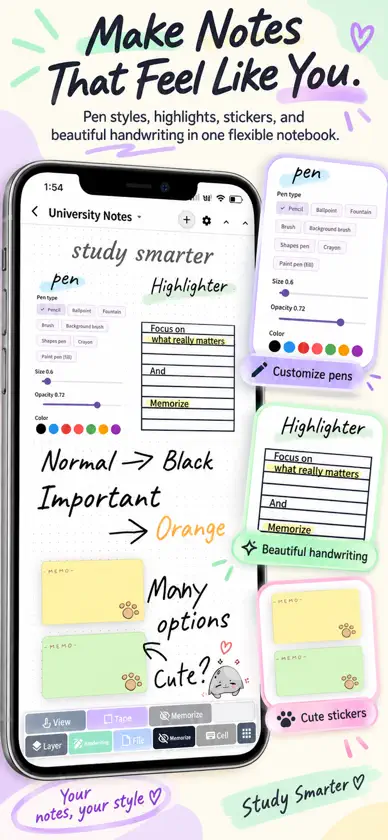
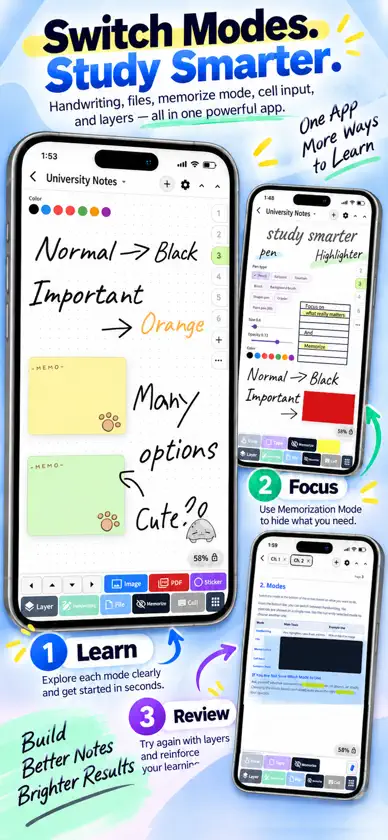
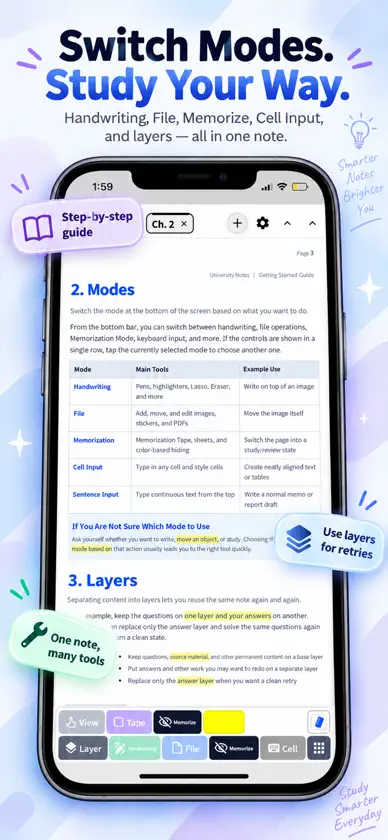
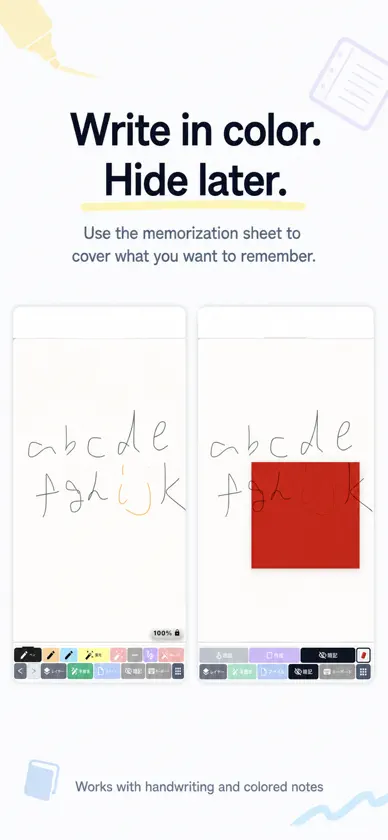
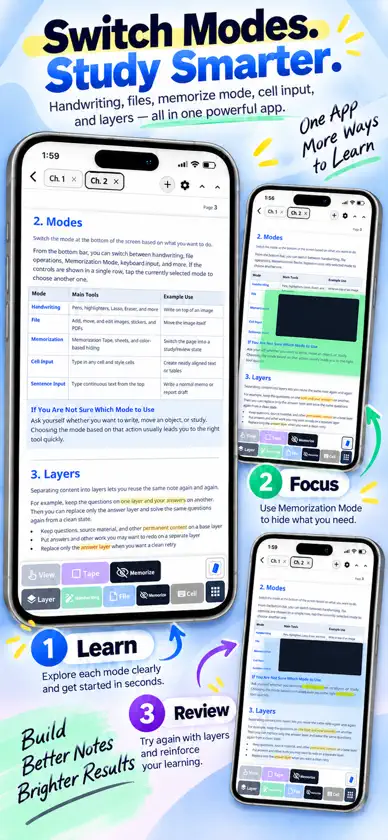
Handwritten notes for midterms, finals and exam review Turn the notes you already write into practical study material. Write by hand or type, organize school and lecture notes, annotate PDFs, import lecture slides, readings and assignments, hide key information and test what you remember before exams. Useful for high school, college, CEGEP and university students preparing for quizzes, midterms, finals, entrance exams and professional certification exams. □ 4 ways to study with your own notes 1. Memorize key information with colours Write key terms, definitions, formulas, dates or vocabulary in orange, blue or other colours, using handwriting or the keyboard. Place the Memorization Sheet over your notes to hide the answers. Try to recall the information first, then reveal it to check yourself. Long-press the icon to change the sheet colour. 2. Hide highlighted sections for active recall Highlight important sentences, definitions, formulas, diagrams or sections of lecture notes, textbook pages, readings, lab notes and PDFs. In Memorization Mode, choose which highlighter colours are hidden. For example, use yellow for ordinary emphasis and red for material you want to test yourself on. This lets you keep regular highlighting separate from content you want to memorize and review. 3. Keep questions and answers on separate layers Write questions, answers and explanations on different layers. Hide the answer layer, test yourself, rewrite your response and practise the same digital worksheet again. Useful for math, science, medicine, nursing, pharmacy, law, business courses and exam practice. 4. Cover answers with digital tape Hide keywords, definitions, formulas, vocabulary, dates, diagrams, readings, lab notes or sections of PDFs without changing your original note colours. Use the Tape tool in Memorization Mode to cover important information on notes, worksheets, answer pages and PDFs. Tap a strip to reveal just that answer, or use the Memorization Sheet to cover several areas at once. □ Review faster with the floating Memorization Sheet Instead of tapping highlighted areas one by one, drag the floating Memorization Sheet over the page. Only the area beneath the sheet is hidden. This is useful for large tables, lecture PDFs, study notes, readings, study guides, vocabulary lists, diagrams, formulas and longer exam materials. □ Practical tools for everyday study ・Handwriting and keyboard input ・Tabs for switching between notebooks ・Ruler, compass and geometric shapes ・Categories, folders and subfolders ・Chapters for separating lessons, courses or topics ・PDF annotation □ Write directly on PDFs and course materials Import lecture slides, study PDFs, textbook pages, readings, assignments and worksheets, then write or highlight directly on them. If a PDF has little room for notes, extend the right side of the page to create extra space for annotations, solutions, explanations or review notes. □ Recommended for ・High school students preparing for tests, quizzes and exams ・College, CEGEP and university students managing lectures, readings and assignments ・Students reviewing for midterms, finals and entrance exams ・Students working with PDFs, lecture slides, readings, assignments and lab notes ・Students in medicine, nursing, pharmacy, law, business, science and math ・Anyone who wants handwritten notes, typing, PDF annotation and active-recall tools in one digital notebook Write your notes, hide what you want to remember, test yourself and reuse what you have already created for review and exam preparation. -- Terms of Use: https://foodmenu.world/studynotes/tos
What's new
Version 1.7.3 · Nov 12, 2026
We've improved handwriting and keyboard input to make taking study notes on your iPhone and iPad even easier! We hope this note-taking app is even more helpful with your studies.
In-app purchases
The most popular purchases on the App Store.
- 3-Month Basic PlanSubscription$12.99 / 3 months
- 6-Month Basic PlanSubscription$24.99 / 6 months
- 6-Month Discount PlanSubscription$19.99 / 6 months
- Basic PlanSubscription$6.99 / month
- New User Discount PlanSubscription$4.99 / month
- Extra Discount PlanSubscription$4.99 / month
- Special Discount PlanSubscription$3.99 / month
- Supporter PlanSubscription$3.99 / month
- Early Supporter PlanSubscription$2.99 / month
- Super Early Supporter PlanSubscription$1.79 / month
More from Foodmenu.world Inc.
 Calendar 2027Foodmenu.world Inc.
 Senior Brain TrainingFoodmenu.world Inc.
 Senior CalendarFoodmenu.world Inc.
 Senior Note: Big Fonts, LargeFoodmenu.world Inc.
 PDF Highlighter App: Red SheetFoodmenu.world Inc.
 Japanese App・Travel Japan JapyFoodmenu.world Inc.
 Diary 2027Foodmenu.world Inc.
 Clean Todo List - Simple To-DoFoodmenu.world Inc.
You might also like
All apps like University Notes: Study Notes → RecallNoteJAESIK YOUN
 Linga AI English TutorAbdullah YILMAZ
 Speech AI CoachAbdullah YILMAZ
 Business Speak AI: Job EnglishAbdullah YILMAZ
 English Listening Master ProImanol Fernandez Gorostizaga
 Lang Offline: Travel PhrasesPETALUMAPALMER LLC
 LearnBack: Active RecallMohammed Attwa
 AdaptiveHikingThomas Richardson
 Preposition Builder Master ProImanol Fernandez Gorostizaga
 Articulate: AI PronunciationANDREI RUSTI