
Ham Logging
Yousif AL Balushi
No ratings yetUtilitiesAges 4+
Screenshots
About this app
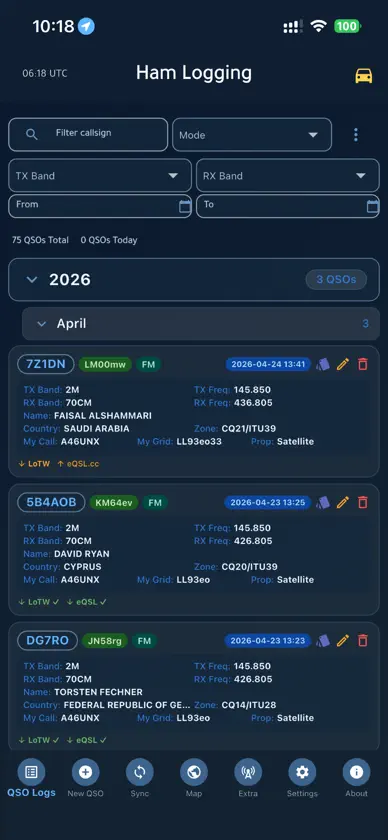
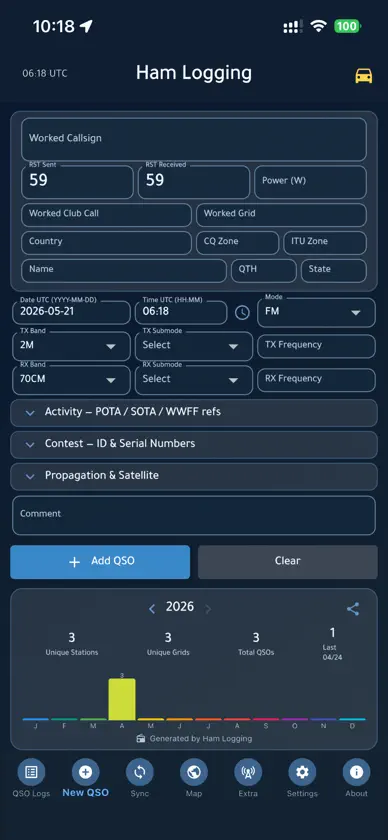
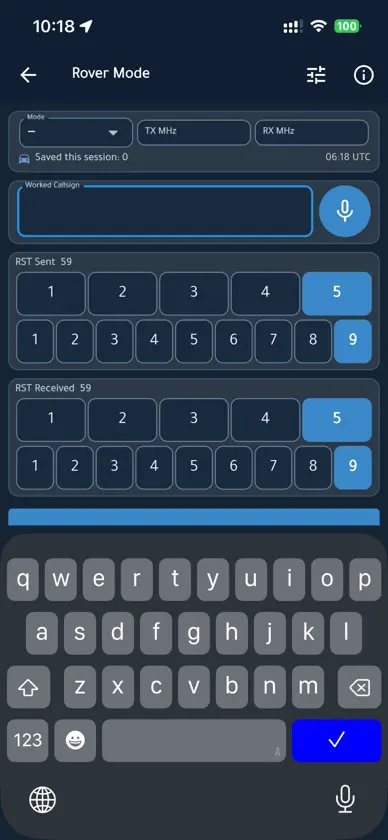
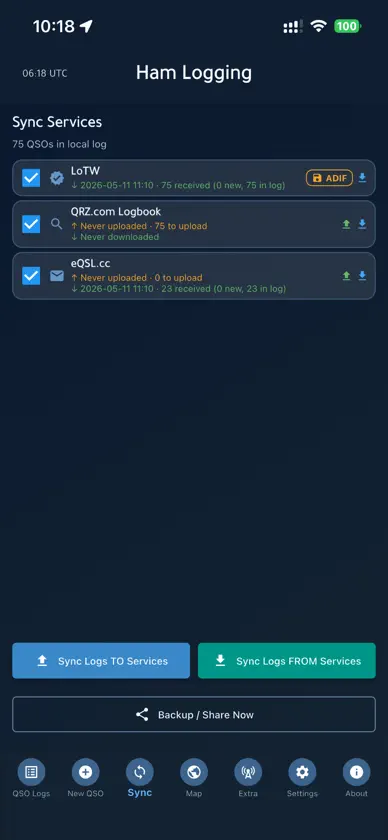
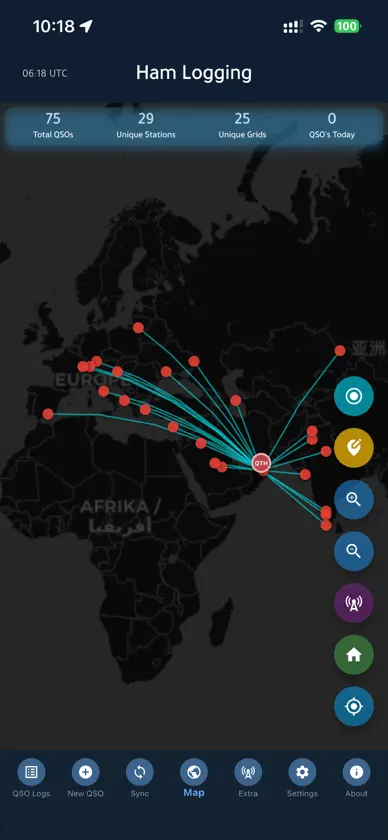
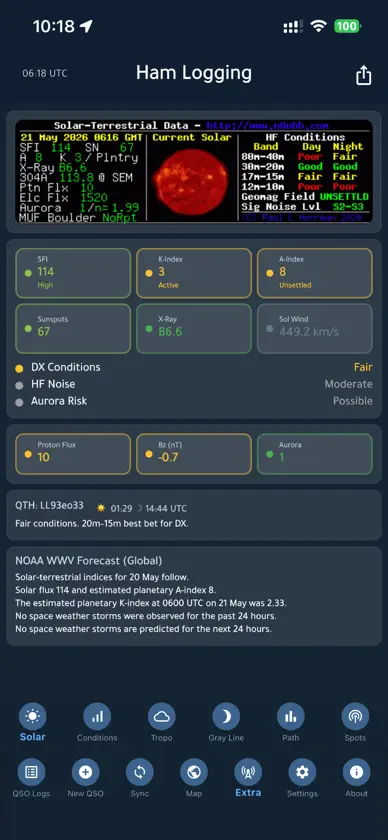
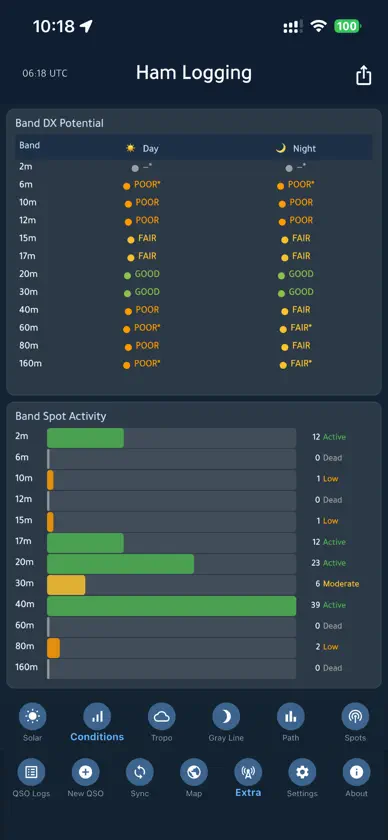
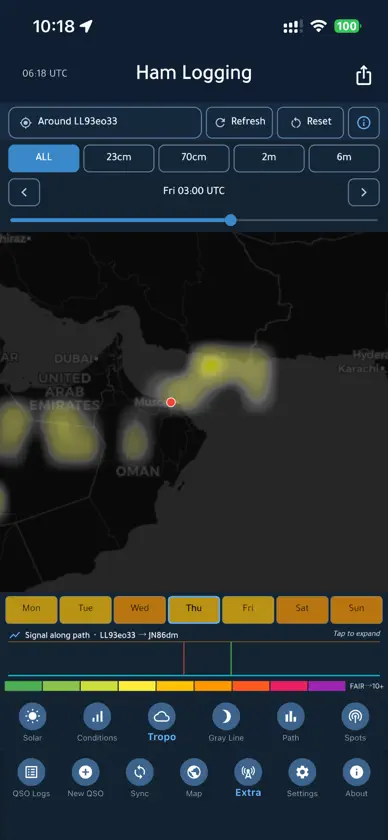
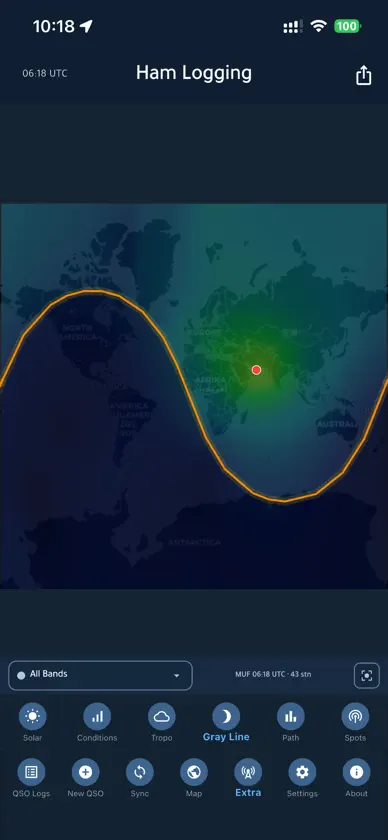
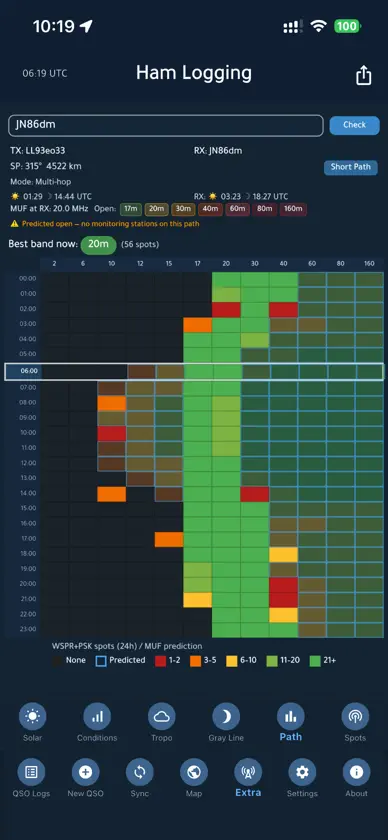
Ham Logging is a QSO logbook for amateur radio operators: one log on your phone that stays in step with the services you use (LoTW, eQSL, Club Log, QRZ.com Logbook, HRDLog.net / Ham365, HamQTH, CloudLog, Wavelog, QRZCQ, cqGMA, DxQSO and QRZ.RU Logbook). KEY FEATURES - 16 logging services: 12 take your contacts straight from the app, and POTA, SOTA, WWFF and ARRL Contest get a ready-made file - LoTW from your phone: your contacts signed with your own callsign certificate, exactly as TQSL signs them - QRZ.RU Logbook: with your own key your QSOs go to your QRZ.RU logbook, and QRZ.RU says which are confirmed - Auto Sync, if you turn it on: new contacts and edits go to your services a few minutes after you log them - Each service answers for itself: a confirmation comes only from the service that gives it, on one contact only, and each Sync card shows what that service really holds; Send again fills the gaps - Callsign look-up from the sources you tick (QRZ.com, HamQTH, callook.info, and qrz.ru for the callsigns you type): every contact you log, import or download fills itself in with names, grids and zones - New QSO profiles: POTA, SOTA, WWFF, GMA, Satellite and Contest bring the fields you need to the top and count towards a valid activation - Full ADIF 3.1.8 import and export, and CSV and JSON backups of every field - Rover Mode: large-target, voice-dictated callsign entry for mobile operating - Rig control (Experimental): the log follows your radio's frequency and mode, over the network or Bluetooth - POTA, SOTA, WWFF, GMA and contest fields; spot yourself to POTA, WWFF, GMA and a DX cluster - QSL card export: a themed card with your comment, ready to share - Monthly and yearly statistics with shareable images PROPAGATION AND MAP - World map with great-circle lines to every worked station, and worked grids as squares - Gray line with an aurora layer (NOAA OVATION), 24-hour MUF prediction and band openings - PSK Reporter and WSPR paths, live solar data and band-by-band DX potential - One Spots tab (DX from HamQTH's cluster feed, POTA, SOTA, GMA, WWFF and contests, each read from its programme's own service) and a live APRS layer PRIVACY FIRST - No accounts, no ads, no analytics, no tracking - Your log stays on your phone and goes only to the services you set up: when you tap Sync, or by itself with Auto Sync - Location: only for the Map and distances; for your height above sea level the Map sends your position, rounded to about 100 m, to open-meteo.com - Microphone: only for Rover Mode dictation. The system's speech engine recognises the callsign on the device when it can, otherwise through Apple's speech service. Never recorded or sent by Ham Logging - Local network: only to reach your own Wavelog or CloudLog server, or your radio through rigctld - Bluetooth: only to talk to your radio DARK MODE AND ACCESSIBILITY - Theme-aware throughout, a font-scale slider, and Tips & Tricks you can switch off Built by Yousuf AL Balushi (A41UX), Unixeer, for the amateur radio community.
What's new
Version 2.6.0 · Nov 11, 2026
Confirmations from the right place, what each service really holds, and a safe way to send a contact again. QRZ.RU Logbook - New: with your own key (QRZ.RU: Personal data, Logbook API), your QSOs go to your QRZ.RU logbook and QRZ.RU says which are confirmed. The other station's grid shows while QRZ.RU gives it, never in your log. Confirmations - A LoTW confirmation is no longer recorded as a paper QSL card. - eQSL's download no longer marks contacts "paper QSL sent". - A LoTW download no longer turns a confirmed contact back to "not confirmed". - Check Paper QSL Flags, in the QSO Logs menu, lists the paper flags from LoTW or eQSL (ticked) and every other one (not ticked), and clears only what you tick; it asks once after this update. Services you sent them to keep them. - Each service answers for itself: a LoTW, eQSL or QRZ tick comes only from that service, and no service is sent another's. A confirmation counts on one contact only, the one it fits best; a full refresh drops a tick the service no longer gives. Club Log's copy no longer brings an old flag back. - QRZ.com Logbook: with a Logbook API key and QRZ's XML subscription, Refresh confirmations reads QRZ's own status, no website login, and counts requests waiting or refused. Without it: QRZ.com, or its ADIF export imported here. Request Confirmation opens your QRZ logbook in the browser. - DxQSO's and Wavelog's cards show the confirmations they bring as their own, never as your LoTW, eQSL or QRZ tick. An old QRZ tick from DxQSO goes once DxQSO says QRZ did not confirm it. Wavelog and CloudLog - Wavelog and CloudLog fetch LoTW, eQSL and QRZ.com, so the app sends them none of those, only paper cards you mark received. Let one tool do those: their Settings card says how. - Wavelog, with its API v2 token: an edit reaches Wavelog in place (only what you changed) and its confirmations stay. Before, an edit removed Wavelog's copy and its confirmations. A field its API cannot change is named in the report. - Wavelog's own LoTW, eQSL and QRZ.com confirmations now come with Sync FROM and its card's Refresh. - Its token needs qso:read, qso:write, qso:delete and confirmation:read. What each service really holds - After a Sync FROM, each service's card shows the contacts you sent that it does not hold: "N sent, not on [service] yet". Review lists them; Send again puts them in your next Sync TO. Nothing is sent again by itself. For QRZ, LoTW (after its two-day queue), Club Log, Wavelog and DxQSO. - eQSL: Check what eQSL holds, a new button on its row, reads its OutBox and does the same. - QRZCQ: import its logbook export, and what it does not hold shows on its card. - On a contact, tap a service's up-arrow tag to send it again with your next Sync TO. - LoTW: each downloaded contact keeps the callsign it was made with: old, new or club. - A QSO you already have takes what it still lacks (RST, comment, the exact mode, RX, power and more) from a later copy of your own log, never from eQSL's InBox. - DxQSO: each answer goes to its own contact, and every id is checked against your DxQSO log first; deleting one of a pair DxQSO keeps as one record deletes nothing there. - A contact deleted here that DxQSO, QRZ.com, eQSL or LoTW still holds stays out of your log. Callsign look-ups - qrz.ru: Update from QRZ.RU on a QSO's edit page, and in the QSO Logs menu for many ex-USSR QSOs (Wi-Fi, up to 300 callsigns a day). Its answers stay on this phone 30 days. A half-typed callsign is never sent. - QRZ.com: its XML only, as QRZ asks; a free account's grid comes from HamQTH or qrz.ru. Files - A file from LoTW, eQSL, QRZCQ, QRZ.com, Wavelog or Cloudlog is read by that service's rules; none can put back a paper QSL flag. My State and My County - New, under My Grid in Settings, Default Values: your state or oblast, your county or RDA district. New QSOs take them, and QRZ.RU shows them to the other station. 73 de A41UX
More from Yousif AL Balushi


You might also like
 HAM Radio Logbook, QSO JournalVasilii Dmitriev
 Ham Radio Log: POTA & QSOMD Shahariar Nazim Joy
 Ham Radio Logbook: LogMasterAbdelkarime Achtaou
 QSO Globe — Ham Radio LogMATTHEW MALHAM
 QRZingSaleh Almulla
 EasyQSO进年 贺
 Ham Mixer MobileTecGPS Sistemas de Rastreamento Ltda
 HAM QuickLogMircules
 Greyline FT8JONATHAN MARK SCHULMAN
 SOTA LogChristopher Hunt