
Screenshots









About this app
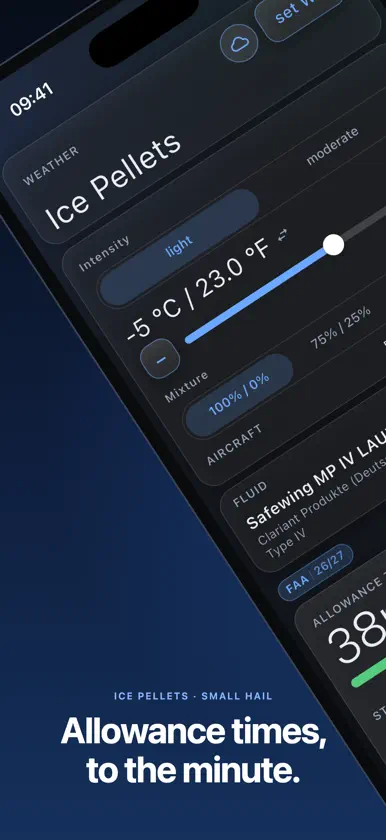
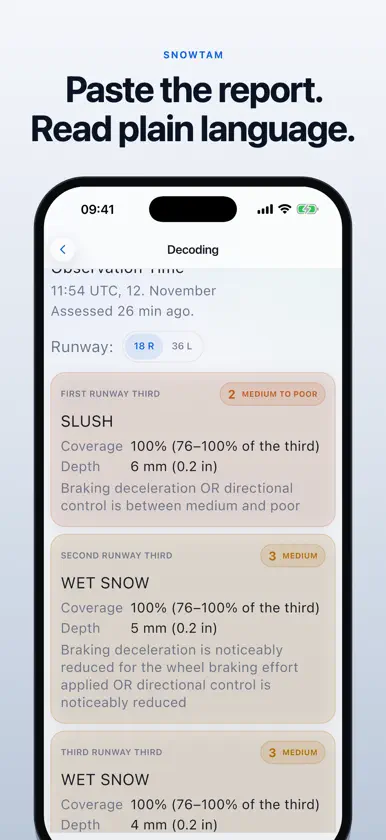
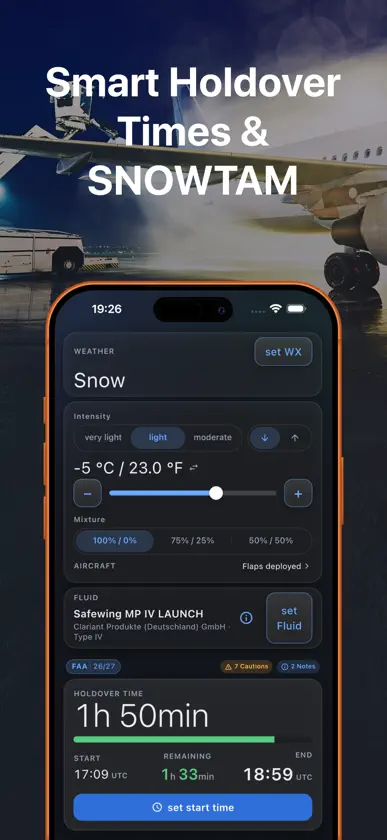
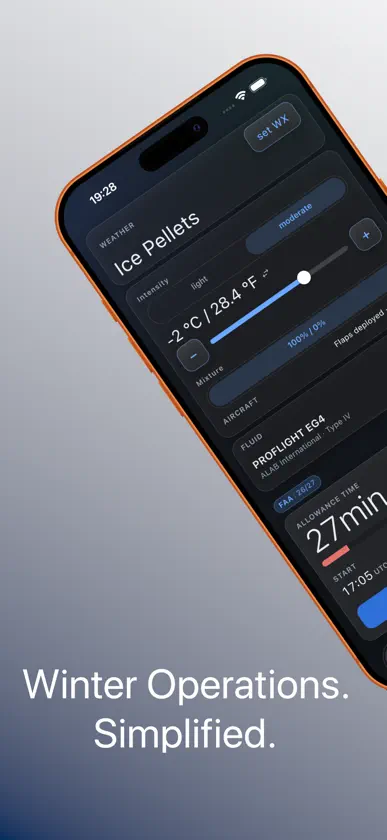
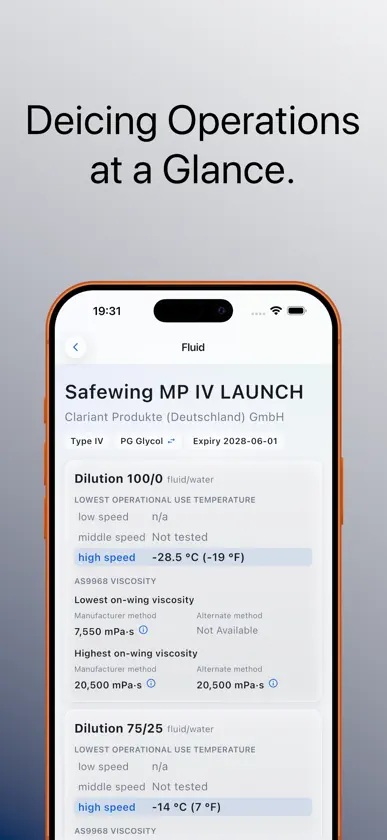
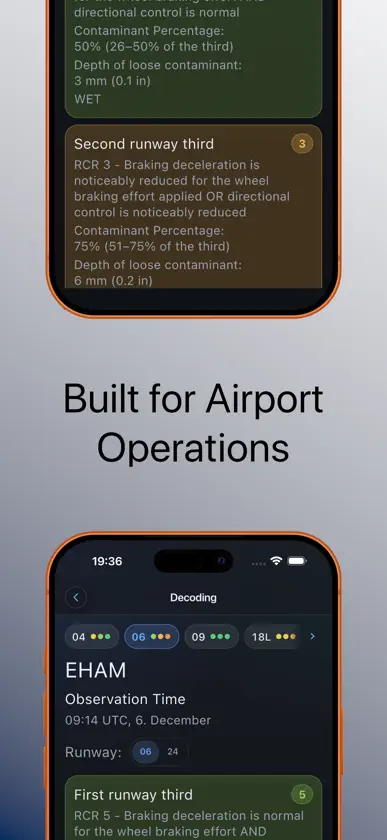
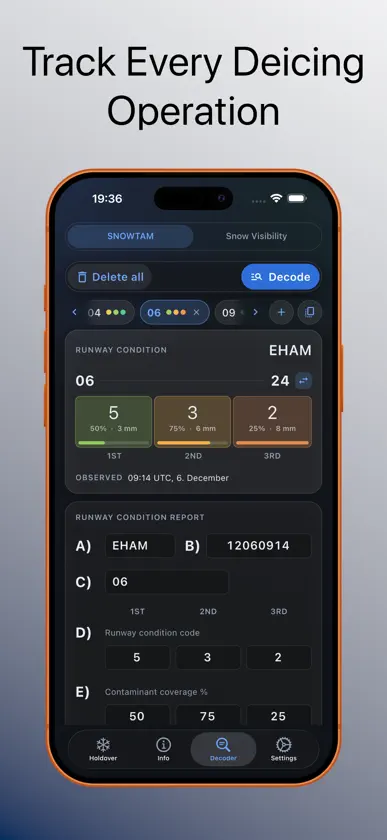
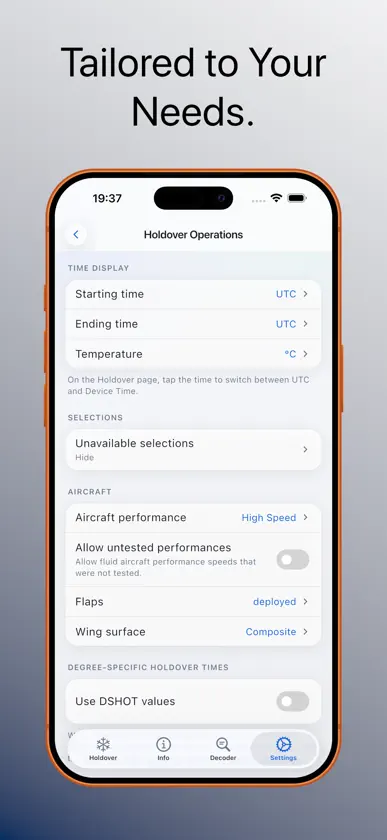
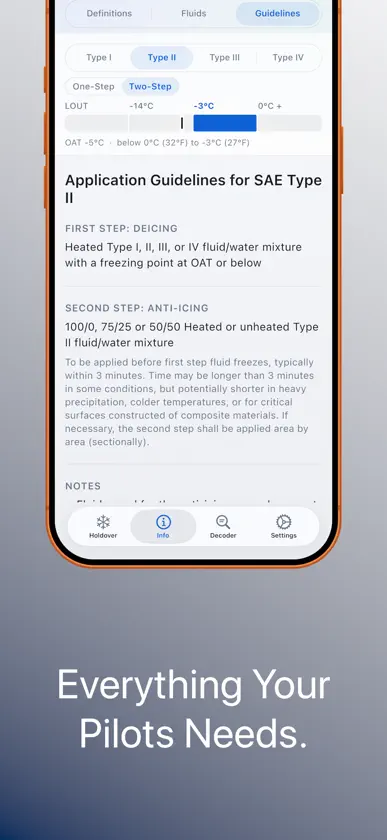
Winter OPS supports aviation professionals during winter operations with fast access to Holdover Time information, De-/Anti-Icing guidance and SNOWTAM decoding — all in one purpose-built application. Configure the relevant operational conditions, select the applied fluid and quickly determine the corresponding Holdover Time (HOT). Compare available fluids at a glance and monitor the remaining HOT with configurable warnings and notifications. HOLDOVER TIMES: - Access Holdover Time (HOT) information based on supported FAA and Transport Canada guidance - Configure weather condition and precipitation intensity - Select outside air temperature in °C or °F - Configure fluid type and fluid/water mixture - Compare HOT values for available fluids at a glance - Consider operational parameters including wing surface, flap setting, precipitation speed and rotation speed - Display HOT start and end times using UTC, device time or countdown - Degree-Specific Holdover Times (DSHOT) available where permitted by your operator procedures HOT MONITORING: Keep track of your remaining Holdover Time during winter operations. Configure individual warning levels for: - Initial Warning - Last Warning - HOT Expiry DE-/ANTI-ICING REFERENCE: Quickly access useful operational reference information including: - One-step and two-step application guidelines - Application guidance by fluid and temperature - Qualified fluid information - Weather definitions - De-Icing and Anti-Icing terminology and definitions SNOWTAM & WINTER WEATHER: - Decode SNOWTAM information using the Global Reporting Format (GRF) - Snow intensity and visibility decoder - Present complex winter operations information in a clear and structured format DESIGNED FOR AVIATION OPERATIONS: Winter OPS is designed for pilots, flight operations, dispatch, ground operations and De-/Anti-Icing personnel who need relevant winter operations information without navigating through multiple documents and tables. The interface is optimized for quick access to operational information and can be configured according to individual requirements. Additional features include: - Light and Dark Mode - Configurable notification settings - UTC and local device time support - De-/Anti-Icing information sharing with Operations - Portrait support on iPhone - Portrait and landscape support on iPad DATA & GUIDANCE: Winter OPS uses Holdover Time data and guidance published for aircraft ground De-/Anti-Icing operations, including FAA and Transport Canada information and relevant EASA guidance. Applicable data is provided through annual subscriptions. Operators must always verify that the applicable data, procedures and winter season are approved for their operation. IMPORTANT: A subscription is needed for either all Fluids or Generic Fluids, available through in App Purchase or the respective individual Applications available in the AppStore. Winter OPS is an operational reference and support tool. It does not replace operator procedures, aircraft manufacturer documentation, applicable regulations or the professional judgement and responsibility of flight and ground personnel. Local authority requirements, operator documentation and aircraft-specific procedures must always be followed.
What's new
Version 5.1.0 · Nov 13, 2026
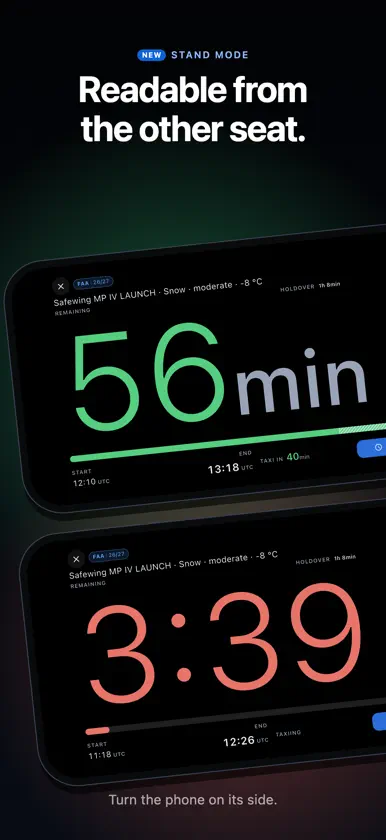
What is new since 5.0, and where to find it. Weather report (METAR) On the Holdover page, the cloud button beside set WX opens the weather report. Fetch the aerodrome's current METAR from aviationweather.gov with one tap, paste it from ACARS or your briefing app. Import the relevant values for the hodlovertime calculation SNOWTAM decoder Four aerodromes per flight: departure, destination and two alternates, each with its own runways. Paste the whole briefing package and the reports are filled in with every normalised or refused value marked on its field. Where the airport data knows the aerodrome, a diagram draws its runways with the condition code on each third, read from the end you are landing on with the condition codes and reduced length/width if applicable. Audit trail Each de-icing with a start time set on the Holdover page is recorded on its own: the window, the fluid, the mixture and the conditions as the page showed them. Add the flight, the de-icing truck, the quantities and the outcome afterwards, from the record button on the Holdover page. The SNOWTAMs of each flight are kept as you enter them. Both histories are in Settings → Audit trail and on their own pages, and export as text or PDF through the share sheet. The countdown outside the app, and stand mode The holdover countdown is now able to run while the app is in the background: on the Lock Screen and, on iPhones that have one, in the Dynamic Island; on Android as an ongoing notification. Switch it on under Settings → Notifications → Countdown. Stand mode shows the window full-screen, to be read from across the cockpit or from a tablet in a mount. Settings → Holdover Operations → Stand mode. Also in 5.1 - Taxi margin. Enter the expected taxi and queue time, when the taxi should begin at the latest. - Start from outside the app. A Home Screen quick action on iOS, an app shortcut on Android, Siri and the Action Button set the start time to now. - After expiry. The holdover card quotes what your regulation says comes next, and whether a pre-takeoff contamination check is an option under your operator's approval. - Snow intensity from visibility. The visibility table can set the intensity on the Holdover page, from the Intensity label there or from the decoder. - How the time was derived. The ⓘ beside the holdover time names every input and the band the lookup landed on, and copies a one-line summary for the journey log. - Managed by your operator. An operator can set fluids, regulation and settings through its device management; what is managed is listed in Settings. - Feedback. Settings → About → Feedback opens an e-mail draft to us for problems and suggestions. You read it and send it yourself.
In-app purchases
The most popular purchases on the App Store.
- 1 year all Fluids (EASA)SubscriptionCHF 15.00 / year
- 1 year all Fluids (FAA)SubscriptionCHF 15.00 / year
- Decoder EnablingConsumableCHF 2.00
- 1 year generic Fluids (EASA)Subscription · 14 days free trialCHF 9.00 / year
- 1 year all Fluids (TC)SubscriptionCHF 15.00 / year
- 1 year generic Fluids (FAA)Subscription · 14 days free trialCHF 9.00 / year
- 1 year generic Fluids (TC)Subscription · 14 days free trialCHF 9.00 / year
More from Avimont GmbH


You might also like
All apps like Winter OPS → Holdover CalculatorKilo Lima Management, LLC
 Holdover Times CalculatorAndrius Orlovas
 Safe Sky - Airside SyncSafe Sky Industries, Inc.
 SmartBriefing METAR,TAF,NOTAMSIvan Lacko
 E-METAR — Enhanced METARFremmenn Dynamics S.L.
 SITA eWASSITA EWAS APPLICATION SERVICES S.L.
 SkyPath ProSKYPATH LTD
 SITA eWAS for iPhoneSITA EWAS APPLICATION SERVICES S.L.
 WilCo - Pilot Aviation WeatherMuammer SAHINGIRAY
 AeroWeather ProLakehorn AG