
andrewarrow
Andrew Arrow
No ratings yetEducationAges 4+
Screenshots


About this app
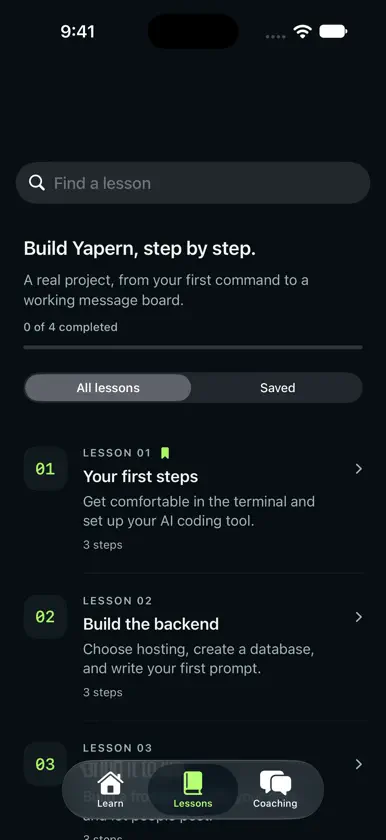
Learn to build with AI, one working step at a time. Andrew Arrow is a practical introduction to vibe coding for people who want to turn an idea into working software. Start with the terminal, get comfortable asking an AI coding tool for help, and follow a guided project that connects a frontend, a backend, and a database. Read on your iPhone or iPad, then build on your computer. The lessons walk through Yapern, a Reddit-style message board with communities called sub-yaps. You'll work through concrete tasks, see examples, and learn to check whether the code actually does what you asked. Get familiar with hosting, AI coding tools, and the parts of a web app. Understand why your app needs somewhere to run, how a database fits into the picture, and what to consider when choosing your tools. The guides give you context before you begin. The four included lessons take you from your first terminal commands to the foundations of a community website: • Set up your AI coding tool and create your project folder. • Plan a backend using Cloudflare Workers and a SQLite D1 database. • Write prompts for user accounts and API documentation. • Add a frontend with registration, login, and message posting. • Check that new users are actually saved in your database. • Explore database schemas, sub-yaps, and image storage with R2. Working with AI means asking clear questions, trying changes, and checking the results. The lessons encourage you to investigate what happened when something fails. You'll practice describing a problem, asking for the next change, and verifying the result before moving on. That habit matters as much as the first working screen. Follow the project in order, or revisit a lesson for a reminder. Example prompts give you a starting point, while screenshots help you compare what you're seeing on your computer with the lesson. Keep useful material close: • Read the included lessons offline. • Bookmark lessons you want to revisit. • Search lesson titles, summaries, and section headings. • Mark lessons complete and see your course progress. • Continue an unfinished lesson from the Learn tab. • Copy example prompts and terminal commands. • Enlarge screenshots and zoom in on the details. • Share lesson links with someone learning alongside you. Your bookmarks and progress stay saved on your device, so you can work at your own pace and return when you're ready for the next step. Have an idea you want to build, a bug you can't get past, or a decision about tools and hosting? Use the Coaching tab to email Andrew about personal help. Explain what you're making, what you've tried, and where you're stuck. This app is a reading and learning companion. You'll use a computer and your chosen AI coding tool to follow the project. External tools and hosting services may require their own accounts and fees. Whether you're opening a terminal for the first time or revisiting an idea, start with one task you can understand, run, and check. Keep building.


