
Boardsesh
Marco de Jongh
No ratings yetHealth & FitnessAges 4+
Screenshots





About this app
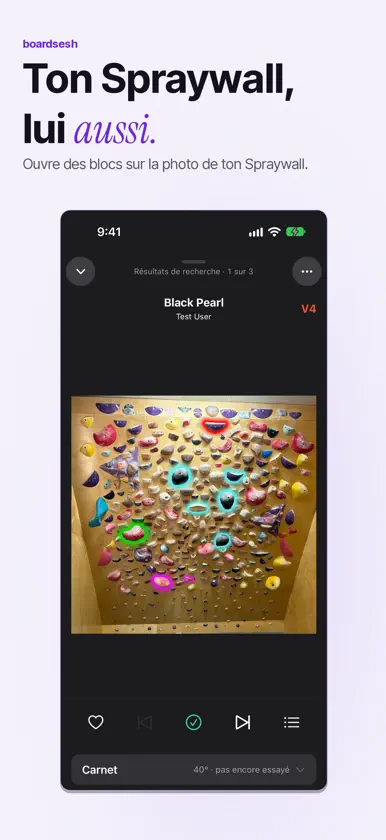
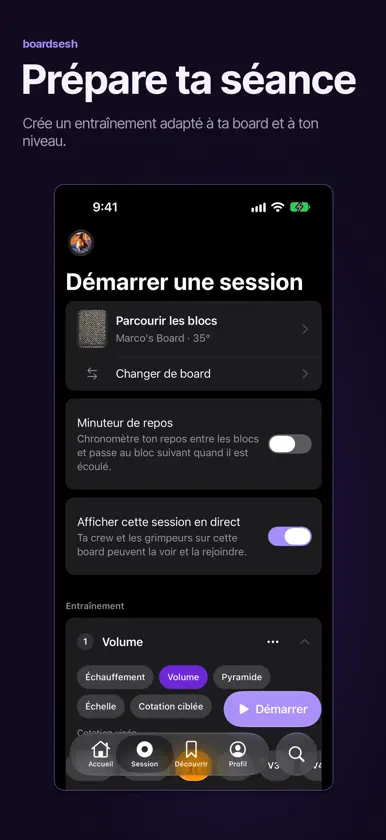
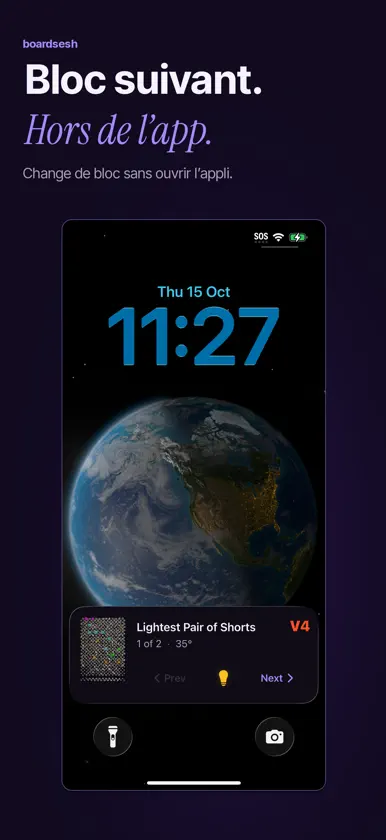
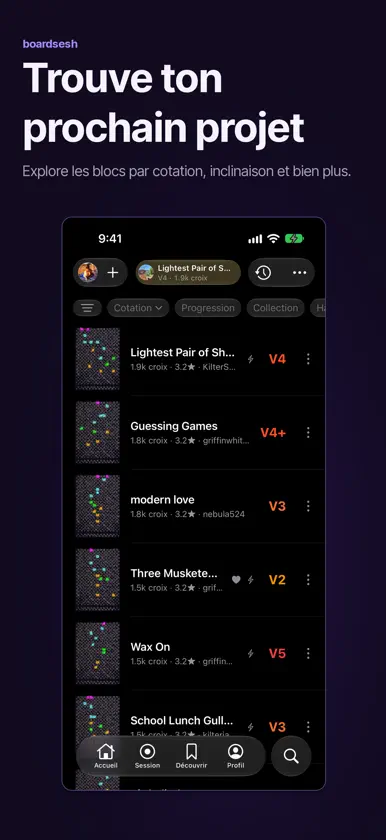
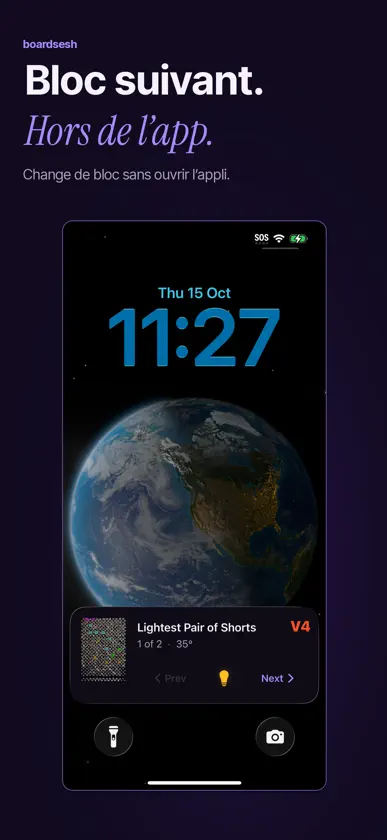
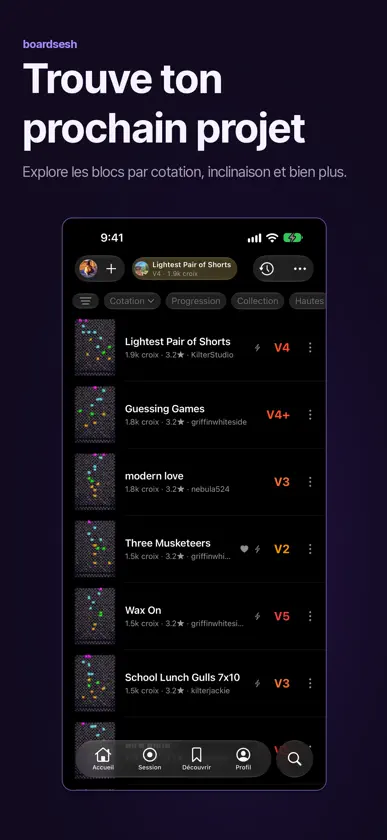
Grimpe sur Kilter, Tension, MoonBoard et d'autres boards, ou sur ton Spraywall. Tes blocs, ta file partagée et ton carnet, dans une seule appli. TES BOARDS. UNE APPLI. Boardsesh est compatible avec Kilter, Tension, MoonBoard, Woods, Decoy, Touchstone, Grasshopper et So iLL. Change de board et garde ton historique d'escalade au même endroit. Ton Spraywall aussi Un Spraywall chez toi, ou un Spraywall dans ta salle ? Prends-le en photo et Boardsesh suggère des prises à partir de la photo. Corrige ce qu'il a raté, puis ouvre des blocs, mets-les dans la file et enregistre tes croix dans le même carnet que tes autres boards. Pas de LED : les prises sont mises en évidence sur ta photo. Partage le Spraywall par lien et ton crew peut y ouvrir des blocs aussi. Spraywall reconfiguré ? Réinitialise-le avec une nouvelle photo, et l'ancien Spraywall est archivé avec ses blocs et ses croix. Change une seule prise et chaque bloc qui l'utilisait est signalé. L'HISTORIQUE DE LA BOARD Partage une board et tu perds vite le fil du dernier bloc, et quelqu'un finit toujours par l'effacer par accident. Retrouve les blocs allumés via Boardsesh sur cette board : le nom du bloc, qui l’a allumé, qui l’a ouvert, la cotation, l’inclinaison et les croix récentes. LES SÉANCES AVEC TON CREW Lance une séance et toi et ton crew partagez une seule file que tout le monde peut piloter. N'importe qui peut allumer le prochain bloc au mur. À la fin, tu reçois un récap et un suivi : croix et essais, éventail de cotations, ta croix la plus dure, et ta progression dans le temps. PILOTE DEPUIS TON ÉCRAN VERROUILLÉ (iOS 17+) Les Live Activities iOS t'indiquent le bloc en cours depuis ton écran verrouillé, et te laissent en changer sans le quitter. MONTE UNE SÉANCE D'ENTRAÎNEMENT Choisis Volume, Pyramide, Échelle ou Cotation ciblée, fixe une cotation cible et un échauffement, prévisualise les blocs, puis allume-les au mur un par un. SUIS TON ESCALADE Note tes croix, tes flashs et tes essais, reçois un récap avec la durée, l'éventail de cotations et ta croix la plus dure, et regarde tes croix et tes cotations grimper dans l'onglet Progression. EMPORTE TON HISTORIQUE AVEC TOI Enregistre ta séance dans Apple Health, et importe ton ancien carnet Kilter et Tension depuis Aurora Climbing. TROUVE PLUS À GRIMPER Suis ton crew et les ouvreurs, cherche des grimpeurs, et épingle des playlists depuis Discover. Boards prises en charge : Kilter, Tension, MoonBoard (2010, 2016, 2024, Masters 2017, Masters 2019), Woods (12x12, 8x10), Decoy, Touchstone, Grasshopper et So iLL. Plus les Spraywalls : n'importe quel Spraywall que tu peux photographier. Boardsesh est un projet communautaire qui fonctionne avec ces boards et n'est ni affilié à, ni soutenu par aucun fabricant de boards.
What's new
Version 2.7.0 · Nov 4, 2026
Boardsesh is now available in Italian. KNOW WHEN YOU’RE LIGHTING THE WALL A tap shows a climb without lighting it, so browse freely. “Put on board” lights it and you drive the wall: every climb you pick lights too, until the time you set in Settings runs out (45 seconds to start with). Swipe “Put on board” left to drive with no end; tap “You are driving the wall” to stop. Want the board free for the next climber? Turn on “Disconnect Bluetooth when driving ends”. iPad and iPhone Duo: more room for the board On iPad, your climbs get the whole screen and the climb on the wall sits in a mini player at the bottom. Tap it to open the player. In landscape, the board sits beside Up next, your logbook and beta. Mount an iPad by your board and open Wall display from the mini player to show the climb full screen, big enough to read from the mat. Open your iPhone Duo and the board sits beside your list. Build a workout on an open Duo and see the planned climbs next to your blocks. Choose two columns for the Climbs list when there's room on iPad. Pick the mini player's buttons in View options, log a send without opening the player, and reach Favourite, Playlist and Share from its menu on wide screens. YOUR REST TIMER ON THE LOCK SCREEN Your rest countdown shows on the Lock Screen and in the Dynamic Island. A soft tick plays in the last seconds and a tone when rest ends, even with your phone on silent. WORKOUTS IN BLOCKS Build a session out of blocks: warm up, then a pyramid, then volume. Add a block mid-session, give each block its own climb filters, and see where you are at a glance. Workouts pick climbs you haven't sent first, can skip what you've sent or tried, and can fill from your Sent or Liked climbs. Mark Fell or Sent from the mini player. Your session recap keeps your workout blocks, reps and results together. PLAY FROM THE LIST YOU TAPPED The player shows which list you're climbing from, and swiping stays on that list, from your logbook and sessions to profiles and similar climbs. Playlists play without touching your queue. Swipe a climb in any list to play it next or last. MORE WAYS TO MAKE IT YOURS - Sort any playlist by difficulty, newest added, rating or shuffle. Liked, Five Stars, Projects and setter pages sort and filter too. - Climbs has its own tab. Tap it again for Filters and name search. On iPhone, Filters opens at half height and looks like iOS Settings. - Choose which sections show on Home and in what order, and whether the app opens on Home or Climbs. - Settings is down to six pages, with your timers in one place. - Log a send at a different angle from the one on the wall. - Get notified about comments on your sessions, climbs, playlists, boards and gyms. FIXES FOR YOUR NEXT SESSION - Your logbook, likes and playlists work with no signal, and downloaded boards no longer download again every week. - Board scans find MoonBoards and newer Kilter boxes, closest first. Boardsesh asks for Bluetooth at your first scan, not at launch. - Swiping down closes the player again. Lit holds stay visible while you browse. - At multi-board gyms, connecting follows the board your current climb is on. The board light button shows whether it's lit, connecting or off, including when a crewmate turns it off. - Mirrored climbs keep their orientation in your logbook and queue history. - Delete several logbook entries in a row, or a climb's grouped entries for one day. - Climbs you unlike leave Liked straight away. - Better VoiceOver and large text support. Free, no ads, open source.
You might also like
 Kilter Board™ Climbing AppKiltergrips
 Climb with CruxNathaniel Woodthorpe
 Tension Board 2Aurora Climbing Inc.
 Frez: Training for Your SportDonghyun Kim
 Tindeq ProgressorBlims Tech AS
 Decoy BoardAurora Climbing Inc.
 Stōkt ClimbingStōkt
 Grasshopper BoardAurora Climbing Inc.
 Woods BoardMenagerie Climbing LLC
 Force BoardPitchSix