
CoreWing
Zhuhai Kuyi Technology Co., Ltd.
No ratings yetUtilitiesAges 4+
Screenshots


About this app
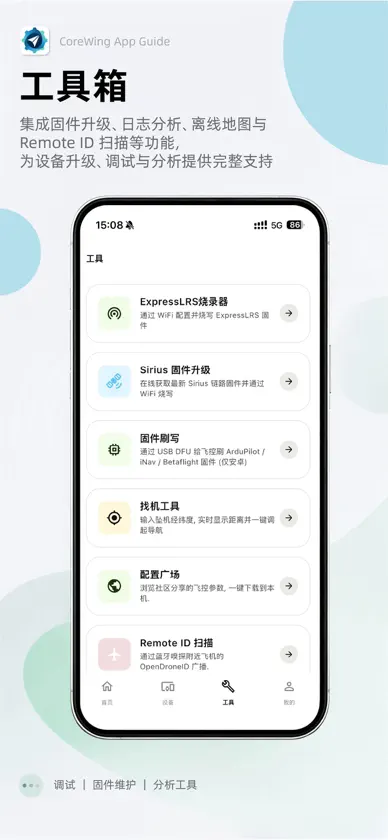
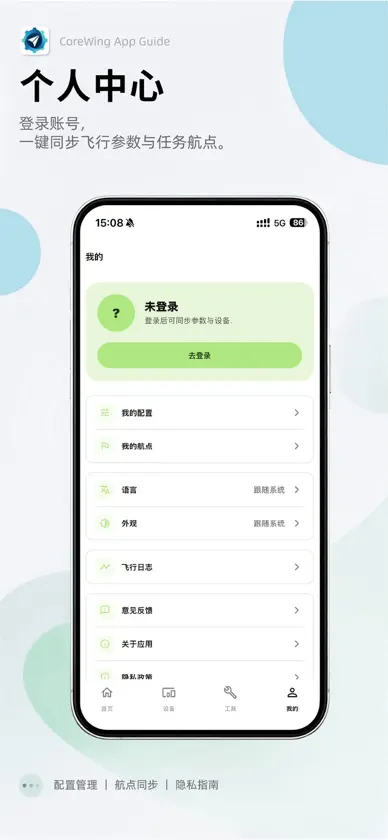
CoreWing 团队全新推出 CoreWing APP。无论你使用 INAV 还是 ArduPilot,皆可在这款应用中实现专业级调参。摆脱电脑束缚,手机直连飞控,实时查看并修改参数,调试过程高效流畅。界面简洁直观,操作轻松上手,搭配一键设置功能,即便是初次接触调参的新手,也能快速完成飞机调试。更多强大功能,等你来探索。 【主要功能】 • 参数设置:支持 Mavlink / MSP 协议,提供完整的参数配置界面,还原原生地面站操作体验。支持参数实时读写与一键设置,调参更省心。 • 遥测查看:实时显示电压、电流、电池容量、高度、飞行距离、GPS、航向、飞机位置等关键飞行数据,助你随时掌握飞行状态。 • 航点规划:专为 ArduPilot 固件设计,支持多种航点类型,一键上传飞行任务,自主飞行由你掌控。 • 地图导航:支持矢量/卫星地图切换,实时显示飞行轨迹,并提供地图自动跟随模式,定位更直观。 • 飞行记录:录制飞行数据,支持飞行轨迹回放,每一次飞行皆有迹可循。 • 固件更新:支持 ArduPilot 和 INAV 固件一键烧写,无需安装驱动,升级更轻松。 • 模块更新:支持 CoreWing 无线模块一键升级,持续优化,越用越顺手。 • 参数存储:支持 ArduPilot 和 INAV 参数云端保存与共享,方便随时调用,与飞友一起乐享飞行。 • ELRS 固件更新:支持 ELRS 高频头与接收机固件烧写,升级简单省心,飞行更稳定。 • 找机工具:意外炸机不用慌,输入坐标即可快速定位飞机位置,轻松找回设备。 【连接方式】 支持 CoreWing 飞控通过 BLE / WiFi 连接 适配搭载 CoreWing INAV / ArduPilot 固件的飞控 【联系我们】 感谢你选择 CoreWing APP。如有任何问题或建议,欢迎通过以下方式与我们联系: • 在 App 内点击「我的—反馈问题」提交 • 关注官方微信公众号:酷翼科技 • 拨打官方客服电话:+86 15018866740
What's new
Version 2.1.7 · Nov 6, 2026
New • Blackbox analysis — a new Blackbox Analysis tool opens Betaflight / iNav blackbox logs. The viewer opens in landscape fullscreen with graphs filling the screen and controls that hide during playback; zoom, range markers, multi-flight logs and built-in layouts are supported. Also includes spectrum analysis (7 chart types, filter markers, export and compare), log info and stats, map, craft attitude, sticks, field values and lap timing, plus CSV / GPX export and workspace files compatible with the desktop app. • Flip-a-switch mode channel detection (ArduPilot) — the flight modes page and the setup wizard's mode step can now find the mode channel by simply flipping the switch on your radio. • Product images for third-party BLE devices — identified third-party devices show their product image and model name in the scan list, device cards and device details. Improvements • Smoother ArduPilot OSD editing: only a preview moves while dragging and the parameter is written on release, overlaps are highlighted in red with the drop position shown in advance, and tapping empty space selects the nearest item. • Cleaner Bluetooth scan: only CoreWing devices in the main area; identified third-party devices are listed first under "Other Bluetooth devices". • Tricopters show suggested motor spin directions and a separately labelled tail servo; frame diagram labels no longer overlap. • The setup wizard now suggests the receiver serial port that is actually wired. Fixes • Fixed a crash when opening telemetry on some Android devices. • Fixed the telemetry map occasionally breaking and staying broken on every visit. • Fixed 3D models showing only the grid background on iOS. • Fixed flight logs, downloaded cloud configs and custom device covers going missing after an iOS app update. • Fixed the Moonlight PC picture being cropped at the sides. • Fixed occasional layout glitches on the home tutorials and Tools tab.


