
CouplesDo
Matthew Kearney
No ratings yetProductivityAges 4+
Screenshots

About this app
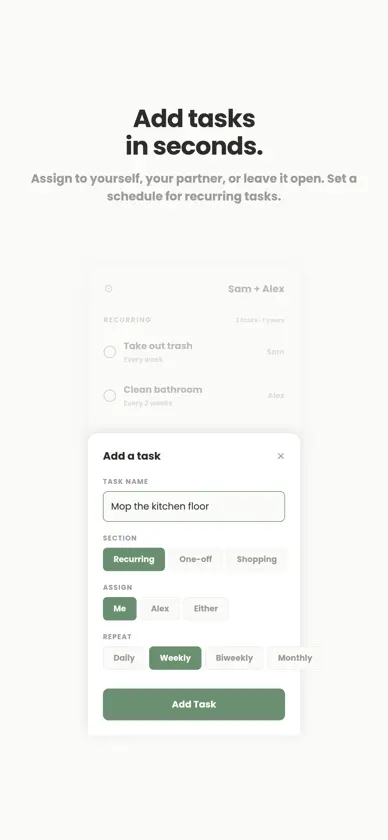
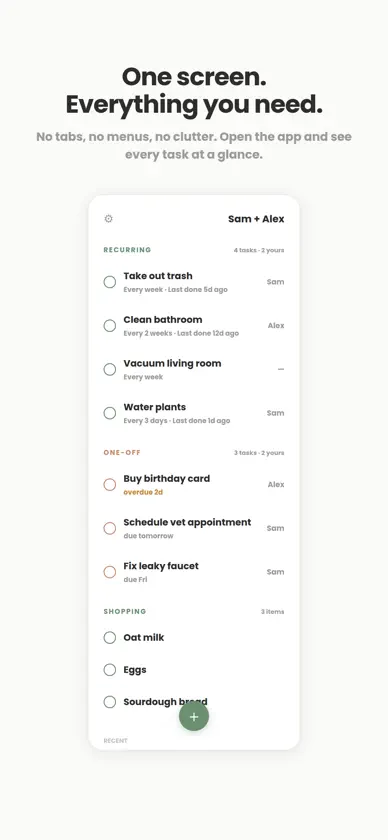
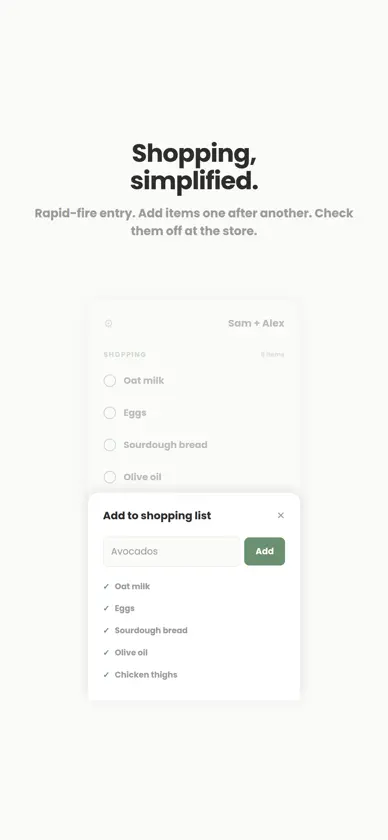
CouplesDo — A shared to-do list for two Built for couples who live together. One screen, no clutter, no learning curve. Open it, see everything, act, close it. How it works One partner creates the list. The other joins with a short invite code. That's it — you're connected. No email, no passwords, no profiles. Just your first name and a shared view of everything that needs doing. One screen does it all No tabs, no menus, no buried settings. Your shared list lives on a single scrollable screen with three sections: recurring tasks, one-off to-dos, and a shopping list. Everything is visible at a glance. Claim it or leave it Tasks can be assigned to either partner or left open for whoever gets to it first. Tap to claim. Swipe to complete. A simple activity feed shows who did what — no nagging required. Recurring tasks that handle themselves Set chores to repeat weekly, biweekly, or monthly. CouplesDo tracks when each task was last completed so you always know where things stand. Designed for speed Add a task in seconds. Quick-add for shopping items. The app is built for 30-second sessions — not something you spend time "in." No ads. No subscriptions. No data selling. CouplesDo is free. That's it. Optional end-to-end encryption Protect shared lists and activity with encryption keys held on your trusted devices. Existing couples choose when to migrate. Both partners verify the encrypted content before migration completes. Invites help you find your partner; encryption keys are transferred privately through a trusted channel. Save your recovery phrase securely: losing all trusted devices and the current phrase means losing access to encrypted content. Historical server backups may retain data from before migration. iCloud calendar events remain managed separately by Apple. One shared iCloud calendar Connect an existing shared iCloud calendar or create a new one for your pair. Share it through Apple Calendar, then check access on both phones. CouplesDo uses that calendar for shared events. Calendar names and event details stay on your devices and in iCloud; only setup checks and connection status reach CouplesDo’s server. Apple controls calendar sharing; disconnecting in CouplesDo does not remove Apple Calendar access.
What's new
Version 1.0.13 · Oct 22, 2026
This update improves list protection setup with clearer Apple account confirmation, easier step-by-step guidance, and fixes for setup reliability.
More from Matthew Kearney


You might also like
 HouseHeroesSjoerd Bozon
 Couplist - Couple To Do ListYigit ERKAL
 Homelist: Chores & Groceriesataberk tay
 MyHome: Home Projects TrackerAxar Apps LLC
 FluentTasksNedjat Nuhi
 Routines & Checklists: All SetTimur Demir
 RecureIlya Glazunov
 TaskSense: AI To Do ListSense Sensei Solutions
 Today 5Baking Powder LLC
 TODO! Simple ListArkadiusz Ilkow