
Draftline - Markdown Editor
Cecil Woebker
No ratings yetProductivityAges 4+
Screenshots


About this app
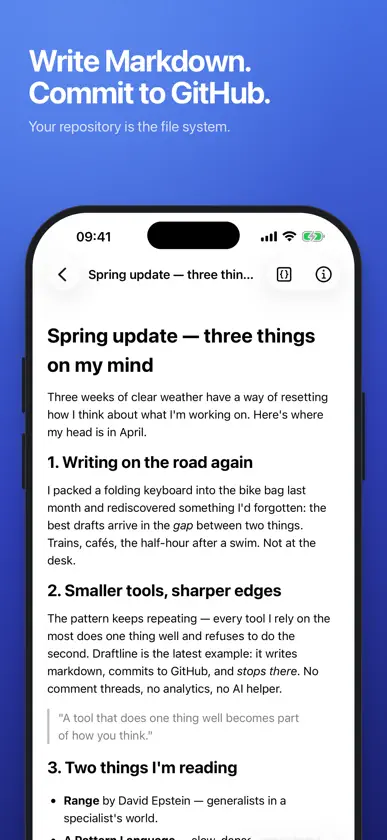
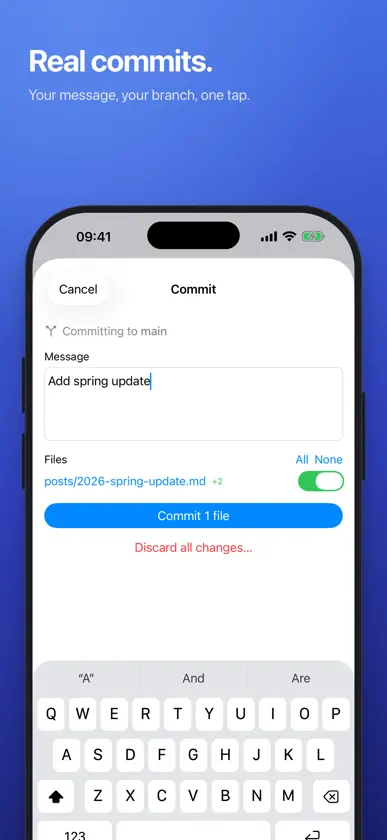
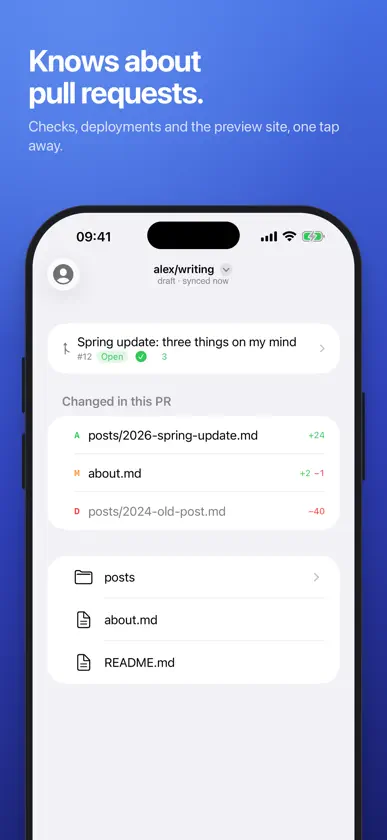
Draftline is a Markdown editor that uses your GitHub repositories as its file system. Open a repo, pick a branch, write in a clean editor, and commit when you are done. On iPhone, iPad and Mac. It is built for people who publish from a repository: blogs on Jekyll, Hugo, Astro or Eleventy, documentation sites, and plain notes in git. WHAT MAKES IT DIFFERENT • Bytes you did not touch come back byte-identical. Edit one paragraph and the commit shows one paragraph. Frontmatter, raw HTML, Liquid tags and anything else the editor cannot render are kept exactly as written and shown as chips, never rewritten. • Real commits on real branches. Edits are kept per branch until you commit them with your own message, and a commit is refused when the branch moved under you, so nothing is overwritten silently. • Works offline. The last repository, branch, file tree and open file come back from the cache at launch. Edits wait until you are back online. • Knows about pull requests. See the branch's pull request, its checks and deployments, and open the preview site in one tap. • Nothing leaves your device except to GitHub. No analytics, no server of ours, no account to create. SIGN IN Sign in with GitHub through the Draftline GitHub App, or paste a fine-grained personal access token. Your credential is stored in the system Keychain. Draftline is a native SwiftUI app.
What's new
Version 0.3 · Oct 18, 2026
Comments, link references and raw HTML in your files now show what's in them. Tap one to read, edit or delete it. Reference-style links stay references when you edit the paragraph around them. Pull now also picks up branches created on GitHub after you opened the repository. If a branch with unsaved edits is deleted on GitHub, Draftline keeps the edits and offers to restore the branch or discard them. A commit message you've started survives closing the commit sheet. Fixed: the profile picture was missing when offline.
You might also like
 ModriftNoriyuki Katahara
 Jotly: Simple NotesAloha Supplies LLC
 DecubedLOGICAL ADVANCED BRAINS FOR INFORMATION TECHNOLOGY COMPANY
 GitWriter - Markdown AnywhereAnthony Brooks
 TARRA NetworkTARRA LLC
 CAPTURR for Roam ResearchPaul Griffiths
 Remy RappelsSam Beckman Pty Ltd
 Scratch Paper: Minimal NotesAbraham Miller
 CopyCat ClipboardZerox IT Consulting S.L
 Markdot : Lecteur Markdown MDESTsoft corp.