
Grid Paper Notes
Kenedy Ducheine
No ratings yetProductivityAges 4+
Screenshots

About this app
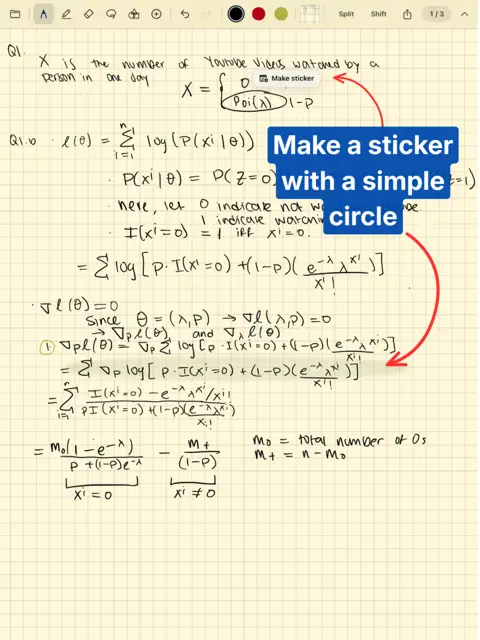
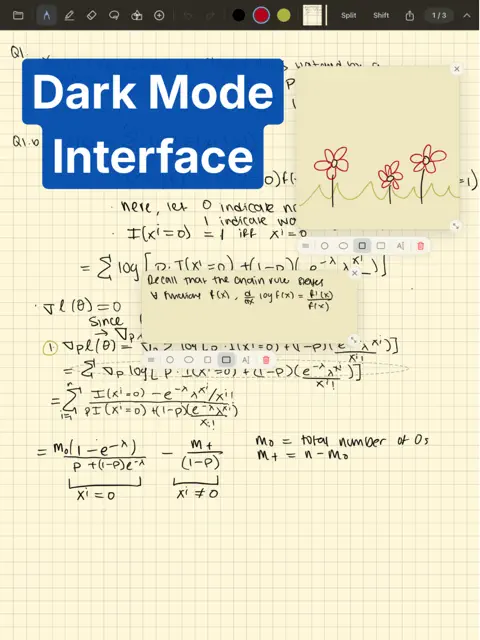
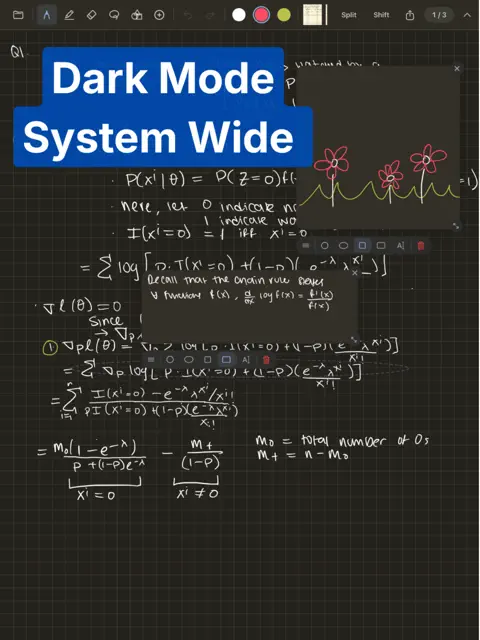
I made Grid Paper Notes because there wasn't another app designed for serious note taking. There are no frills; this is simply a notebook designed to help you be better at whatever you're doing. Key features (and why) Grid paper: • Squares measure about 7 mm on every iPad and fill the screen edge to edge, with no half squares and no endless canvas. Pick a smaller square size for a bigger page, pinch to zoom in while you write, and turn the iPad sideways for bigger squares with the same page. • I hated picking a paper size that didn't fit my iPad perfectly. There was always too screen space being wasted or taken up. I rarely printed my notes, so it made sense to optimize for the iPad screen. Stickers: • Circle part of your notes and turn it into a sticker: a little card next to it for side notes, typed or handwritten. Close it and a faint glow marks the spot; tap the glow to bring it back. • I wanted to be able to write a little note, about a specific part of my notes, without compromising the overall structure. Like a sticky note for paper notes. Another example would be hovering over a link on Wikipedia. You get the idea. Menu bar and overall formatting: • Hide the menu bar for full screen paper. As thin as possible to give you the most room to write. • Simple and intuitive file structure. No notebook covers here, sorry. • Two dark modes. The first darkens the interface, but leaves your notes light. The second darkens your notes (and inverts colors) so you can write in dark mode but keep your notes light. Other small things: • Scribble to erase or double tap your apple pencil. • Import pdfs and photos. • iCloud syncing is an option, but every single file lives on your iPad. Not sent anywhere else.
What's new
Version 1.1 · Nov 6, 2026
• Exported PDFs open instantly and stay sharp at any zoom • New lasso: move, rotate, resize, recolor, duplicate or delete what you circle • Dot paper • Highlights now sit under your writing • Smoother Shift, and each page remembers where it was • Swipe at the page's edge to turn pages, with no blink • Canceling a new note or folder no longer leaves an empty one behind
You might also like
All apps like Grid Paper Notes → PageBuddy - PDF Reader & NotesALEXANDER GOLOVKOV, IE
 Quran Mode: Focus & FaithTYLER ALEXANDER HUNTER
 ArmonAIDIEGO VALDEZ ACOSTA
 PDF Duo : Signer et remplirAlano Tech Pte. Ltd.
 No More Later - Focus TrackerNo More Later
 Useless NotesBogdan Stefanovic
 VidnotationJonathan Mercer
 Papyrus - ノート, PDFwaraku kobayashi
 DefterPad : notes manuscritesAHMET OGUZHAN TEKIN
 FocusOn: Flip Clock PomodoroGautam Singh Rathor