
JetRemote
German Alfonso Torres
No ratings yetUtilitiesAges 4+
Screenshots

About this app
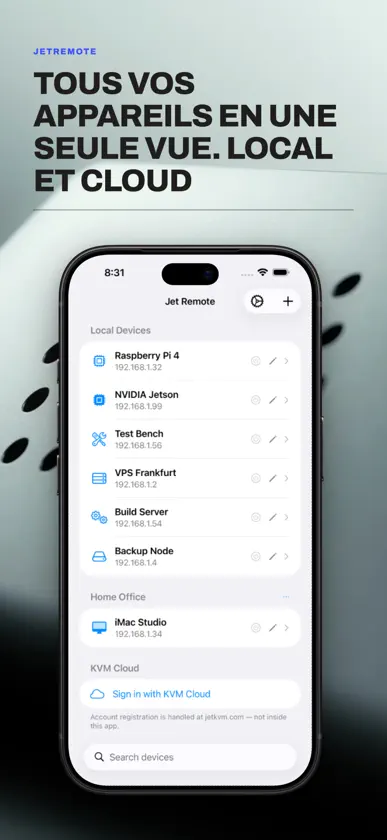
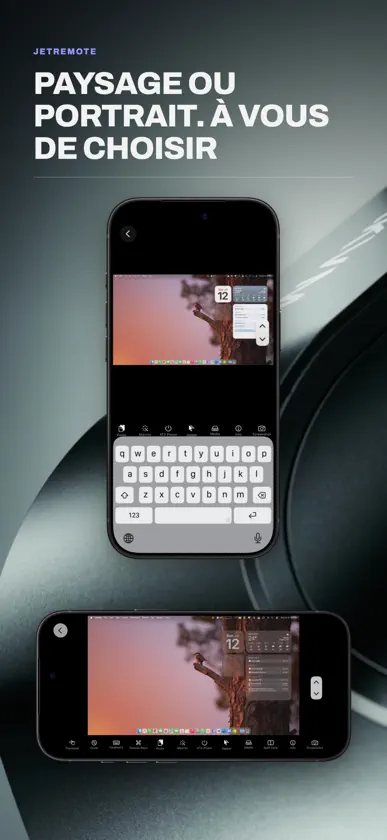
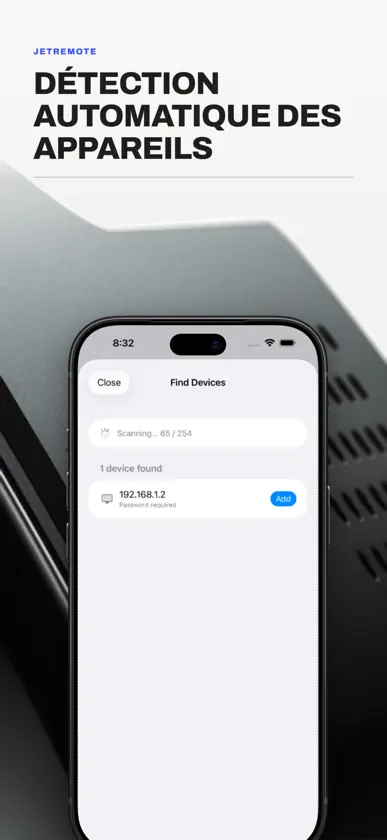
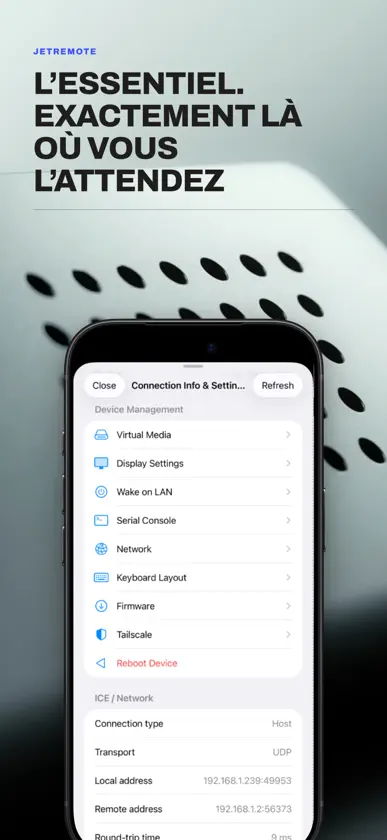
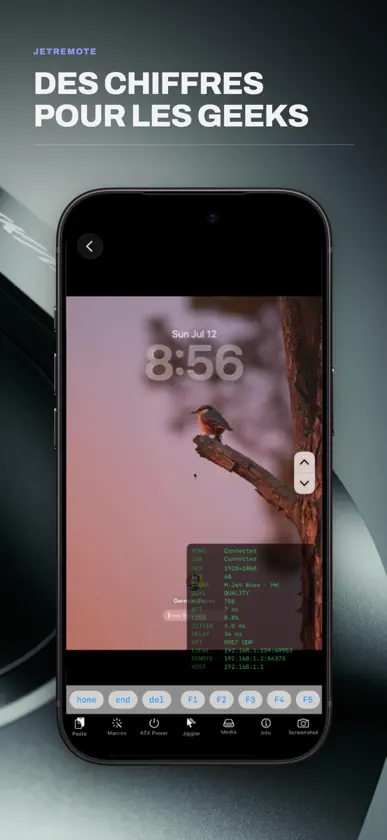
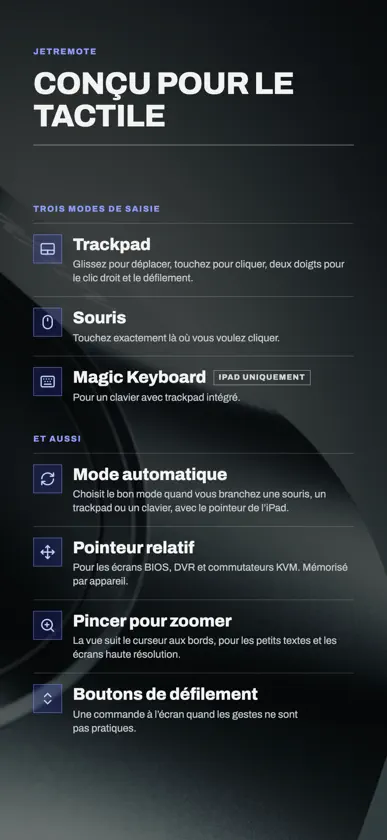
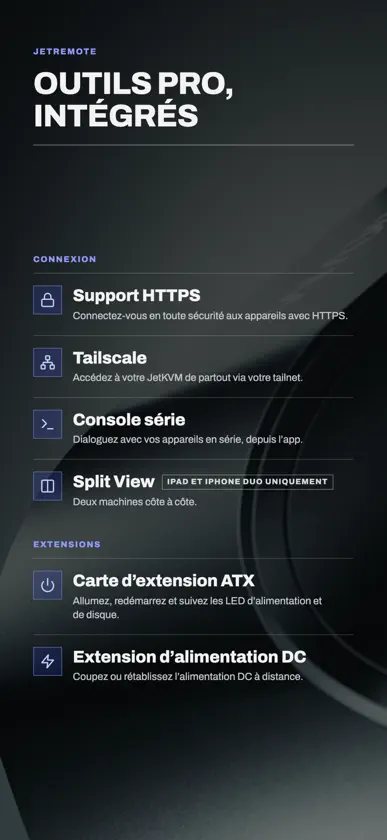
Jet Remote vous offre un contrôle natif iOS et iPadOS sur votre appareil KVM depuis n'importe où dans le monde. Visualisez votre matériel cible à distance et contrôlez sa souris et son clavier comme si vous étiez assis devant lui. Cette application propose l'expérience mobile native originale conçue spécifiquement pour les utilisateurs avertis de KVM, et nous sommes convaincus que vous l'adorerez. === Fonctionnalités clés === • Connectez-vous via votre réseau local, KVM Cloud ou un tailnet Tailscale grâce à la diffusion en continu à accélération matérielle. • Gérez plusieurs sessions matérielles simultanées dans des onglets distincts et épurés (iPad uniquement). • Une barre d'outils déroulante au-dessus du clavier virtuel comprend des touches avancées telles que Échap, Tab, Ctrl, Alt, Cmd, les touches fléchées et F1–F12. • Prise en charge des claviers physiques et Bluetooth avec transmission intégrale (passthrough). • Créez et déclenchez des macros de clavier multi-étapes en un simple toucher. • Superpositions de diagnostics en direct affichant en temps réel la résolution, les FPS, le RTT, le débit binaire, la perte de paquets et la gigue. • Simulateur de mouvements de souris (Mouse Jiggler) intégré pour maintenir automatiquement actives vos sessions à distance sur le système d'exploitation cible. • Console série, Wake on LAN et contrôle complet de l'alimentation ATX. • Collez le contenu du presse-papiers directement sur l'appareil distant. • La liste des appareils se synchronise automatiquement avec iCloud, avec option de sauvegarde et de restauration manuelles. === Veuillez noter === Cette application est un utilitaire client et nécessite un appareil KVM spécifique (disponible sur jetkvm.com) connecté à un ordinateur ou un serveur cible pour fonctionner. L'accès au nuage nécessite un compte existant — l'inscription se fait sur jetkvm.com et non directement dans l'application.
What's new
Version 1.4.6 · Nov 5, 2026
• New card design for sessions on iPhone: open sessions stack as cards, and a tap switches between them. Prefer the previous design? Switch back anytime by turning off Session Cards in Settings. • New Pause Video Out of View setting: sessions behind the one you're using can pause their video to save battery and data (needs KVM firmware that can pause video). • New Disconnect button at the end of the session toolbar. • Power off, reset, firmware updates, turning off USB emulation and removing a device now ask before going ahead. • Restoring from iCloud or a backup file now brings back devices you deleted after the backup was made. • Fixed: a failed load could make the Macros or Wake on LAN list look empty, and saving then replaced the list on the KVM. • More reliable pasting, macros, Split View, cloud sign-in and reconnecting. • When a connection fails, Jet Remote now finds out why: it checks your network, pings the KVM, tries its web service, the internet and the cloud, then tells you what to fix. • Connect Through the Cloud: when your KVM doesn't answer on your network but is online in your cloud account, one tap connects through the cloud. Green dots in the device list show which KVMs answer. • Jet Remote is now available in Turkish. • More device settings: USB identity, public IP addresses, Loopback-Only Mode, installing a specific firmware version, and clearing the serial console history. • Fixed: saving some device settings (MQTT, SSH key, log level, Wi-Fi and others) showed "Not connected to the KVM" even though the change was saved. • Fixed pinch to zoom in Mouse Mode: zooming no longer clicks, scrolls or right-clicks on the remote computer, and a two-finger tap now right-clicks only once. • Added compatibility with Apple TV: use your JetKVM on the big screen. Available now for all Jet Remote users. • Added support for JetKVM Mini. • New Stats button: live charts of frame rate, bitrate, latency, jitter and packet loss, plus small live graphs in the Stats Overlay. • iPhone Duo support: sessions open as tabs, with Split View to run two side by side. • Small fixes to KVM sound compatibility. • Choose your app icon in Settings: a new blue icon plus nine more colors. • App icons now look right in Dark Mode: every color has its own dark version, which appears automatically. • Tailscale indicator: see whether a session is going through Tailscale, or whether Tailscale is on but not in use. • Connect to your KVM over HTTPS: turn on Use HTTPS in the device's settings, or HTTPS Mode inside a session (needs KVM firmware 0.5.9 or later). • Updated to the latest WebRTC for smoother, more reliable video. • Paste and macros are now typed by the KVM itself, so text arrives intact even on slow connections. • Keys no longer get stuck on weak connections. • Hear the remote computer's sound (needs KVM firmware 0.5.9 or later). Thank you for being a Jet Remote customer! If anything isn't working as it should, open Settings in the app and tap Report a Bug or Create Support Ticket to reach us directly.
More from German Alfonso Torres


You might also like
 ArrkAlessandro Mazzon
 Mikonus pour Home AssistantCarsten Schmuckermeier
 Sealva - VDS ValidatorTobias Senger
 Grim Reader: EPUB, PDF, ComicsMaarten de Kreij
 Server ManagerMonolithic Apps
 My IP WidgetOkroshka Lab
 IP Scanner UltraMatia labs, inc.
 Domain CheckGeekme
 TracearrConnor Gallopo
 Spool MasterSebastien Girod