Practice Lock
James Randolph
No ratings yetEducationAges 4+
Screenshots


About this app
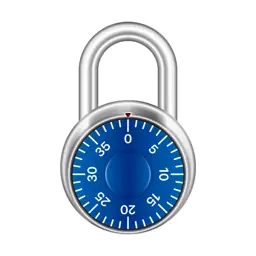
Combination locks can be tricky—especially when they're attached to lockers at your school. Practice beforehand so you know exactly how to open yours. REALISTIC UNLOCKING The lock behaves exactly like a real one. Spin the dial to enter your combination, then tap or swipe up on the shackle to open. If you want to start over, just keep spinning and enter the combination again. HELPFUL HINTS If you make a common mistake when opening the lock—like forgetting to spin one rotation to the left before your second number—you’ll be notified with a friendly hint. WALKTHROUGH MODE If you get stuck, don't worry. Enable Walkthrough Mode to get step-by-step instructions as you open the lock. CUSTOMIZE YOUR LOCK Choose from six different dial colors: red, yellow, green, blue, purple, or black. GENERATE A RANDOM COMBINATION, OR CHOOSE YOUR OWN If you want to test yourself, generate a combination randomly. Or, choose your own in one of two number ranges: 0-39 or 0-49.
What's new
Version 2.2.1 · Mar 5, 2025
• Updated tinted icon
More from James Randolph

You might also like
 Cadenas d'EntraînementAyomide Omolewa
 Practice Lock Combo - VaultXSandratra Razafindralambo
 Entraînement au cadenasZeroPlay Ltd.
 Label PicsAndrew Kasper
 Locker Combination PracticeErdem Kara
 SkySafari Eclipse 2024Simulation Curriculum Corp.
 Daily ReadingsGreek Orthodox Archdiocese of America
 Locker Practice AppApphaze
 Suivi des camouflages BO6Daniel Ryman
 Locker Practice Simulator0NUR ORHAN