
Quality Guard
Quality Guard NV
No ratings yetUtilitiesAges 12+
Screenshots


About this app
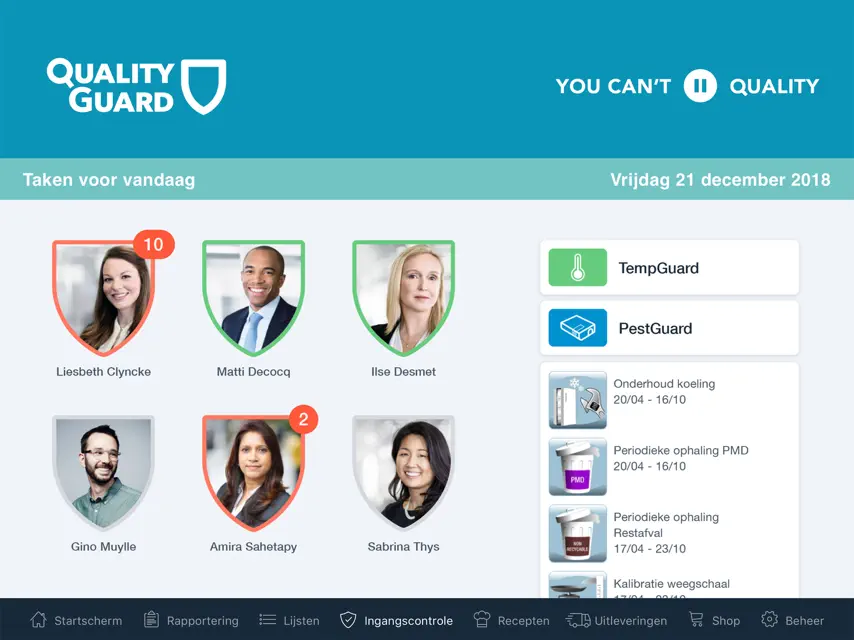
Quality Guard propose une solution d'enregistrement et de gestion de toutes les obligations d'autocontrôle et de sécurité alimentaire. L'application utilise notre base de données où plus de 100 000 matières premières ont été validées avec des valeurs nutritionnelles et des allergènes. Via le module recettes vous pouvez imprimer une étiquette pour vos produits alimentaires préemballés, ainsi que des fiches produits et des recettes. Le tout entièrement conforme à la législation. L'application est spécialement conçue pour les boulangeries, boucheries, traiteurs, restaurants, grandes cuisines, détaillants alimentaires et secteur de la transformation. Un rapport peut être demandé qui regroupe toutes les procédures, instructions de travail, calendriers de maintenance et leurs enregistrements. Ce rapport constitue la base documentaire pour l'obtention du Smiley, le label de qualité gouvernemental pour la sécurité alimentaire.
What's new
Version 26.2.3 · Nov 9, 2026
New Features - A TempGuard sensor can now be marked as installed in a transport vehicle. A delay for offline alarms can be set. - A TempGuard sensor can now be temporarily deactivated - Renewed layout for company information and notification obligation - The option ‘After opening’ has been re-added when printing a label from the traceability module - When taking a photo in the traceability module, you are now prompted to fill in missing information when it could not be recognized - The production date can now be printed on personalized sales labels - The traceability module can now be filtered to display notifications only - Barcodes and allergen information can now optionally be printed again on delivery notes - Allergen information can now optionally be printed again on order forms Optimizations - Issue fixed where the logo printed too far right on the label format 102 x 124 mm + logo on specific printers - Layout issue fixed where small storage labels were partially cut off at the bottom - MouseGuard notifications simplified - Issue fixed when searching for ingredients with a space in the name - Photos from the traceability module now get a separate status on the ‘Expired’ and ‘In use’ pages - Spaces entered before or after a barcode no longer affect the content of the barcode - Products with an expiration date of today in the traceability module are no longer displayed as expired on the home page - The term ‘THT/TGT’ is now used instead of ‘Expiration Date’ in the traceability module - The button ‘Remove from stock’ in the traceability module has been renamed to ‘Dampen notification’ - The horizontal space for the expiration date on 50 x 50 mm labels has been reduced so the text fits in all languages - Small adjustment to the design of the task settings popup - The badge for expired products on the home page is no longer displayed when the count is 0 - Bluetooth connection with our new printers improved


