
Screenshots





About this app
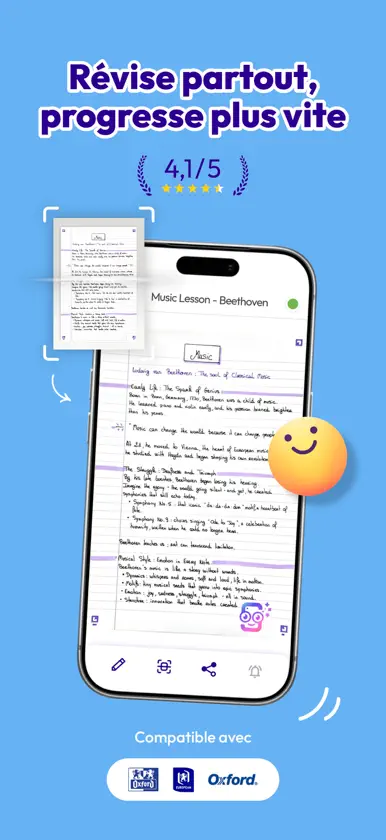
◆ RETROUVEZ TOUTES VOS NOTES MANUSCRITES OÙ ET QUAND VOUS VOULEZ sur votre smartphone, tablette ou ordi portable en toute sécurité.◆ Vous êtes déjà plus d’un million de personnes à utiliser SCRIBZEE®. ◆ VOS NOTES MANUSCRITES ACCESSIBLES PARTOUT SANS EMPORTER VOS CAHIERS, FICHES, PAPERBOARD, … ◆ Etudiant ou professionnel lorsqu’on bouge en déplacement l’idéal c’est d’avoir accès à toutes ses notes manuscrites sans devoir emporter ses cahiers ou ses feuilles dans son sac. Avec SCRIBZEE® où que vous soyez, consultez toutes vos notes dans votre smartphone, même sans connexion, ou depuis votre tablette, PC ou Mac avec SCRIBZEE® Online, www.scribzee.com ◆ UN SCAN DE PRO SYSTEMATIQUEMENT, MEILLEUR QU’AVEC L’APPAREIL-PHOTO DU SMARTPHONE ◆ Capturer ses notes avec l’appareil-photo du smartphone c’est possible. Mais souvent le résultat est décevant. Des pages pas droites, légèrement floues et pas du tout cadrées. De plus, vos notes se trouvent mélangées avec vos photos, elles prennent de la place et ne sont pas multipages. Avec SCRIBZEE® et votre produit OXFORD compatible tout est géré de façon automatique grâce aux fonctions intégrées dans l’application : • Cadrage très précis, • Redressage de l’image verticalement et horizontalement, • Optimisation des niveaux de contraste et de luminosité, Résultat : enfin des notes qu’on peut relire, réutiliser, partager, enrichir, imprimer. ◆ SCRIBZEE® ET LES ETUDES ◆ Un oubli de cahier ? Des fiches portées disparues ou déchiquetées par votre chiot ? SCRIBZEE® protège vos notes afin que vous puissiez étudier ou réviser partout avec votre smartphone. Vous vous réveillez avec des fiches de révision froissées dans votre lit ? Organisez facilement vos cours par matière avec SCRIBZEE® et révisez au lit avec votre smartphone. Marre de voir vos cours mélangés avec vos photos persos sur votre smartphone ? Stockez toutes vos notes dans SCRIBZEE® et libérez votre galerie photos. Un ami qui galère ? Avec SCRIBZEE® partagez vos cours ou fiches de révision en un clic (Twitter, Messenger, WhatsApp, …). Vous ne savez plus où vous en êtes dans vos révisions tellement que vous avez fait de fiches ? SCRIBZEE® classe vos fiches par niveau de maitrise (rouge, orange, vert). ◆ SCRIBZEE® POUR LES PROS◆ Des projets longue durée ? Consultez l’historique de toutes les notes de vos différents projets dans SCRIBZEE®. Beaucoup de dossiers différents à gérer ? Archivez vos notes par thème et retrouvez tout en un clic grâce à la fonction « Recherche » de SCRIBZEE®. Des réunions fréquentes et des comptes-rendus à envoyer rapidement ? Avec SCRIBZEE® plus besoin de recopier vos notes manuscrites, transformez-les en PDF et partagez-les en un clic. • Perdu dans toutes vos notes et comptes-rendus ? Liez tous vos écrits aux RDV de votre agenda électronique pour les organiser et les retrouver plus facilement. ◆ SCRIBZEE® c’est aussi : ◆ • 100% gratuit. • Une exclusivité OXFORD, compatible avec tous vos produits de papeterie favoris équipés de repères. • Un stockage cloud dédié illimité, gratuit et sécurisé. • Des notes cryptées et sécurisées, lisibles seulement par vous. • Des rappels automatiques pour vos notes importantes. • L’enrichissement des notes avec des photos stockées sur votre smartphone. • Et bien plus encore… Conditions d’utilisation : https://www.apple.com/legal/internet-services/itunes/dev/stdeula/
What's new
Version 6.1.4.113011050 · Oct 20, 2026
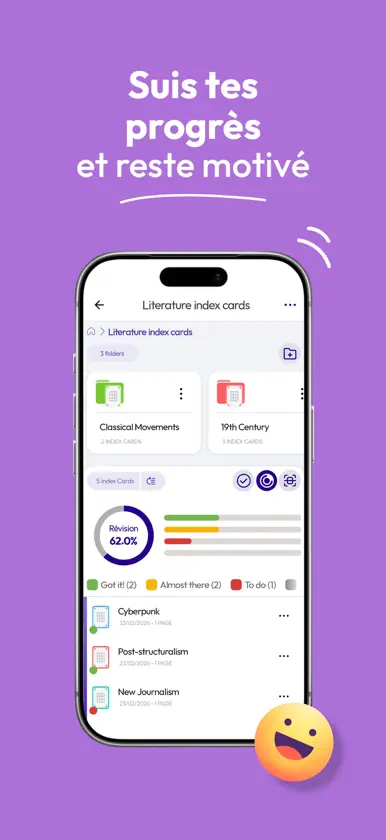
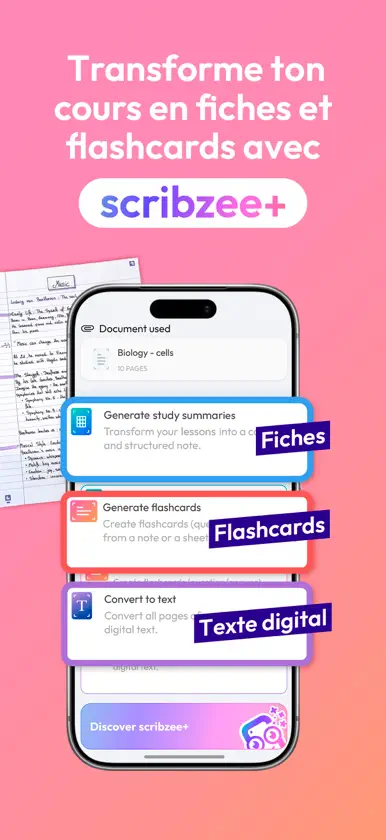
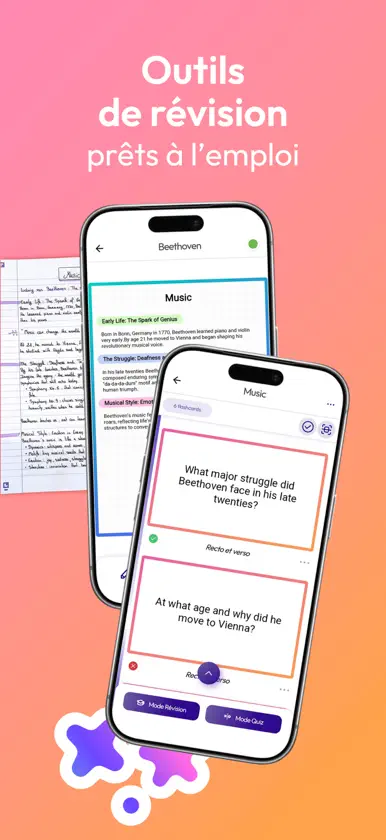
NEW: INTRODUCING SCRIBZEE+ scribzee+ unlocks advanced smart features to convert your handwritten notes into study tools and digital text. Upgrade your notes instantly: • Convert handwritten notes into structured study summaries, • Generate ready-to-use flashcards, • Use OCR (optical character recognition) to transform handwriting into editable digital text. Get more from the notes you’ve already written. Revise faster. Let scribzee+ help you structure your revision tools so you can focus on learning and understanding. scribzee+ is available as an optional monthly or annual subscription. FREE SCRIBZEE FEATURES WITH YOUR COMPATIBLE NOTEBOOK Scan, organise and search your handwritten notes from your compatible Oxford and European products. scribzee’s core features are free to use when you scan your notes from compatible notebooks, diaries, index cards and flashcards. With scribzee you can: • Scan to create automatically enhanced digital copies of your handwritten notes • Access them 24/7 on your phone or computer • Store them securely in the cloud • Organise them into folders • Search inside your handwritten content • Share them easily • Create reminders and plan study sessions • Track your learning progress Your notes are always safe, clear, searchable and ready when you need them. SCRIBZEE FOR STUDENTS - STUDY ANYWHERE, ANYTIME All your handwritten notes are available 24/7 on your phone. Use spare time during your commute, between classes or on your lunch break to fit in quick revision sessions. MEMORISE MORE EFFICIENTLY Regular review keeps knowledge fresh. scribzee helps you stay consistent with: • A progress tracker to monitor your learning • Reminders to plan what and when to study • A built-in study calendar to organise revision sessions For flashcards, a spaced repetition algorithm that adapts to the way you learn, creating personalised revision sessions to help you memorise efficiently. EFFORTLESS ORGANISATION When you scan your notes, scribzee automatically files them into folders. The built-in search engine recognises your handwritten text, so you can instantly find the notes you need — just type a keyword and relevant pages appear. No more lost notes. No more endless scrolling. SHARE AND COLLABORATE Need to share revision cards with friends? Send notes directly from the app in just a few clicks. SCRIBZEE FOR BUSINESS – THINK CLEARLY. FIND EVERYTHING FAST. Meetings, calls, project notes, client briefings — your best thinking often starts on paper. scribzee ensures it never gets lost. Entrust your handwritten notes to scribzee and retrieve them in seconds, wherever you are. Scan your notebook pages with the app and create high-quality digital versions in seconds. Pages are automatically enhanced, framed and stored securely in the cloud. Search inside your handwritten notes using scribzee’s handwriting recognition. Too many results? Refine your search by date to pinpoint exactly what you need. No more flipping through old notebooks. Archive and structure your notes by subject, client, meeting or project name. Keep your thinking clearly separated and easy to retrieve — even months later. Convert your handwritten notes into PDF format and share them instantly with colleagues or clients. Send follow-up notes after meetings in minutes, not hours. Access your notes anytime on your smartphone, PC or Mac via scribzee online. Whether you're in the office, at home or travelling, your notes stay with you. THE TECHNOLOGY BEHIND SCRIBZEE scribzee markers The four markers printed on compatible pages allow the app to: • Accurately frame your page • Correct the perspective automatically • Optimise contrast and brightness Secure Cloud Storage. Your notes are stored safely and synchronised across devices. Access them anytime via the mobile app or online at online.scribzee.com
In-app purchases
The most popular purchases on the App Store.
- Abonnement annuel Scribzee+Subscription49,99 $US / year
- Abonnement mensuel Scribzee+Subscription7,99 $US / month
- Abonnement annuel Scribzee+Subscription29,99 $US / year
- Abonnement mensuel Scribzee+Subscription4,99 $US / month


