
Smart Printer: Impression
MEHMET KARAKAS
No ratings yetUtilitiesAges 4+
Screenshots


About this app
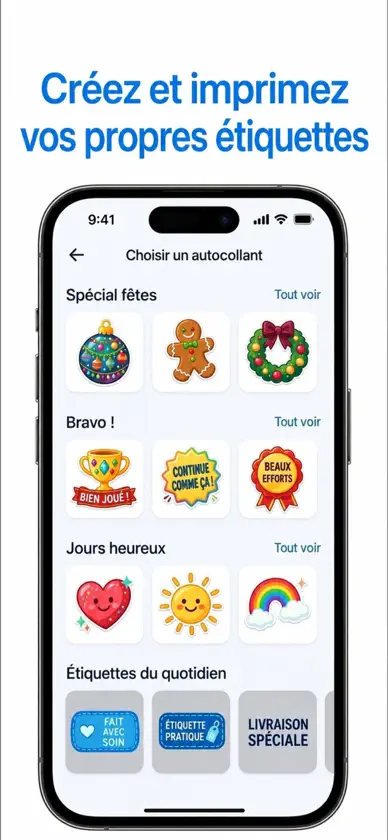
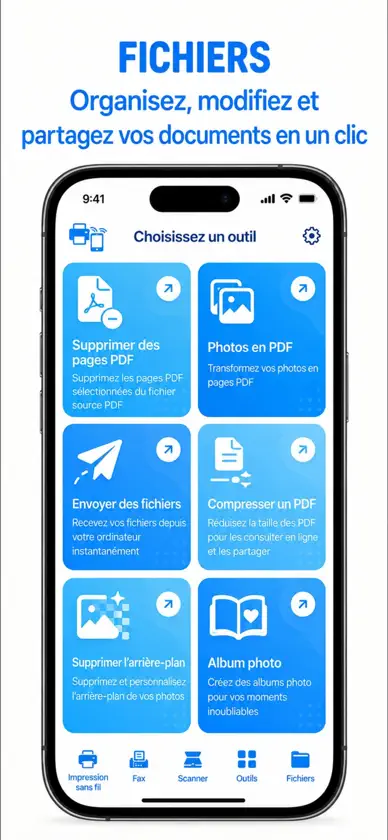
Get paper copies, clean files and ready-to-send prints in a couple of taps with Smart Printer: Smart Print. Turn your iPhone into an air scanner, wireless copier and simple print desk for everyday tasks. - Find nearby printers over wifi - connect your device without long setup - Capture a receipt with one scan - Straighten pages into a neat document - Save copies as a compact pdf - Send photos, notes and web pages - Build a queue before printing - Choose a4 when forms need it - Read a qr code from paper - Prepare cv pages for interviews - Print photobooth shots from your gallery - Keep recent files close for reprints Start with the item in your hand: a receipt, form, note, photo or signed page. Smart Printer: Smart Print helps you capture it, check the preview and send it to an available wireless printer when your device and network support printing. It is made for the small jobs that appear during the day, from copying a letter to saving a travel booking before you leave. The app keeps the flow simple. Open the camera, frame the page, adjust the result and decide whether you need a digital file or a printed copy. If you are preparing something for work or study, you can review the page before sending it, so the final output feels less like a quick phone snap and more like a tidy file. For home desks and shared offices, Smart Printer: Smart Print gives you one place to handle common print tasks. You may see familiar household and office names such as hp or oki in your system printer list; the app simply uses the available wireless options on your device and does not present itself as an official tool from those makers. Some networks show technical labels while a device is being found. If a printer profile appears as idprt, zsb, hpo or a device series name, treat it as part of your local setup and check that the correct printer is selected before you send a job. For label-style tasks, you can prepare text or small layouts and send them to compatible dymo® or letratag® devices when they are available through your printing environment. EVERYDAY PRINT AND COPY FLOW Smart Printer: Smart Print is useful when you need a copy quickly but still want to stay in control. Capture a page, crop the edges, keep the readable part and decide how it should leave your phone. The app is aimed at practical tasks rather than complicated design work. Use it for letters, homework pages, invoices, recipes, tickets, handwritten notes and quick photo prints. When you need to keep a record, save the file. When someone needs a physical copy, send it to a printer. When the first result is not right, adjust the page and try again before using paper. The copier-style flow is handy away from a traditional scanner. You can make a clean digital version of a paper page, keep it on your phone and print it later when you are near a suitable printer. This is especially useful for forms, travel papers and signed items that should not be lost in a pile of photos. Smart Printer: Smart Print also helps separate urgent jobs from casual ones. Keep recent items close, check what you are about to print and avoid sending the wrong page by mistake. A clear preview gives you time to notice missing edges, poor lighting or the wrong orientation before the job leaves your device. Smart Printer: Smart Print may include a paid subscription for full access to the available printing, copying and file tools, with fewer limits where the app applies them. If you choose a subscription, it renews through your Apple ID until you switch it off, and you can manage or cancel it in your account settings. Details about service rules and the way personal data is handled are provided in the app’s Terms of Use and Privacy Policy: https://docs.google.com/document/d/19vdtnwuE78IL2cGGlT6CUSFUazLms6eU1Ev6s_c2oDE/edit?usp=sharing
What's new
Version 2.1.0 · Sep 18, 2026
• Aperçu avant impression mis à jour • Traitement des fichiers amélioré • Stabilité de la connexion améliorée • Correction de problèmes mineurs de l’interface • Performances globales optimisées
In-app purchases
The most popular purchases on the App Store.
- Infinity Air Printer WeeklySubscription · 3 days free trial3,99 $US / 7 days
- Air Printer Infinity YearlySubscription69,99 $US / year
- Air Printer: Photos for yearSubscription · 3 days free trial49,99 $US / year
- Air Printer: Photos for monthSubscription · 3 days free trial11,99 $US / month
- Air Printer: Documents ScannerSubscription · 3 days free trial11,99 $US / month
- Air Printer: Documents ScannerSubscription · 3 days free trial49,99 $US / year
You might also like
 Print&Scan: Imprimante ScannerSinem Kanat
 Contacts Sync & Transfer AppLutfiya Rabbimova
 Printr: Imprimante & Scanner88 Tech
 Imprimante: imprimer photo PDFJulia Kucharska
 Intelligent Printer, PDF ScanTellervo Lassila
 Scrolla : Temps D’écranLily Hughes
 Photo en PDF: ConvertisseurFitness Labs
 HP Smart Printer app FREEFREE MOBILE APPS STUDIO ONE MEMBER COMPANY LIMITED
 Imprimante Mini晨 陈
 Smart Printer : Scan futéDREAMTEAM APPS sp. z o.o.