
Sleep Debug
Kristopher Linquist
No ratings yetLifestyleAges 4+
Screenshots


About this app
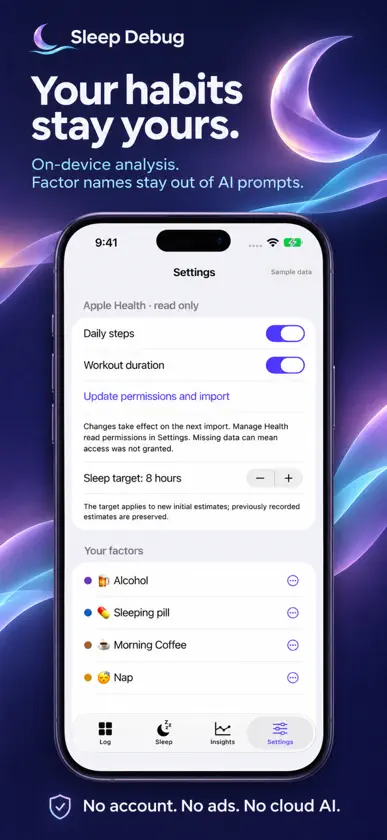
Your day holds clues to your night. Sleep Debug helps you explore how your everyday habits relate to your sleep. Make a quick daily check-in, let Apple Health fill in your night, and learn from your own history. MAKE YOUR CHECK-IN YOURS Create factors for the things you want to track: coffee, naps, late dinners, travel, alcohol, or something personal. Choose yes/no, counts, or amounts, then add quick choices, colors, and emojis. Grouped Alcohol lets you log different drinks and edit serving assumptions. A linked Nap factor can prefill detected nap minutes from Apple Health, with manual corrections when needed. LET YOUR WATCH HELP With your permission, import sleep duration, available sleep stages, and sleeping heart rate from Apple Health. Add daily steps and workout duration if you want. Health access is read-only; your private factor entries are never written to Apple Health. BUILD A SMALL DAILY HABIT Choose an evening reminder and log your day in a few taps. Changes save automatically, days stay editable, and tonight's forecast updates as you log once enough history is available. An optional morning reminder asks whether you feel Tired, Fine, or Rested. Answer directly from the notification to help personalize restedness predictions. EXPLORE YOUR OWN PATTERNS See associations with sleep duration, sleeping heart rate, the app's sleep-quality estimate, and morning restedness. During learning, see an estimated start date and clearly labeled sample insights. After at least 14 usable learning days, personal forecasts can appear when there is enough variation and predictive evidence. Explore different choices with what-if controls without changing your saved log. Health imports look back 180 days, and analysis uses all eligible saved history. PRIVATE BY DESIGN No account, advertising, or analytics service. Your records and statistical analysis stay on your iPhone. On compatible iPhones, Apple's on-device language model can optionally explain numerical results using opaque IDs and normalized summaries. Your factor names, emojis, units, and exact event times stay outside its prompts. There is no cloud AI fallback. Normal device backups may include your local records. STAY IN CONTROL Use Face ID or your device passcode to lock the app. Manage Health permissions, edit or delete factors, or clear daily logs while keeping your factor setup. Read how learning works, including the actual AI instructions, in Settings. REQUIREMENTS AND LIMITS Requires an iPhone running iOS 26 or later. Logging, statistical learning, numerical forecasts, and what-if tools work without Apple Intelligence. Optional AI explanations require an Apple Intelligence-compatible iPhone with Apple Intelligence enabled and available. Automatic sleep imports need sleep records in Apple Health, such as those recorded by Apple Watch. There is no separate Watch app. Health setup can be skipped and connected later. Sleep Debug calculates its own sleep-quality estimate; it does not import Apple's sleep score. Forecasts are not guaranteed after 14 days. Estimates and associations are personal observations, not medical assessments, and do not establish causes.


