
Screenshots


About this app
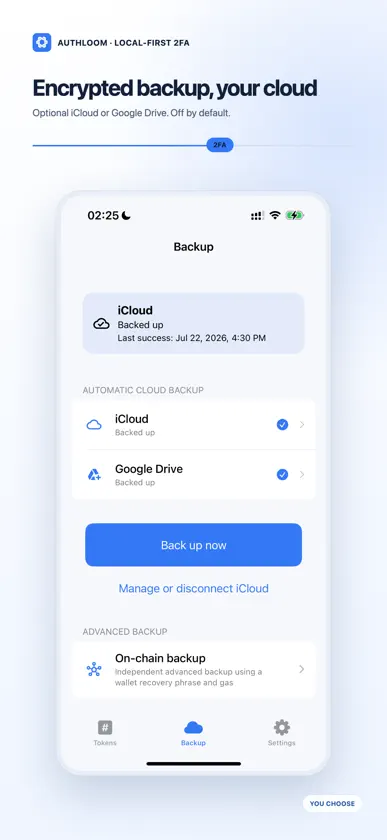
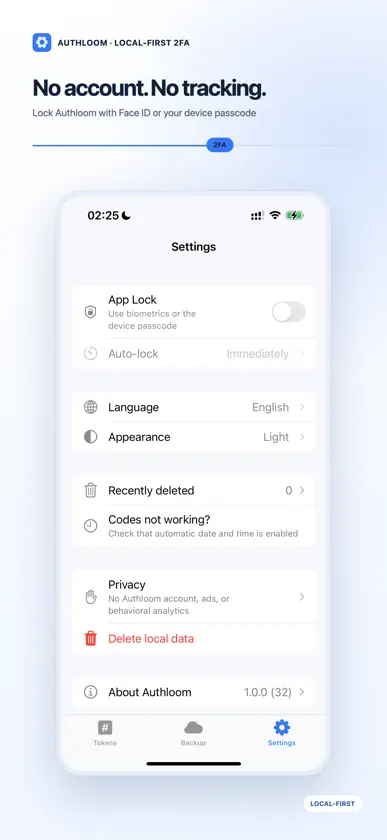
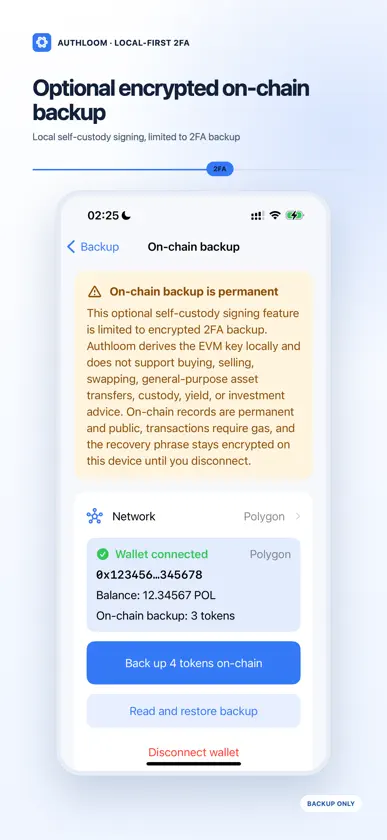
Authloom is a free, local-first two-factor authenticator. Your verification codes stay on your device by default, and core TOTP features work offline. ADD AND USE 2FA CODES • Scan a QR code, import an image, or enter a TOTP secret manually • Keep multiple verification codes in one clear list • Copy a current code with one tap • Find codes quickly with search PRIVACY BY DEFAULT • No Authloom account required • No ads or in-app analytics • Encrypts sensitive data on your device • Optional Face ID, biometrics, or device-passcode lock BACKUP IS YOUR CHOICE Cloud backup is off by default. If you enable it, Authloom can store an encrypted backup in your private iCloud database or Google Drive App Data. A Google Drive backup uses a separate Authloom backup password that is never uploaded. Authloom also offers an optional, narrowly scoped self-custody signing capability used only for encrypted 2FA backup. It derives an EVM key locally and signs contract transactions that store encrypted backup records on a supported public blockchain. It does not support buying, selling, swapping, general-purpose asset transfers, custody, yield, or investment advice. Public-network transactions require gas and cannot be reversed or deleted. Before deleting Authloom or replacing a device, enable and verify a backup method if you want your codes to be recoverable. Never share a QR code, TOTP secret, backup password, or recovery phrase.
More from EasyMeta


You might also like
 虹膜健康斌 祝
 一按到家技师端Hefei soft cloud Information Technology Co., Ltd.
 技约师傅端重庆芯购电子商务有限公司
 好评生成器Wuhan Xingyun Technology Co., Ltd.
 Typing Practice Masterkushal patel
 SnapMail – Temporäre E-MailXYRA
 懒人作文-光速写作智能秒批改语文作文传亮 周
 Wakey Wakey - Stay awake!Applorium Ltd
 Dynastes - Device Assistant大靖 刘
 QR Scanner SuperPro App Company Limited