
DSSampleSpread
David Hart
No ratings yetMusicAges 4+
Screenshots


About this app
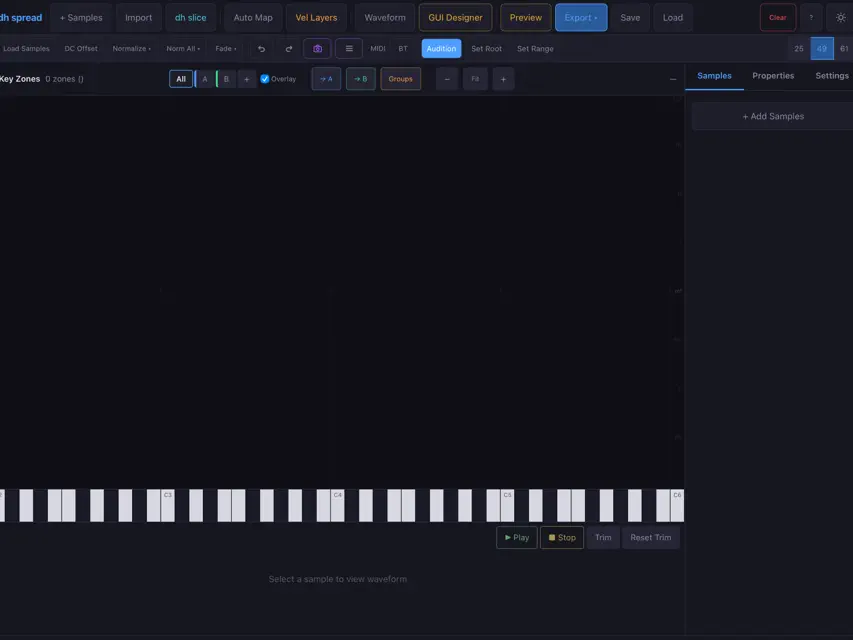
spread turns your iPad into a complete sample instrument workshop. Import your audio files, map them across the keyboard with velocity layers, design a custom GUI, and export ready-to-play DecentSampler presets — all from one app. IMPORT ANYTHING Drop in WAV, AIFF, MP3, or FLAC samples. Import existing instruments from SF2 SoundFonts, BeatMaker 3 (.bm3/.bmk3), SFZ, NKI, and DecentSampler (.dspreset) formats. spread reads the mappings and rebuilds them as editable zones. MAP WITH PRECISION Assign samples to key ranges and velocity layers. Set root notes, tuning, pan, and volume per zone. Audition instantly with the built-in native audio engine — no latency, no compromise. DESIGN YOUR GUI Use the visual GUI designer to place knobs, sliders, labels, and overlays on a custom background image. Bind controls to parameters like filter cutoff, reverb, ADSR, and more. What you design is what DecentSampler displays. PLAY WITH MIDI Connect any USB or Bluetooth MIDI controller and play your instrument in real time. Full velocity response, polyphony, and per-voice pitch shifting — powered by a native AVAudioEngine with ADSR envelopes and FX chain. EXPORT & SHARE Export as .dspreset XML or .dhpack bundles ready for DecentSampler on iPad, desktop, or mobile. Save and restore sessions with snapshots. FEATURES — Native audio engine with 24-voice polyphony — ADSR envelopes, filter, delay, and reverb FX — Visual GUI designer with snap grid and layer management — SF2, SFZ, BM3, NKI, and dspreset import — Bluetooth and USB MIDI controller support — Session snapshots and auto-save — DecentSampler preset and bundle export
What's new
Version 1.2.3.(11) · Aug 3, 2026
Fixed: sf2 imports can now load multi instrument sound fonts and samples. Various UI enhancements. Fixed some presets not actually wiring their knobs and faders.


