
Ember — Desktop-Timer
Sasquatch Studio Inc.
No ratings yetProductivityAges 4+
Screenshots


About this app
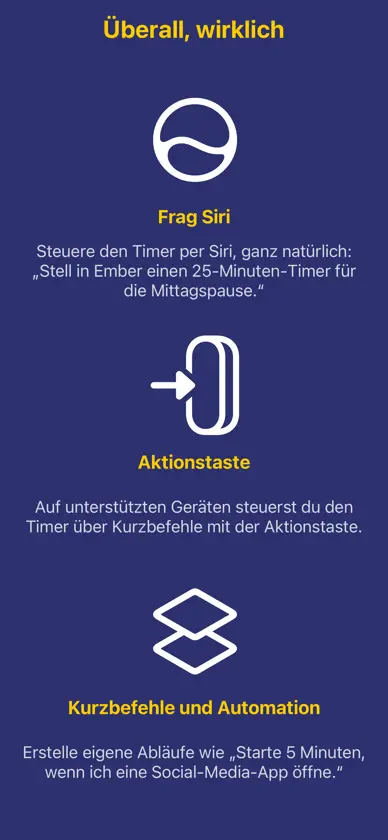
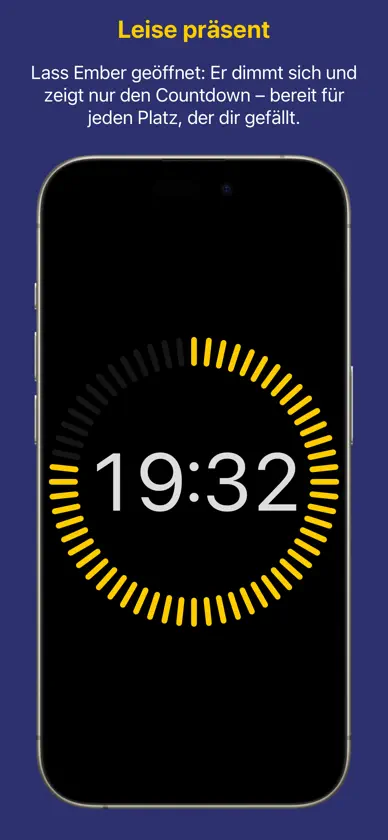
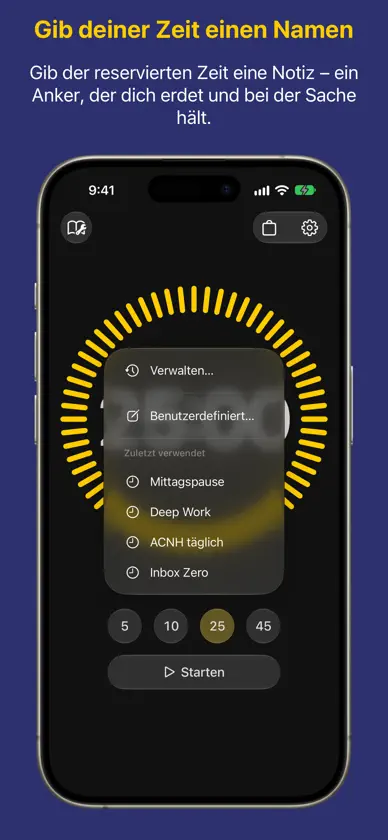
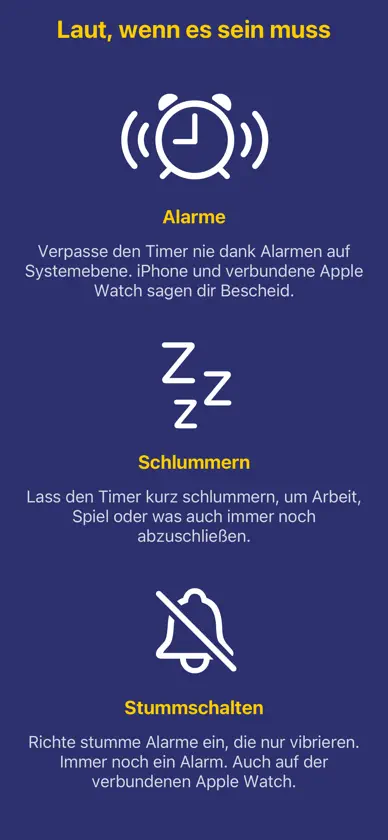
Ember ist ein leiser mechanischer Timer, der auf deinem Schreibtisch steht oder in deiner Tasche mitfährt. Er gamifiziert deinen Fokus nicht und benotet deine Produktivität nicht — er tickt einfach, gleichmäßig, wie eine kleine Maschine, die dir beim Arbeiten Gesellschaft leistet. ◎ Ein Begleiter, der Zeit sichtbar macht Wenn dir Zeit oft unbemerkt entgleitet — wie vielen von uns, besonders neurodivergenten Menschen — gibt Ember ihr eine Form, die du sehen und hören kannst. Die Skala tickt jede Sekunde, leise, aber lebendig, wie ein Freund, der neben dir arbeitet. Es ist „Body Doubling“ in Gestalt eines Werkzeugs: eine ruhige, stete Präsenz, die dich bei der Sache hält. ◎ Gib deiner Zeit einen Namen Starte einen Timer mit einer Aufgabe — Schreiben, Wäsche, noch ein Kapitel. Das Aufgabenmenü merkt sich, was du zuletzt verwendet hast: Eine vertraute Aufgabe ist so nur einen Fingertipp entfernt, eine neue nur eine Zeile Text. Die Aufgabe bleibt sichtbar, während der Timer läuft — auf dem Bildschirm, im Widget und in der Live-Aktivität. ◎ Eine Maschine mit deiner Handschrift Wähle die Farbthemen und die Schrift für den Countdown. Ember ist dafür gemacht, lange betrachtet zu werden — also soll er genau so aussehen, wie es dir gefällt. ◎ Wenn die Zeit um ist, erfährst du es Läuft der Timer ab, ertönt ein Alarm — und mit Schlummern gewinnst du ein paar Minuten dazu, wenn du sie brauchst. Lieber etwas Sanfteres? Wähle stattdessen eine Benachrichtigung. Alarme sind ab iOS 26.1 verfügbar. ◎ Funktioniert, ohne angefasst zu werden Starte, pausiere, setze fort oder setze den Timer zurück — direkt über Kurzbefehle, per Siri oder mit der Aktionstaste, ganz ohne Entsperren. Unter iOS 27 versteht Siri Embers Timer direkt: „Stell in Ember einen Timer auf 25 Minuten“, „Pausiere meinen Timer“ — ganz ohne Kurzbefehl. Über Kurzbefehle kannst du den Timer-Status außerdem in ganzen, gut verständlichen Sätzen abfragen und Automationen darauf aufbauen. ◎ Im Blick, wo immer du bist Behalte den Timer mit Widgets auf dem Home-Bildschirm, oder lege dein iPhone ab und sieh ihn großformatig in StandBy. Ob Schreibtisch oder Hosentasche — Ember bleibt dort, wo du ihn sehen kannst.
What's new
Version 2026.5 · Oct 22, 2026
Hi there! This updates brings some major improvements to Ember as a desktop timer and as a companion for better time awareness. Name your time: • Use a few words to optionally describe the time you set aside. This can be anything from work to play to daily routines. • Recent entries are remembered so you can repeat what you do with just two taps. Better with Siri AI: • Siri can start a timer for you in Ember, or control the timer such as pausing it or reporting the duration left on the run. • You can use natural language to start a task timer, for example with “Start a breakfast timer in Ember for 25 minutes” Improved UI: • We improved the layout of Ember so the interface stays familiar. The app rotates to landscape smoothly, to fit wherever you place it. iPhone Duo support: • We specially optimized the app for iPhone Duo to support its many positions and orientations. Folded, open flat, partially open or tended — we covered them all. Silent alarms: • You can mute the alarm for the timer and there shall be only vibration. Might have been the most wanted feature in a library! • If you have a connected Watch, you still get tapped on your wrist. Improvements and fixes: • Certain labels and elements were broken with VoiceOver. Fixed. • Theme and font changes did not reach the Home Screen widget or the Live Activity until the next timer. Fixed: now they update as you make changes. • The Live Activity showed a 5:00 placeholder while the alarm was ringing. Fixed: it shows the finished countdown. • An expired timer could be paused from Shortcuts, and resuming it brought it back to life. Fixed. • The alarm permission prompt was not localized properly. Fixed — the prompt is available in the language that you speak. • The alarm permission prompt only appeared after the first timer had started. Fixed: Ember asks first, then starts the timer. • Some terms and labels were inconsistent across locales. Fixed. To simplify app maintenance, we are increasing the minimum supported OS version to 26.1, and we are dropping notifications as a means of timer alerts. Thank you for your understanding, and we hope you’ll enjoy this update!
In-app purchases
The most popular purchases on the App Store.
- Ember PlusConsumable5,99 €
More from Sasquatch Studio Inc.
 HRZNSasquatch Studio Inc.
 PlantPal: PflanzenhilfeSasquatch Studio Inc.
 Fotos erweitern - BORDSasquatch Studio Inc.
 Someday - Spaß, kein StressSasquatch Studio Inc.
 Kodist: Analoge FilmkameraSasquatch Studio Inc.
 FRMDSasquatch Studio Inc.
 Waymark: WandertagebuchSasquatch Studio Inc.
 PowerTimer - Multiple timersSasquatch Studio Inc.
You might also like
 Pomodoro Timer : Focus BuddyPiyumie Weeraman
 FocusMinny: Productivity CoachEpsiiilon Ltd.
 EasEvent: Calendar AssistantShimaa Gamil
 SkillHub: KI-Agent-Skills阳 孙
 Toby 管鋪易Toby Technology Limited, Hong Kong SAR
 Chatlo - AI Chat & Agent庆彬 邓
 Wrix 2 - Ultra Text EditorYONEKAWA Hideki
 Pomodoro: Focus & Deep WorkAlina Bohuslavska
 Life Metro鹏程 王
 Griday Calendar & Reminder昊罡 姚