
MarkRead - Markdown-Reader
佳奇 袁
No ratings yetProductivityAges 4+
Screenshots




About this app
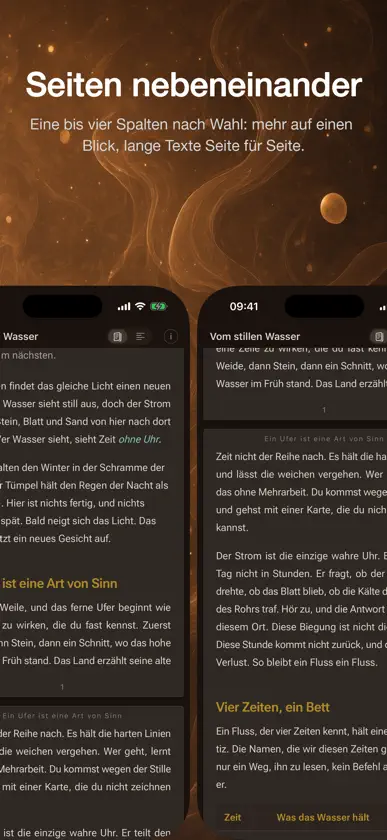
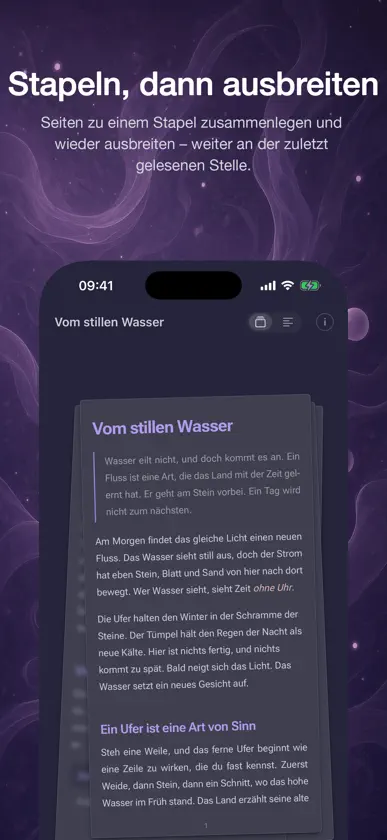
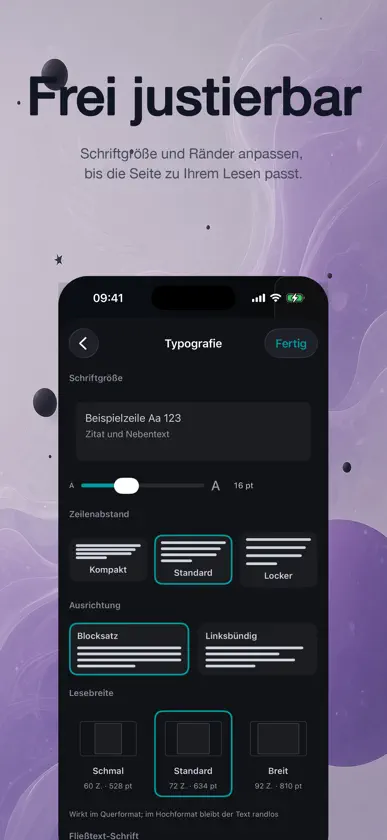
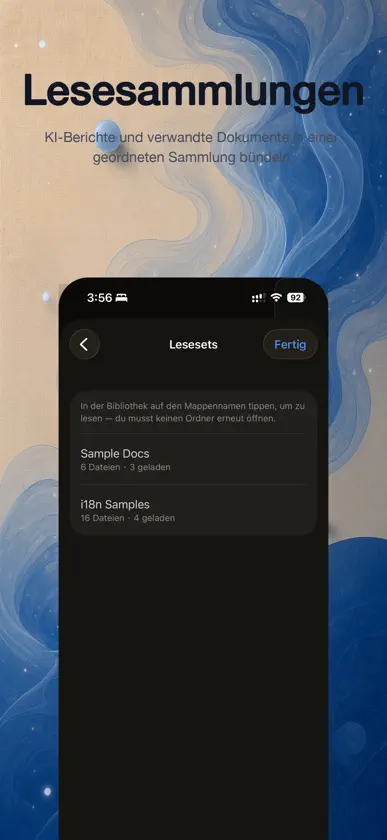
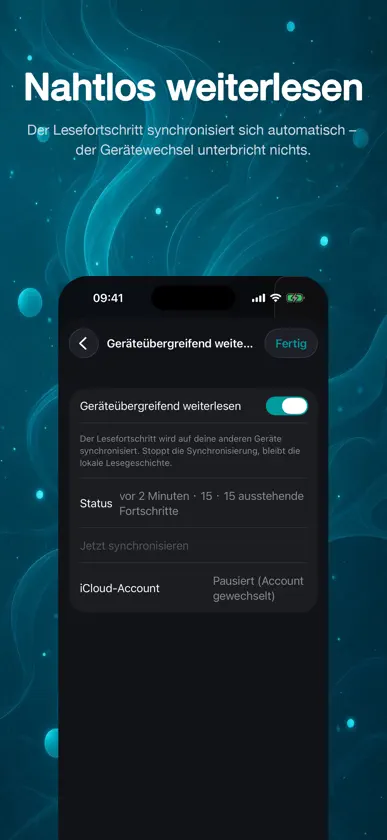
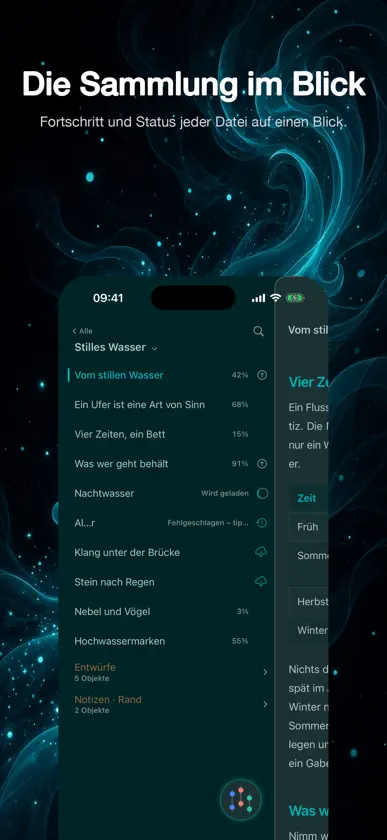
Markdown, Seite für Seite. MarkRead macht KI-generierte Texte leichter genau zu lesen und leichter zu durchdenken. Jedes .md lässt sich auf zwei Arten lesen: Fortlaufend als eine durchgehende Seite oder in Seiten nebeneinander, damit mehr auf den Bildschirm passt. Mit zwei Fingern lassen sich die Seiten zu einem Stapel zusammenziehen und wieder aufziehen – weiter an der zuletzt gelesenen Stelle. Beim Wechsel zwischen beiden bleibt die Leseposition erhalten. Je mehr die KI schreibt, desto wichtiger wird gründliches Lesen. MarkRead setzt eine .md-Datei als ruhige Leseseite: Überschriften, Listen, Zitate, Code und Tabellen in klarer Ordnung. So springt das Wesentliche heraus, und Sie entscheiden auf sicherer Grundlage. Lesen in Seiten • Seiten nebeneinander Mehr auf einen Blick, lange Texte Seite für Seite. Bis zu vier Spalten auf dem iPad, zwei Seiten auf dem iPhone im Querformat, eine bis vier auf dem Mac. • Stapeln, dann ausbreiten Seiten zu einem Stapel zusammenlegen und wieder ausbreiten – weiter an der zuletzt gelesenen Stelle. Auf iPhone und iPad einfach mit zwei Fingern zusammenziehen und aufziehen. • Fortlaufend oder Seiten, mit einem Tipp Zwei Arten, dasselbe Dokument zu lesen. Jederzeit wechseln, ohne die Zeile zu verlieren. Vertikaler Text • In Spalten lesen Texte überwiegend aus Han-Zeichen und Kana lassen sich in „Seiten“ vertikal setzen und von rechts nach links lesen. Code, Tabellen oder Formeln halten ein Dokument horizontal. • 4 Stile für vertikalen Text (Pro) Auch Exporte bleiben vertikal. Funktionen • Öffnen und lesen KI-generiertes Markdown öffnet sich als klare Seite zum Nachdenken. • Papierhaftes Layout Klare Hierarchie – das Wesentliche steht auch in langen Texten sofort da. • Frei justierbar Schriftgröße und Ränder anpassen, bis die Seite zu Ihrem Lesen passt. • Immer griffbereit Mit einem Tipp zurück zu zuletzt geöffneten Dokumenten, ohne den Faden zu verlieren. • 19 Pro-Themes (Pro) Ein anderes Theme heißt ein anderer Blick auf denselben Text. • Lesesammlungen (Pro) KI-Berichte und verwandte Dokumente in einer geordneten Sammlung bündeln. • Nahtlos weiterlesen (Pro) Der Lesefortschritt synchronisiert sich automatisch – der Gerätewechsel unterbricht nichts. • Exportieren (Pro) PDF mit Lesezeichen und Seitenzahlen, Langbild, Word, ePub, HTML und LaTeX. Markdown und vier weitere Formate sind kostenlos. • Datenschutz Kein Server, kein Konto. Die Dateien bleiben auf dem Gerät; was synchronisiert wird, läuft über Ihre eigene private iCloud-Datenbank. Auf iPhone und iPad • Die Sammlung im Blick Fortschritt und Status jeder Datei auf einen Blick. Auf dem iPhone Duo • Doppelseite Im Innendisplay treffen zwei Seiten am Scharnier zusammen wie ein Blatt; halb aufgeklappt wird der Schatten am Buchrücken tiefer. • Keine Zeile verlieren Zu- oder aufgeklappt geht es in derselben Zeile weiter. • Buchschnitt Auf dem Außendisplay sind die Markierungen am Rand die Gliederung: ziehen, springen. • Lesepult Halb aufgeklappt auf dem Tisch: oben Text, unten Tasten. Für wen Für alle, die KI-Berichte, technische Dokumentation, Notizen und lange Markdown-Texte lesen; die mitten im Dokument zwischen iPhone, iPad und Mac wechseln; die verwandte Dateien lieber in einer Sammlung halten als in Ordnern suchen; die mehr als eine Seite auf einmal sehen möchten. MarkRead Pro Schaltet 19 Themes, 4 Stile für vertikalen Text, Lesesammlungen, den geräteübergreifenden Lesefortschritt und den Export als PDF, Langbild, Word, ePub, HTML und LaTeX frei. Monatlich (1 Monat) oder jährlich (1 Jahr) im Abo, oder einmalig kaufen – der Einmalkauf verlängert sich nie. Abos verlängern sich automatisch; Sie können sie jederzeit in den Abo-Einstellungen des Systems beenden, dann laufen sie zum Ende der Periode aus. Die Preise stehen im App Store. MarkRead laden und den nächsten langen Text auf einer Seite lesen, die ihn verdient. Datenschutzerklärung: https://markread.cn/privacy/ Nutzungsbedingungen: https://markread.cn/terms/
What's new
Version 1.1.3 · Nov 12, 2026
Made for iPhone Duo: unfold it and it's an open book, with the hinge as its spine. On iPhone Duo • Two-page spread: on the inner display in landscape, two pages meet at the hinge as a single sheet. Read it half open and the shadow at the spine deepens with the angle, while the text doesn't move at all • Never lose your line: close it or unfold it and you're on the same line, and each display remembers whether you read in Scroll or Pages • Fore-edge on the outer display: the controls tuck into a side rail, and the marks along the edge are your outline — drag to jump • Reading stand: stand it half open on a table; the top half is all text, with the outline, progress and controls below • Hold it tall: two tall pages, with the top bar moved up beside the clock to give the height back to your text • Contents and Outline stop at the spine, taking up exactly one page • Pages are laid out while you're still opening it, ready the moment it unfolds • The first time you unfold, a note reads "Opened as a two-page spread", and one tap takes you Back to Scroll • None of this needs Pro On all devices • In Scroll, rotating or resizing the window keeps you on the line you were reading • Fixed overly loose word spacing in justified lines in a few cases Also on Mac • The same app is a free download on Mac Export Export the document you’re reading to another format, then share it, save it to Files or send it with AirDrop. Find it on the document info page (ⓘ in the top bar). • PDF: paginated, with bookmarks and page numbers • Long image (JPG): the whole document in one image, easy to send and ready to save to Photos • Word (DOCX) and HTML: keep editing, or view in a browser • ePub: read it in Books, titled with the document’s title • LaTeX: the text, formulas and images in one zip you can upload to an online LaTeX platform and compile. It works with XeLaTeX, pdfLaTeX and LuaLaTeX, and the body sits in its own body.tex, easy to drop into your own template • Table columns follow the content and wide tables stay on the page; diagrams drawn with line characters scale to the page width • All of the above with Pro; Markdown, Plain Text, RTF, TextBundle and OPML Outline are free New: Vertical Text (for documents written mainly in Han characters and kana) • In Pages, turn on Vertical Text and read in columns from right to left; it stays on next time • Punctuation and quotation marks are set the vertical way, and two- or three-digit numbers sit upright in a single square • iPhone Duo: the right page comes first, and folding or changing posture keeps your place • Documents with code, tables or formulas stay horizontal • Vertical Text is free • Vertical Styles (Pro): Song Print, Kai Script, Ink Rules and Vermilion Rules, on any paper, for vertical text only • Vertical export (Pro): while you read vertically, PDF, long image, Word, ePub and HTML export vertically too; PDF and Word use landscape paper, and the long image stacks wide pages Other fixes • Exporting a short document as a long image no longer adds a gray strip below it • The share sheet and the export page no longer flash white
In-app purchases
The most popular purchases on the App Store.
- MarkRead ProSubscription2,99 € / month
- MarkRead ProSubscription22,99 € / year
- MarkRead Pro LifetimeConsumable59,99 €
You might also like
 PickMD: Markdown ReaderShenzhen Sparock Intelligent Technology Co., Ltd.
 MarkCove: Markdown lesenDenis Babkevich
 OpenPage: Markdown Reader艳 颜
 Elegy - Share Words on SocialWeitao Chen
 简帛Yunnan Xiaomai Technology Co., Ltd
 Quirely Markdown+LaTeX EditorReggie Fisher
 Reader AI: Markdown ReaderThinking Systems LLC
 AgentPadFactoria Elcano SL
 Document Viewer: PalmoryGAVRRI
 NearbiDoc - Markdown writerINX Company Limited