
LockCal
Vladimir Popov
No ratings yetProductivityAges 4+
Screenshots


About this app
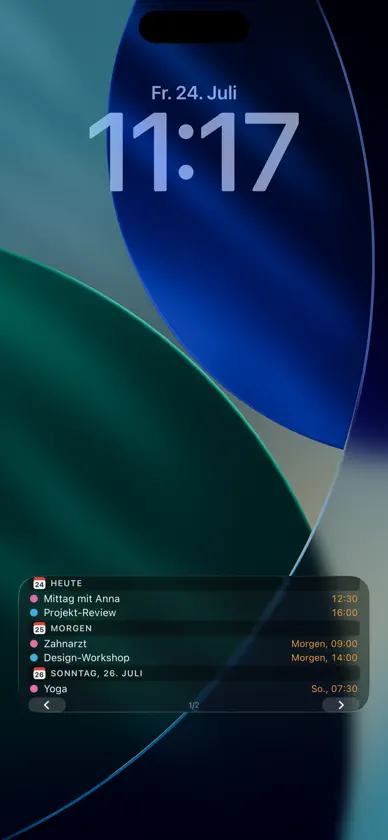
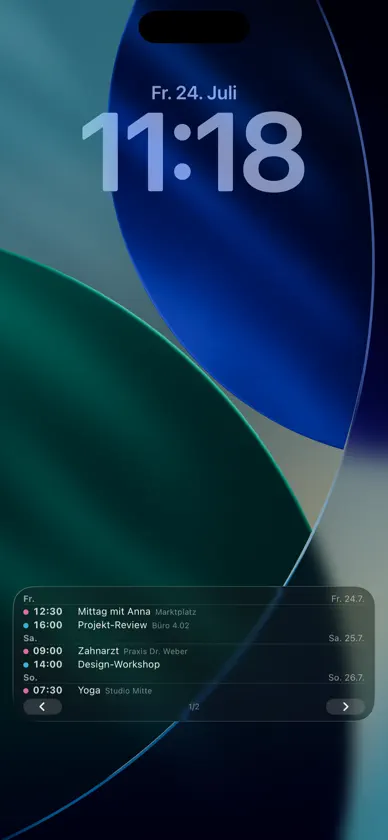
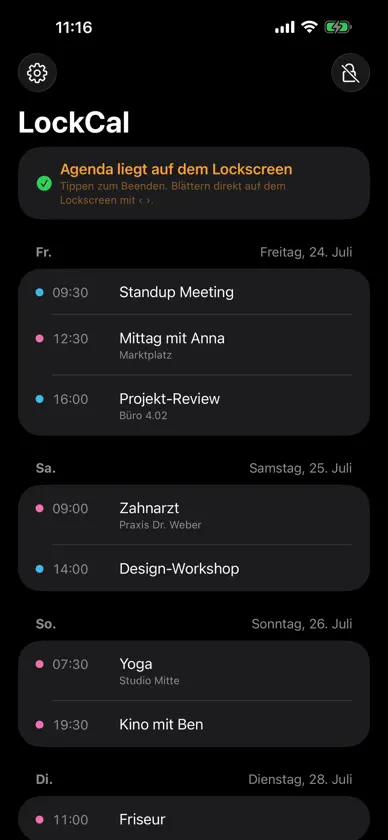
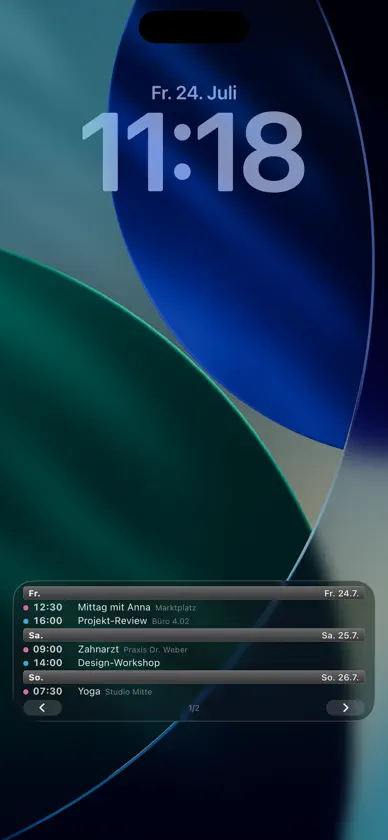
LockCal puts your schedule where you already look all day: on your Lock Screen. YOUR AGENDA AS A LIVE ACTIVITY Start your day's agenda with one tap — it stays visible as a card on the Lock Screen. Use the ‹ › buttons to page through the coming days right on the Lock Screen, without unlocking and without opening the app. FIVE DESIGNS Night Sky, Classic, Retro 2010, Minimal or Timeline — pick the layout that matches your Lock Screen. With calendar color dots, locations and a configurable number of events per page. WIDGETS ON TOP Your next events as a Lock Screen widget above or below the clock — plus a Home Screen widget. AUTOMATIC EVERY MORNING With a Shortcuts automation, your agenda starts into the day by itself and can clean itself up at night. YOUR DATA STAYS YOURS LockCal reads your calendar strictly on-device. No servers, no account, no ads, no data collection — the app does not even have internet access. ALWAYS FRESH If you like, LockCal reminds you shortly before iOS ends the Live Activity — one tap on the notification puts your agenda right back on the Lock Screen. FEATURES • Day agenda as a Live Activity with paging buttons on the Lock Screen • 5 designs, 3–6 events per page, 3 days to 2 weeks range • Toggle individual calendars, color dots, locations • Hide past events; ongoing multi-day events move to "Today" ("until Fri") • Reminder shortly before the Live Activity expires, with one-tap renewal • Lock Screen widgets (inline + rectangular) and a Home Screen widget • Shortcuts actions for automations ("Agenda to Lock Screen", "End agenda") • Dynamic Island glance with your next event • Fully localized in English and German
What's new
Version 1.2 · Oct 7, 2026
• Two new designs for the Lock Screen agenda: “Modern” (day headings, times in calendar color, all-day events as color pills, glass background) and “Modern List” (the same in a single column). • Renewal reminder is now configurable: shortly before it ends, regularly every 2–6 hours, or daily at a fixed time. • 31 languages, selectable right in Settings.
More from Vladimir Popov


You might also like
 Planwall: Lock Screen CalendarBetul Sahin
 Peek - Up Nextdasol kim
 Calance - Calendar & WidgetsJonas Schaude
 I Need That Widget: CalendarJoohee Kim
 Brain RipeBrain Ripe UG (haftungsbeschrankt)
 Memento Mori: Time Left WidgetSergey Li
 CompactCalendar - Month WidgetSunghyun Kim
 CalemonIMPLEMON LLC
 PDF QuickableColorful Wallet Inc.
 Calendar Widget: Day & MonthJosef Bina