
OKnote
魔法森林(重庆)科技有限公司
No ratings yetProductivityAges 4+
Screenshots





About this app
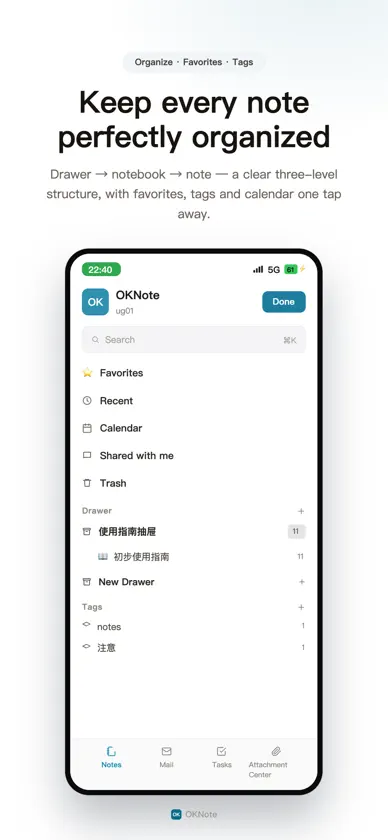
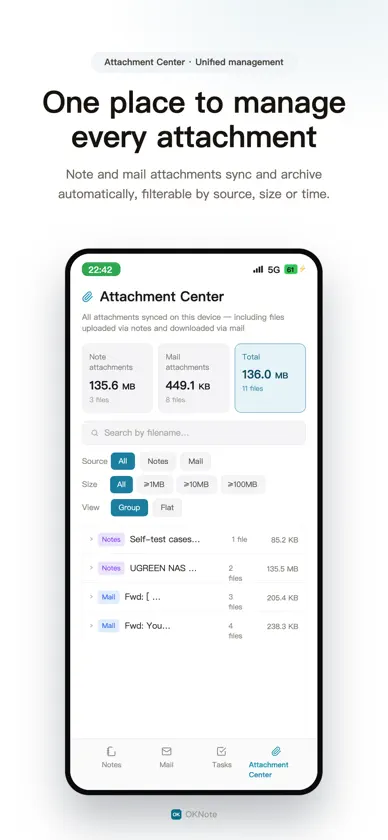
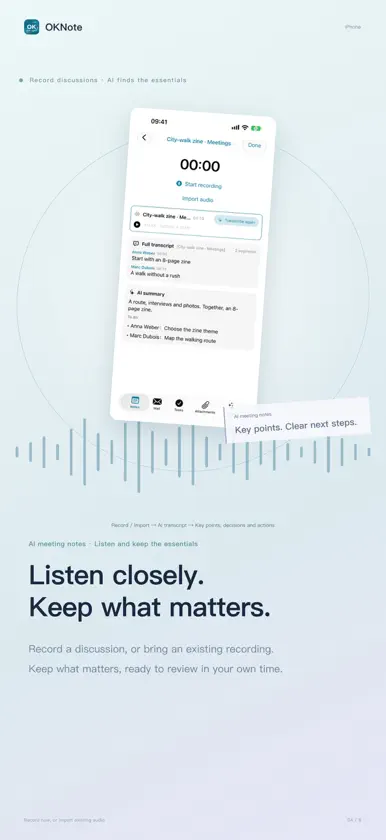
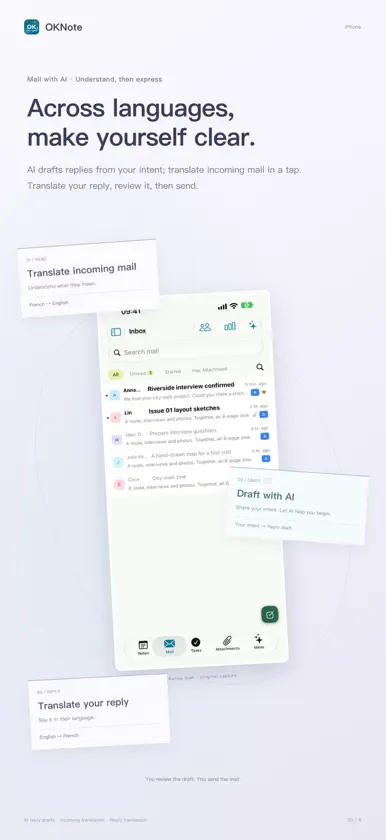
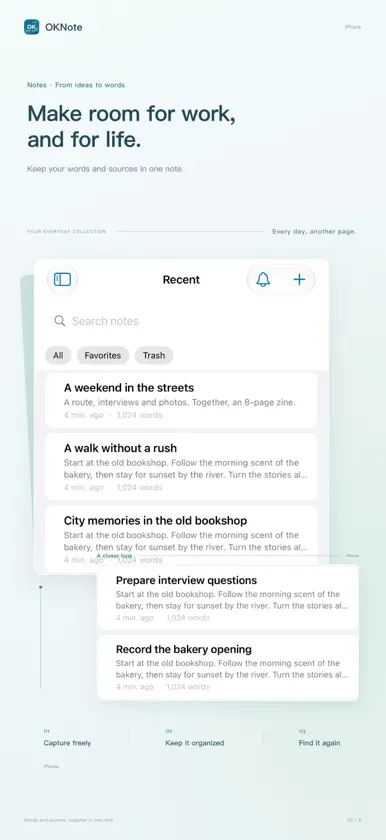
OKnote is a powerful personal privacy and productivity workspace built exclusively for NAS. This is its mobile linked version. Core NAS features of the software: centered on notes, it supports meeting speech recognition, email integration, task planning, and built-in AI intelligence. Focusing on privacy protection and long-term data preservation, it is an exceptionally practical NAS tool for everyone. It comes with built-in domain mapping — bind your own domain name to map internal network addresses to the internet, allowing you to access your data anywhere. The deeply tuned data transfer and synchronization ensure your data stays consistent across all devices in a timely manner. ## Note Features · One-click copy of images and text: Copy mixed image-and-text content from WPS, Word and various note-taking apps into notes in one click. (Note: Due to different copy formats in WPS, there are limitations on the web version.) · Meeting Minutes: Supported since version 3.1.0. Record meeting audio, separate audio tracks via speech models, and generate AI meeting summaries and meeting reviews. · Markdown Support: Automatically render a dedicated Markdown view after importing MD files. · Tutorial Creation & Sharing: An efficient private-domain assistant. Freely mix images, text and attachments to guide others through your ideas and operation procedures step by step. · Highlight text to generate charts: Use AI to create charts from selected text. · AI Note Summary: One-click AI summary of note content. ## Email Features · AI Auto Reply Drafting: AI automatically drafts replies based on email body content. · AI Email Classification: AI sorts emails by importance following your custom rules, helping you quickly identify priorities amid heavy email traffic. · Multi-account Reply: When the original mailbox is unavailable, switch to other mailboxes to reply / reply to all. ## Task Features · Auto Weekly / Monthly Report Generation: AI generates weekly and monthly reports based on your task schedule. More featured functions will be rolled out gradually. Age Rating: 3 years and above — No age-restricted content including violence, horror, sexual innuendo, offensive language or simulated gambling. Suitable for users of all age groups.
What's new
Version 4.0.0 · Oct 30, 2026
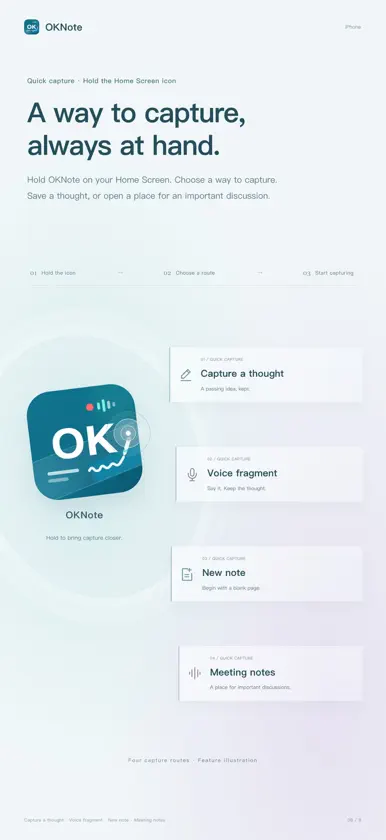
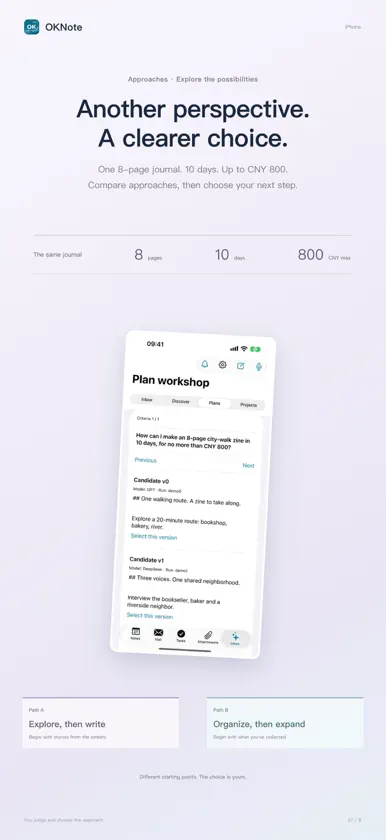
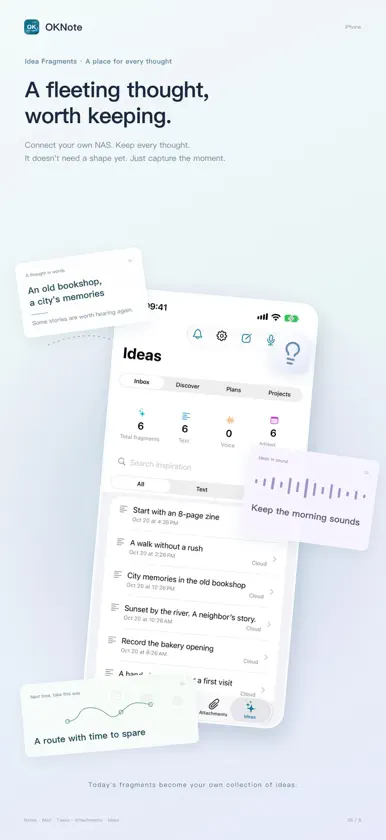
OKnote 4.0 has been fully updated, and the mobile version will now become your handy privacy office tool! iPhone Duo is now supported; You can now make in-app purchases for OKnote on iOS; You can now smoothly use the offline mode on mobile devices; Added the new module [Idea Fragments] (only partial functions are available in offline mode): Idea Fragments is a tool for recording and solidifying fleeting thoughts. It lets you log ideas, analyze connections between multiple thoughts, and turn ideas into tangible innovations. It works great for commercial analysis, project planning, idea correlation and recommendation. It records and manages the full workflow: capture ideas → refine thoughts → get commercial ideas from AI → compare multiple AI-generated plans → project implementation (asset and document management). Note: The classification and analysis feature of Idea Fragments requires a vector model. See AI Settings for details. Unified the notebook LOGO icon on mobile and desktop. Added a view-only mode for mobile notes to prevent accidental text changes from touch operations. Redesigned the email list layout for richer content. Added one-click translation for email body text. Added one-click translation of reply content into the target language. Added an optional feature to include historical emails in replies. Added voice input for tasks, with AI automatic recognition and auto-filling. Added 2 static backgrounds and 4 animated backgrounds. The AI module icon in notes can now be dragged to avoid content occlusion. Fixed incomplete translation issues across multiple languages. Fixed severe page flickering when zooming notes with two fingers on mobile. Fixed the 404 error when tapping to generate charts on mobile. Added mobile collaborative note-taking, you can now co-create notes with AI. Fixed repeated vertical page jumping when the on-screen keyboard pops up. Fixed the bug where images failed to display in email bodies. Fixed several logical bugs.
In-app purchases
The most popular purchases on the App Store.
- OKnote proConsumable1.499,00 kr
- OKNote FamilyConsumable399,00 kr


