
Screenshots

About this app
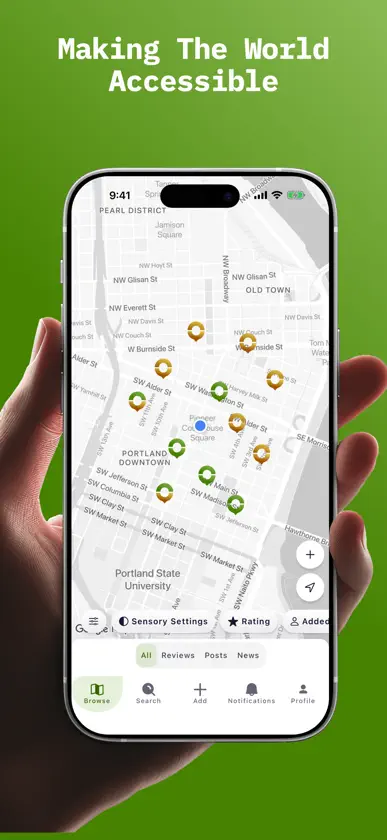
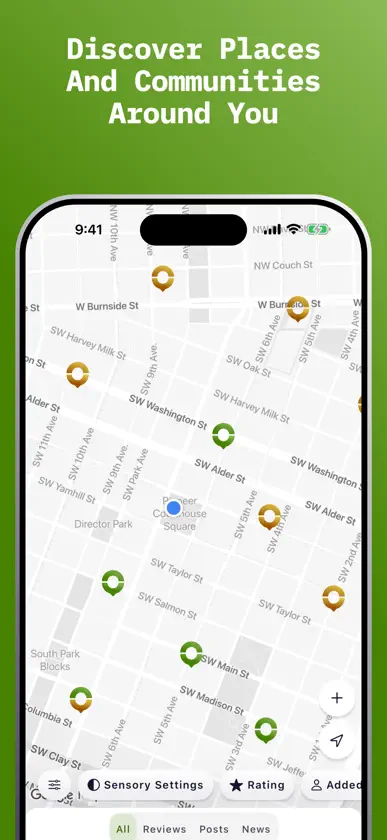
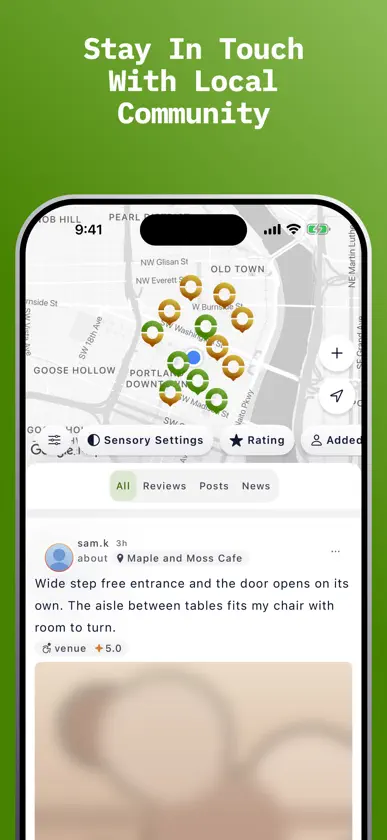
Roll Mobility shows you what a place is like before you get there. Is there a step at the entrance? Does the restroom fit a wheelchair? How loud, bright and crowded does it get? The answers come from people who get around on wheels, with a cane, with a stroller or with sensory needs. They know what to look for, so the details in their reviews are the ones you need. THE MAP See the places around you, with pins colored by restroom rating. Filter by sound, light, smell and crowd levels, by rating, or by who added the review. Tap a pin for the place's accessibility features, photos and reviews. WRITE A REVIEW A review has three short sections: Venue, Restroom and Sensory. Each one takes a few minutes and asks what the next visitor will want to know. Confirm the features you saw, like automatic doors, accessible parking or an adult changing station, and add photos. EARN POINTS Reviews, photos, videos and snapshots all earn points. Move up from New to Reputable, Established and Expert, and see where you rank worldwide. SNAPSHOTS Pin a quick photo or video to the map to show a ramp, a broken elevator or a blocked sidewalk. THE FEED Reviews, posts and news from people near you and people you follow. Follow anyone whose needs are like yours, and join groups for your city or for the things you care about. BUILT FOR MORE PEOPLE Roll Mobility is available in 16 languages. Map pins have a color-blind friendly option. Browse the map without an account, and sign in with Apple, Google, email or a phone number when you want to post. If a place has no reviews yet, you can write the first one.
What's new
Version 3.0.5 · Nov 10, 2026
New in 3.0.5 Dark mode: Roll Mobility now follows your phone's light or dark setting. To choose Light or Dark yourself, go to Account Settings > Appearance. Fixes and improvements: • Edit your reviews and posts, including posts in groups, from the three-dot menu. • Tap a review's score to see the questions and the reviewer's answers. • Share and Like now work on post details, and you can share a snapshot from its comments. • Shared links now show a preview of the review, post or group. • Tap the author of a snapshot to open their profile. • Every review photo, including the +N tile, opens the photo viewer. • Karma points are now counted correctly.
You might also like
 Everywhere Is QueerEverywhere Is Queer
 IBCCES Accessibility AppInternational Board of Credentialing and Continuing Education Standards LLC
 Lucky Sweater - Swap ClosetsIsthmus App, Inc
 Falling FruitFalling Fruit
 The Soft AppBrittney-Elizabeth Williams
 Hiki: Autism ADHD & ND DatingHIKI, INC.
 SpoonieDayBlackburn Labs
 Ravit - Ravelry on the hopEnhancient
 outernet: go outside & exploreOuternet Explorer Inc.
 FatigueSenseNana Abaogye