
Scratchcam
Junghyun Yoo
No ratings yetGraphics & DesignAges 4+
Screenshots



About this app
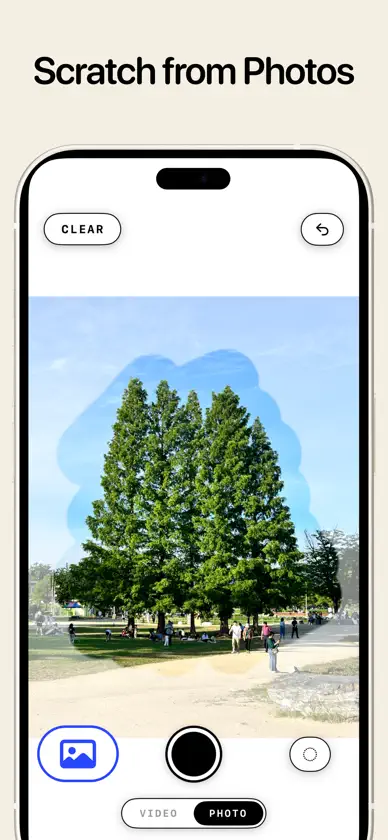
Scratch the screen to reveal the moment your camera sees! How to use Scratchcam - Scratch the white canvas, and the moment the camera was seeing appears right there. - Each new stroke stacks a new moment over the last. - Tap once to fade the canvas and see the full camera view. Video mode - Every moment you scratch is kept as a video. - The camera never stops: it keeps filming the whole time. Scratch from your photos - Pull a photo from your library and scratch into it instead. - Old pictures, opened one stroke at a time. Saving - Your work is saved as transparent PNGs and videos. - Turn them into stickers for iMessage and Instagram Stories. Photo import, video mode, and unlimited saves come with a single one-time unlock. No subscription.
What's new
Version 1.8 · Aug 13, 2026
Zoom into your photos: Pinch to zoom and drag with two fingers while you scratch a photo. Every screen now follows your text size setting.
In-app purchases
The most popular purchases on the App Store.
- Full UnlockConsumable49,00 kr
- Full Unlock (Launch Offer)Consumable39,00 kr
More from Junghyun Yoo


You might also like
 Stampory: Stamp Your Days伟 潘
 Fridge magnet: photos stickers豪 李
 MagicM: AI Remove Objectsyanming wang
 AuraCanvasAbhishek Mishra
 Pixel Art Photo Editor: DoticaLowbit Labs
 Atelier Post彦瑾 李
 Sketudio: Animated Comic MakerJun Park
 GridSticker - Sticker MakerPeter Ong
 Tinc — Color from PhotosDenise Huang
 Ai Photo - Background EraserShahina Akter