
Snap Censor
福民 冯
No ratings yetPhoto & VideoAges 4+
Screenshots


About this app
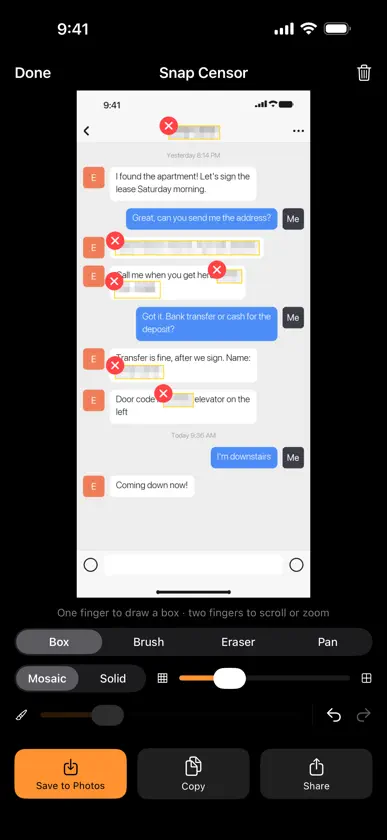
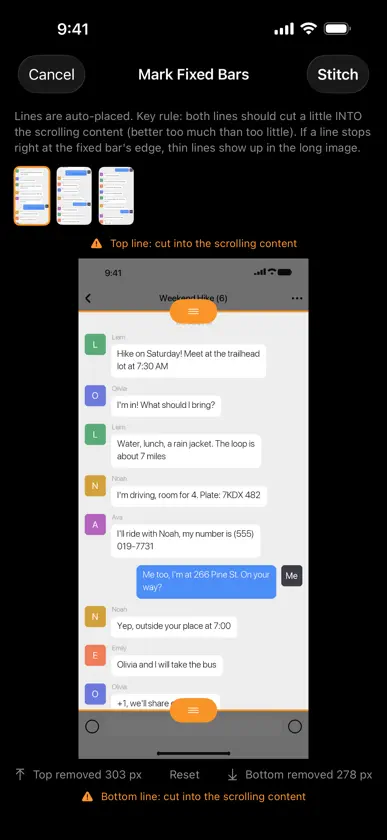
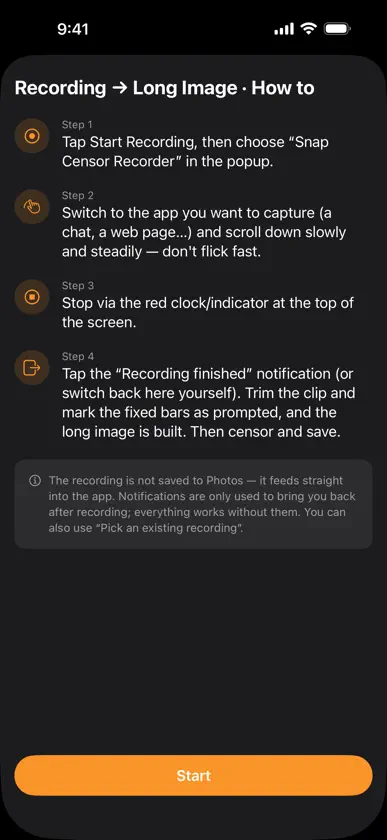
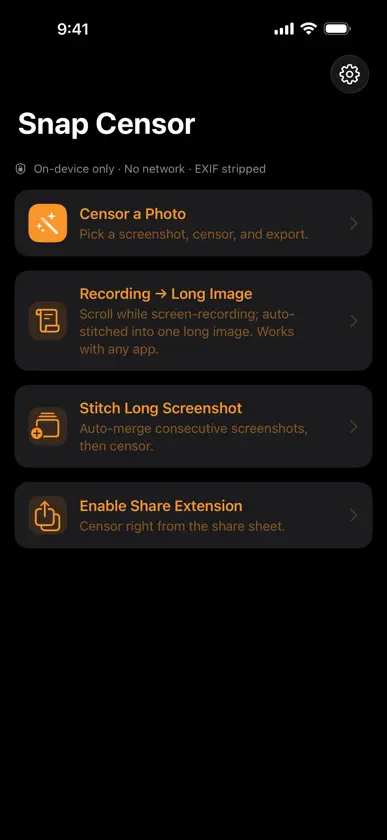
Snap Censor is a minimal, privacy-first screenshot censoring tool. iOS Markup has no real mosaic — hiding private info means painting over it crudely. Snap Censor does it in two steps: box or brush over the area, then save. CORE FEATURES • Censor: drag a box, or use Brush to paint over anything and Eraser to wipe it back. Mosaic or solid block, adjustable strength and brush size, undo/redo. Long images scroll and zoom with two fingers while you censor. • Stitch long screenshots: multi-select screenshots, mark the fixed bars at the top and bottom, and overlaps are detected and removed into one clean long image. Choose which to include, reorder, and fine-tune any seam by hand. • Recording → Long Image: iOS doesn't let third-party apps auto-scroll other apps, so you scroll while screen-recording. Start recording from the app, tap the notification to come back when you stop, pick the clip, and the long image is built — works with any app. • Share extension: censor right from the system share sheet, then Save & Close to save to Photos. • Export: save to Photos, copy, or share — EXIF/GPS metadata is stripped automatically. PRIVACY FIRST • Everything is processed on your device. The app requests no network access. • No data is collected or uploaded. • Uses heavy pixelation or solid blocks only (not light blur that can be reversed). • Notifications are only used to bring you back when a recording finishes. They are generated on-device; no server is involved. Available in English, Simplified Chinese and Traditional Chinese.
What's new
Version 1.2 · Oct 31, 2026
This update: • Long-image censoring, rebuilt: tall images fit the screen width; scroll and zoom with two fingers; box or brush with one finger — no more switching modes • Smoother Recording → Long Image: when you stop recording, a “Recording finished” notification takes you back to the app in one tap. Processing is faster and uses far less memory, so longer recordings work • Easier to finish: tap Done when you're through. Leaving without saving now asks first, with a one-tap "Save to Photos & Close". After censoring a stitched image, Save/Copy give you the censored version • Mosaic strength now scales with image size, so large photos are covered just as well. Use Solid for passwords and card numbers • Better stitching: both fixed-bar lines are placed slightly into the content to avoid thin lines; screenshots of different heights are aligned too; uncertain seams are flagged for you to check • Share sheet: "Save & Close" saves the censored image straight to Photos • Traditional Chinese added. English app name and permission prompts on English devices; devices set to other languages now get the English interface • Fixes: the eraser could wipe a box's cover; the editor's top buttons were sometimes untappable; some share-sheet labels were unreadable in Light Mode; no message when an image was still in iCloud • Other stability and performance improvements As always: fully on-device, no network, no data collected. Feedback: maplefeng1110@gmail.com
More from 福民 冯

You might also like
 随手打码 - 视频马赛克Guizhou dawngrp Network Technology Company Limited
 HideCut鼎一 陈
 Rectangular MosaicShanghai Sunrise Chime Technology Co., Ltd.
 图片马赛克:照片模糊水印打码隐私保护Shenzhen Duoxiang Technology Co., Ltd
 AutoBlur - Local Video Blur少都 陈
 Classified - Photo PrivacyCHI HAO CHIU
 LiviGrid - Live Photo & PuzzleShenzhen Tudan E - Commerce Co., Ltd
 Marmot ID Photo: Passport顺飞 邹
 Pintaro: Photo Collage Maker畅 刘
 Pixhush: Photo Redact & Mosaic玉春 蔡