
TimerCue: Workout Timer
Marco Tedeschini
No ratings yetHealth & FitnessAges 4+
Screenshots




About this app
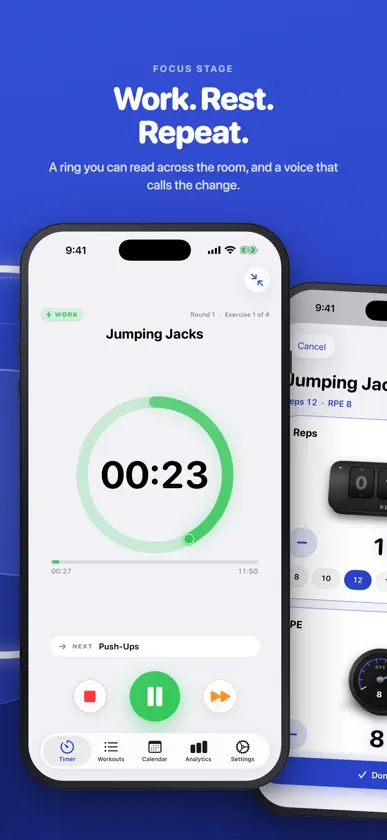
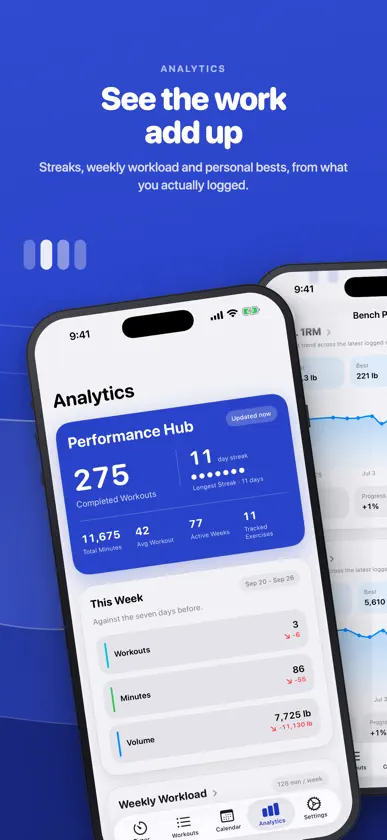
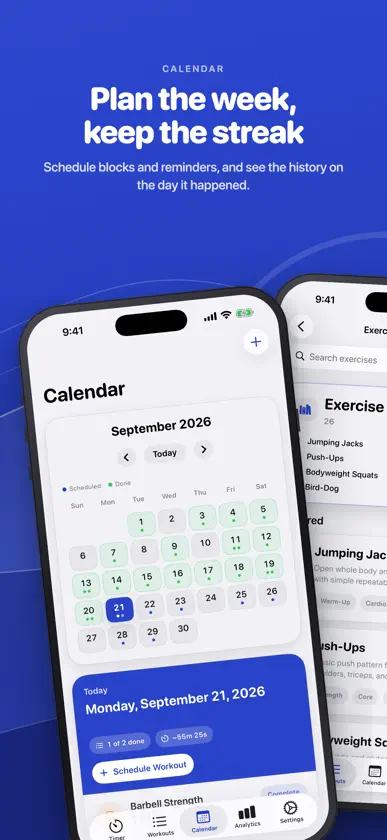
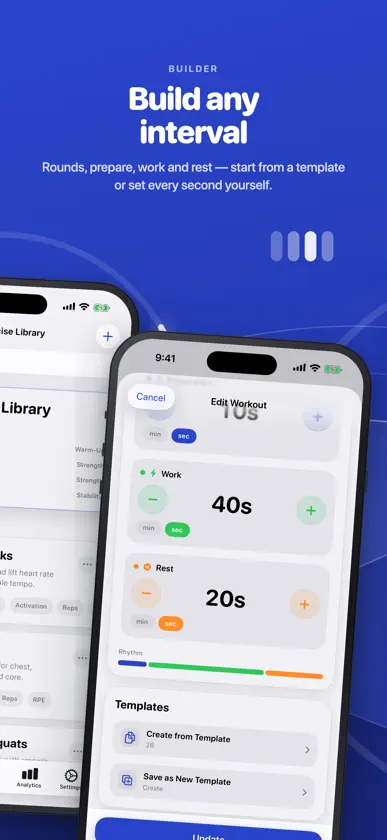
TimerCue runs interval workouts and logs your sets. Set prepare, work and rest times, add exercises and rounds, and press Start: a progress ring, voice cues and haptics take you through every interval, and during each rest you log the set without leaving the timer. TIMER • Prepare, work and rest times, rounds, and a different time per exercise when needed • Untimed sets: the timer waits until you tap Done • Voice cues announce the next exercise; countdown sounds and haptics at every change • Keeps running with the screen locked; Live Activity on the Lock Screen and in the Dynamic Island STRENGTH LOG • Reps, weight and RPE for every set, entered during the rest • Barbell view: type the weight, see the plates. Kilograms or pounds • Per-rep weight when the load changes within a set ANALYTICS AND CALENDAR • Weekly workload, monthly consistency, streaks and personal bests • Estimated 1RM, volume, reps and frequency for each exercise • Schedule single sessions or weekly blocks, with reminders ALSO • Built-in workouts and an exercise library; share a workout as a file • Start a workout from a Home Screen widget or Control Center • Save finished sessions to Apple Health (optional) • Light and dark mode, Dynamic Type, VoiceOver • Available in 11 languages No account, no subscription, no ads. Your data stays on your device.
What's new
Version 2.0 · Sep 24, 2026
• Strength log: reps, weight and RPE for every set, entered during the rest, with a barbell that shows your plates • Analytics: weekly workload, monthly consistency, streaks, personal bests and per-exercise trends • Calendar: schedule single sessions or weekly blocks, with reminders • Live Activity on the Lock Screen and in the Dynamic Island; start a workout from a widget or Control Center • Finished sessions can be saved to Apple Health • Per-exercise timing and untimed sets • Redesigned interface • Send feedback from Settings or by shaking the phone
You might also like
 Workout Timer - BestWorkoutAhmet Yagız Sarıdogan
 Strong Tabata and HIIT timerChrsitian Stærk
 MyCue TimerFran Cvitanovic
 My Routines: Timer & TrackerDevnex
 SlouchBreakerRobin Kosters
 Awesome HIIT Timerarai.me
 One More - Tabata & HIIT TimerSamuel Pacek
 Interval Pal: Boxing TimerPROMETHIC LABS PTY LTD
 Interval Timer – HIIT WorkoutMuhammad Aqib
 MoveCue: Hands-Free RoutineBhavya Arora