
Clicklet
Nicholas Ritschel
No ratings yetUtilitiesAges 4+
Screenshots


About this app
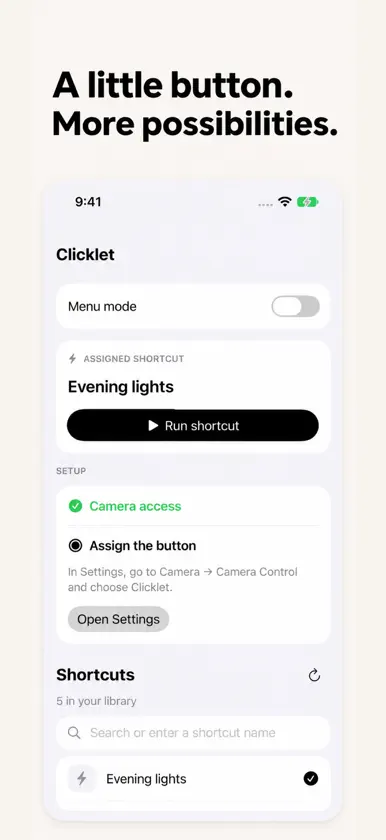
Give Camera Control a shortcut of your own. Clicklet connects the Camera Control button on a supported iPhone to Apple Shortcuts. Choose one shortcut to launch, or turn on Menu mode to pick from a small list of favorites. MAKE IT YOUR BUTTON Select a shortcut for the routines you already use. Clicklet opens Apple Shortcuts to run it, including any permissions or app handoffs your shortcut needs. KEEP A FEW FAVORITES CLOSE Menu mode lets you select several shortcuts and choose one each time. Switch it off to return to your direct assignment. CONNECT YOUR LIBRARY Install the included Connect Clicklet helper to import shortcut names from Apple Shortcuts. You can also search or enter an exact shortcut name manually. YOUR SETUP STAYS ON YOUR DEVICE Clicklet stores your shortcut names and selections locally. It has no account, advertising, or analytics. Camera access supports the Camera Control launch and lock-screen handoff; Clicklet does not save photos or videos. Requires iOS 18 or later, Apple's Shortcuts app, and an iPhone with Camera Control for button launching. Set Clicklet in Settings → Camera → Camera Control. Locked launches require authentication. Opening Clicklet normally shows your configuration without running a shortcut.

