
MeshSat
Kyriakos Papadopoulos
No ratings yetUtilitiesAges 4+
Screenshots


About this app
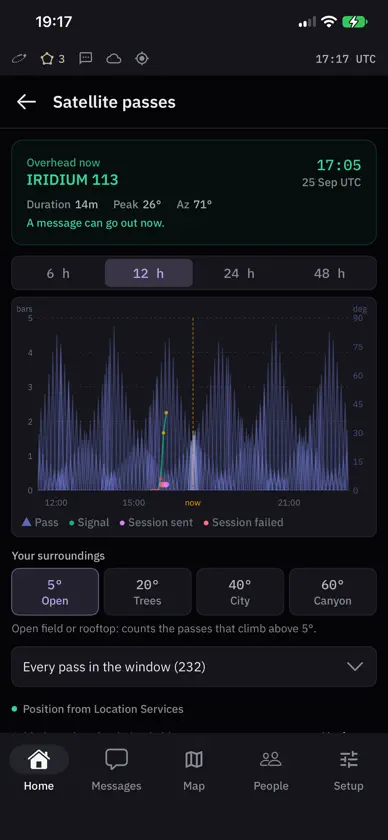
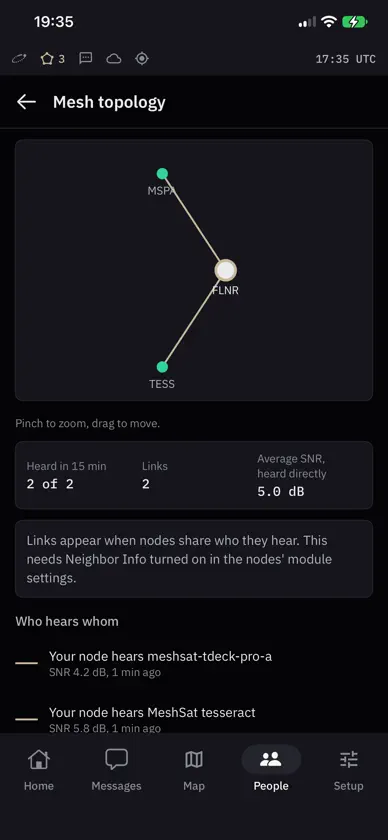
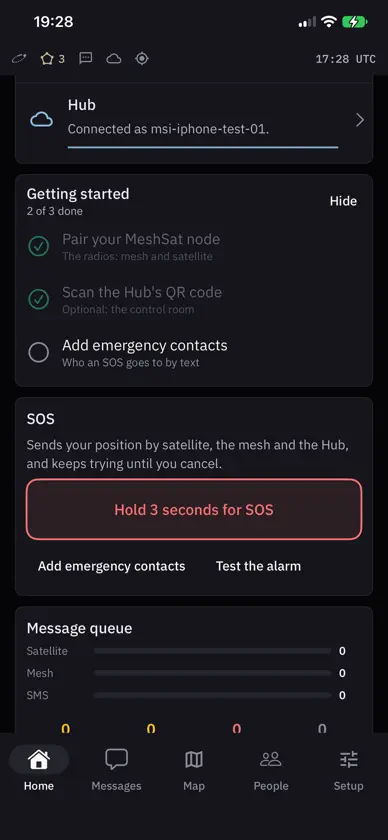
MeshSat turns an iPhone into a MeshSat gateway. Pair it with a MeshSat node, a pocket-sized box with a Meshtastic LoRa radio and a RockBLOCK 9603 Iridium modem, and one phone can send and receive over the mesh and by satellite. It keeps working when the mobile network and the internet are gone. It also works with any plain Meshtastic radio, for the mesh only. The node is open hardware anyone can build (https://github.com/meshsat/meshsat-fieldkit); its firmware and this app are open source (https://github.com/meshsat/meshsat-ios). Status: pre-release. This is a prototype under active development. It has never been deployed to a real user and has never been used in an actual emergency. Do not rely on it for your safety. What it does: • Mesh: Meshtastic over Bluetooth LE: text, positions, telemetry, waypoints, node info and traceroute. • Satellite: Iridium SBD through the node's RockBLOCK 9603, up to 340 bytes out and 270 bytes in. Messages wait in a queue and are retried until they go out. The app opens a satellite session only when there is something to send, when the modem rings or when you check the mailbox, never on a timer, because every session costs a credit. Passes are predicted on the phone, with no internet needed. • Text messages: MeshSat opens the Messages composer with the text ready, compressed and optionally encrypted for a MeshSat kit; iOS lets no app send or read texts by itself. • APRS through a KISS TNC over TCP (Direwolf, for example) or directly to APRS-IS. • Hub, optional and open source: the phone reports to a MeshSat Hub and takes remote commands. • TAK: the Hub's TAK positions on the map; the phone's own position and an SOS go to the Hub as Cursor on Target. • Reticulum and LXMF: the phone is a Reticulum node with an LXMF address, as Sideband and MeshChat speak it, with voice notes and photos in a chat; over TCP, a Sideband on the same WiFi, the node's RockBLOCK 9704 by satellite, or an RNode radio over Bluetooth. • Safety: hold the SOS button for 3 seconds and the SOS goes out on every route the phone has, each retried until it is sent, until you cancel it. A check-in timer and zones drawn on the map. • Optional: keep the gateway running in the background, reporting your position and relaying while the app is off screen. • The map works offline down to country level. Night mode turns the whole app red. Satellite messaging needs a RockBLOCK modem and Iridium credits from a provider; Iridium is a paid commercial network. Internet connections: the bundled world map covers country level; closer in, map tiles come from OpenStreetMap's tile servers while you look at the map online. Once the MeshSat node's satellite modem has been seen, Iridium orbit data is downloaded from celestrak.org, or tle.ivanstanojevic.me if that fails, when the stored copy is more than a day old, checked at most every 12 hours; before that only when you tap Update on the passes screen. The Hub, APRS-IS, Reticulum over TCP and its listener for peers on your WiFi connect only when you set them up, and a field kit you add under Setup is reached at the address you give it, or through the Hub relay. Node firmware is downloaded from MeshSat's releases on github.com only when you tap Check for update. Feedback from Setup > Help > Support leaves through your own mail app, only when you send it. Nothing else goes online. Permissions: Bluetooth, for the node and an RNode; location, for the map, passes, zones and SOS, and Always only for the background gateway; the camera, for QR codes; notifications, for incoming messages, warnings and an SOS; the microphone and speech recognition, only while you hold the button to record a voice note; a photo you pick, only to send it. A welcome page says what each is for before iOS asks. Privacy: the app has no analytics and no account, and sends nothing to MeshSat. https://meshsat.net/privacy/ Documentation, and a table of what has and has not been verified: https://docs.meshsat.net/ios/
What's new
Version 0.5.1 · Nov 12, 2026
MeshSat 0.5.1 can keep the gateway running in the background, as MeshSat Android does. Switch on Keep the gateway running in the background under Setup > Advanced > Diagnostics and allow location Always: the phone then keeps reporting its position to your Hub and TAK, keeps the check-in timer and an SOS supplied with a current position, and keeps relaying while MeshSat is not on screen. iOS shows its blue location indicator meanwhile, and the battery drains faster. If location is allowed only while the app is open, the setting says so and opens iOS Settings for you. A short press on the voice note microphone no longer keeps recording.


